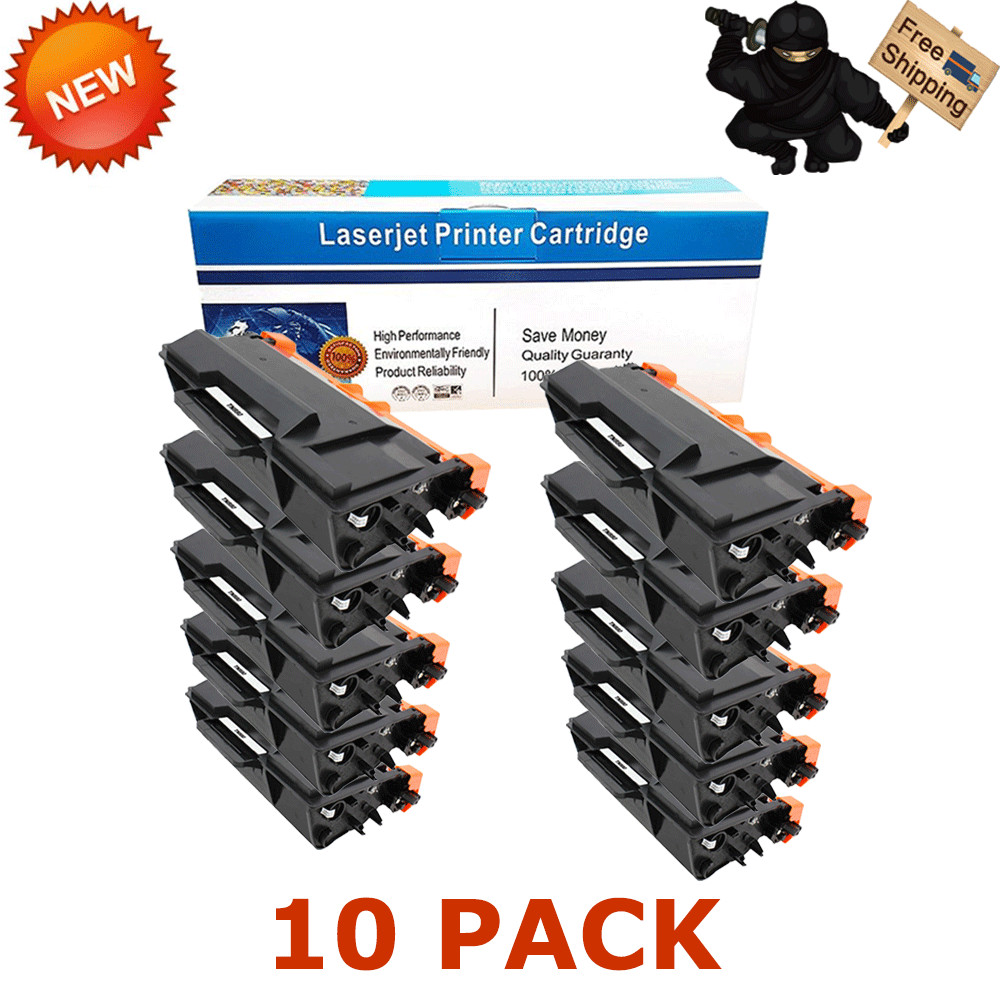
DescriptionPaymentShippingReturn PolicyContact us Shop CategoryStore Home BROTHER◈TN450 / DR420◈TN360 / DR360◈TN660 / DR630◈TN750 / DR720◈TN850 / DR820◈TN221 / DR221◈TN115 / DR110◈TN210◈TN460 / DR400◈TN336◈TN580 / DR520◈TN570 / CANON SAMSUNG OtherHot Item PG-245XL CL-246XL Ink Cartridge Lot For Canon PIXMA MG2920 MG2522 MG2550 MX492 USD 17.99 Combo Black Color pk Ink Cartridge 65XL 63XL 62XL 64XL 61XL 60XL for HP Printer USD 31.90 4PK Color Toner for HP CF210A 131A LaserJet Pro 200 M251nw M276nw MFP Printer USD 65.75 10PK CE285A 85A Toner Cartridge for HP LaserJet M1132 M1212nf M1217nfw P1102w USD 56.57 2PK 83A CF283A Bk Toner Cartridge for HP LaserJet Pro M127fn M127fw M125nw MFP USD 31.85 New List Item 10 PK CRG125 Toner for Canon ImageClass LBP6000B LBP6018 LBP6018W LBP6000 MF3010 USD 60.98 4 Pack CRG-125 For Canon 125 Toner Cartridge ImageCLASS MF3010 LBP6000 LBP6030w USD 31.92 6 Pack CRG125 Toner Compatible for Canon 125 imageCLASS MF3010 LBP6000 LBP6030w USD 45.89 6x Black Toner for Canon 125 ImageClass LBP6000 LBP6020 LBP6030w MF3010 Printer USD 45.89 10x CRG125 Black Toner Compatible for Canon 125 ImageClass LBP6000 LBP6030w USD 60.98 Help & InfoPayment PolicyShipping PolicyReturn PolicyFAQAbout Us 10 Pack Compatible TN880 Super High Yield Toner Cartridge for Brother HL-L6200DW
Compatible Printers:
● Brother Laser Printer HLL6200DW, HLL6200DWT, HLL6250DW, HLL6300DW, HLL6400DW, HLL6400DWT;
● Brother Laser Printer MFCL6700DW, MFCL6750DW, MFCL6800DW, MFCL6900DW;
Features:
● It is certified with ISO 9001 and ISO 14001
● Page Yield: 1,2000 Pages at 5% Coverage.
● Warranty : 1-Year
● Shelf Year: 12 Months
● Print Technology: Laser
● Color: Black
● Compatible Model: Brother TN880
● Condition: 100% Brand New
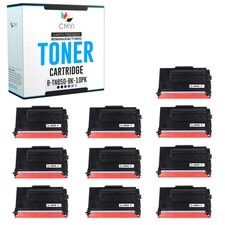
● Quantity: 10PK
Package Includes:
● 10PK Compatible Brother TN880 Toner Cartridge
Compatible Toner Printing Navigate through the menu of your laser printer using the keypad.
● Choose "Replace Toner."
● Select the cartridge that you want to replace (the printer will give you options of which cartridge you would like to replace). The selected cartridge will rotate to the inside front of the printer.
● Open the printer door and lift up the handhold. Gently dislodge the cartridge for removal.
● Take a new toner cartridge out of the box and shake it gently. Remove the protective tape.
● Insert the new cartridge into the laser printer and align the cartridge with the arrows. Push down gently to make sure it is locked into place.
● Close the front panel of the printer, and it is ready for use. Print a test page.
Tips & Warnings
● Be careful when handling the toner cartridge. If toner gets on your hands or clothes, be sure to wash them
immediately with cold water.
● Replace the toner cartridge gently. If you're doing it right, it won't need to be forced.
● Wait to unwrap the toner cartridge until just before you put it in the printer. If toner cartridges are
leftuninstalled for a long time outside the packaging, the toner life will be shortened.
Payment
We only accept PAYPAL for the time being.
Instructions
The selected cartridge will rotate to the inside front of the printer. 、Open the printer door and lift up the handhold. Gently dislodge the cartridge for removal.
Insert the new cartridge into the laser printer and align the cartridge with the arrows. Push down gently to make sure it is locked into place.
Close the front panel of the printer, and it is ready for use. Print a test page.
Shipping
Standding Shipping Send to all USA areas eccept for APO/FPO, Alaska/Hawaii, US Protectorates, PO Box.
Service
Any of your messages will be attended to in the quickest manner.
Guaranteed refund for product issues caused by us.
Contact Us We appreciate your action of contacting us first to see what we can do to help before leaving your negative response.
All rights reserved.