 When you click on links to various merchants on this site and make a purchase, this can result in this site earning a commission. Affiliate programs and affiliations include, but are not limited to, the eBay Partner Network. When you click on links to various merchants on this site and make a purchase, this can result in this site earning a commission. Affiliate programs and affiliations include, but are not limited to, the eBay Partner Network.
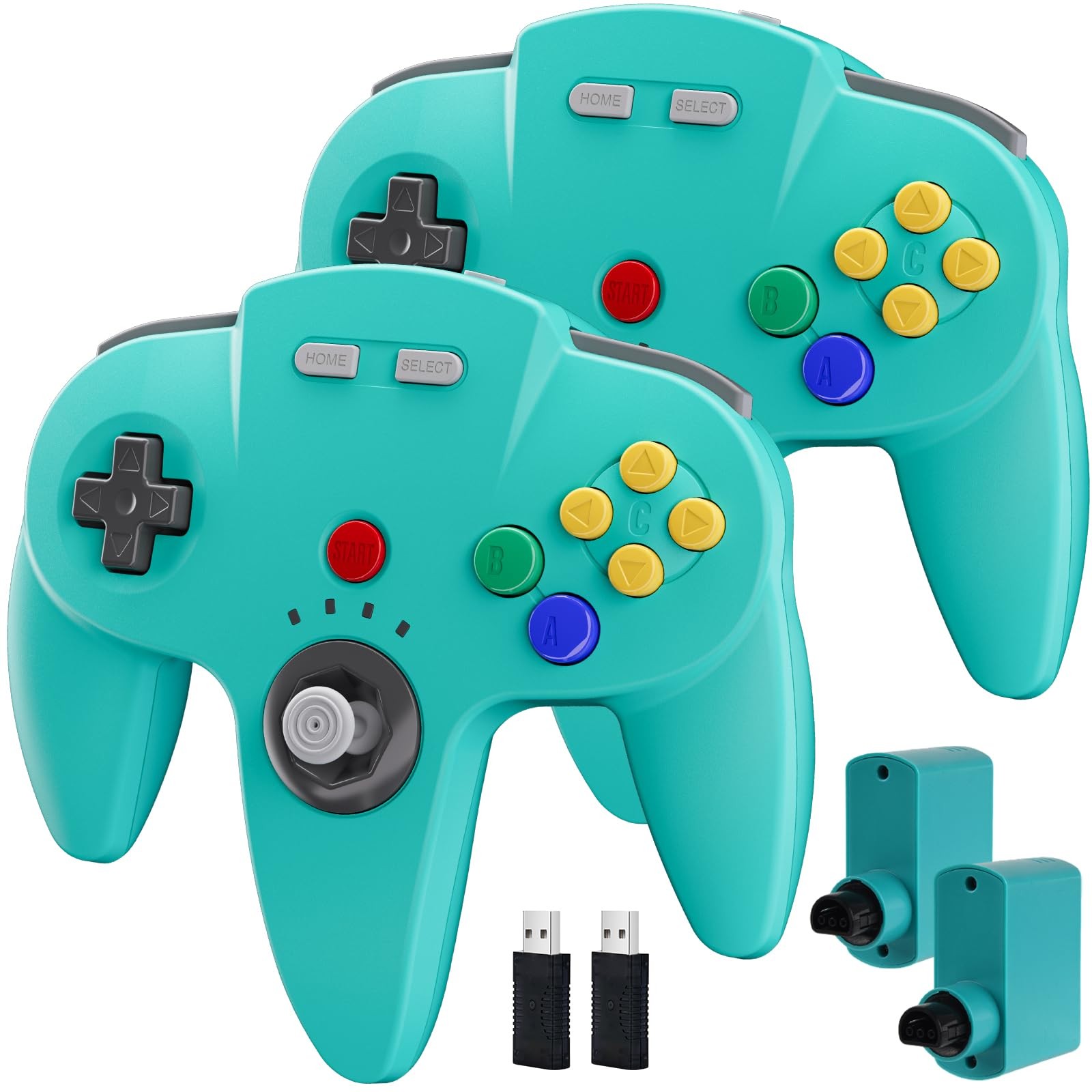
2 Pack Wireless N64 Controller for Switch/Switch 2 Online Games Turquoise - 【Compatibility】2 Pack Wireless controller for Original N 64 system and Switch Console, specially designed for Classic N64 old school Online Games On Switch, including N64 receiver and USB dongle. Compatible with various platforms, support Switch / Switch 2, Switch OLED, Nintendo 64 Console, Windows PC/MAC or Raspberry Pi
- 【Wireless connection】2.4GHz Wireless technology and wireless range up 25 feets for fast connect, that is better than having to sit on floor a foot away from the TV. Great battery life, built-in 500mah high-performance lithium batteries and charge simply, only takes 3 hours to charge and can work for up to 15 hours and more.
- 【Precise joystick and motor shock Vibration 】Precise 3D-high quality analog stick, built-in rumble Pak and memory card port, compatible with most of game memory cards. you can use a memory card and transfer to an SD card.
- Notice: For Switch, "Pro Controller Wired Communication" must be enabled before pairing. When pairing with the Switch 2 fails, and search or contact seller support for the Google module patch, then update the firmware.
- 【Classic Design】ERGONOMIC DESIGN HANDLE, Classic N64 style with "M" shape ,perfectly fit palms, all the buttons and controls make your hand very comfortable for long periods of gaming. It is a great choice if you hope to play these classic N64 games on the switch console.
- 【Satisfaction】Third party controller. USB dongle can fast connect by downloading the game emulator in windows system, PC running operating system:Windows 98/2000/ ME/XP/Vista/Win7/8/8.1/11 or later,or Mac running OS X 10.0/Mac OS X or above.
How to pair on the switch:
1.Click the menu “System settings “by Switch Joypad , find the icon”Controllers and Sensors” and click the button“ Pro Controller Wired Communication" must be ON status.
2.Plug the receiver into your switch and the red led starts flashing, press and hold the "SYNC" button on the receiver until it fast-blinking.
3. Press the"Reset“ button on the top of the controller , the led on the controller starts flashing.
4. Press the" Start” button, the LED1 stays lit and the controller is connected.
Shipping All U.S. orders include complimentary shipping, and free shipping is also available to select international locations(see the Shipping section of the listing for destination-specific details). The stated handling time appears at the top of the listing page. Orders are shipped via major carriers based on the most appropriate service for the shipment. Storepickup is currently not offered. Where applicable, combined international shipping options may be provided.
Return - You can return a product for up to 30 days from the date you purchased it.
- Any product you return must be in the same condition you received it and in the original packaging. Please keep the receipt.
Payment
We accept payments.
response Customer satisfaction is our priority.
If you experience any issue with your order, please reach out to us directly, and we will work promptly to resolve it to your satisfaction. Contact Us If you have any queries, please contact us via . We usually respond within 24 hours on weekdays. Please visit our store to check out other items for sale! Thank you for shopping at our store.  |
|