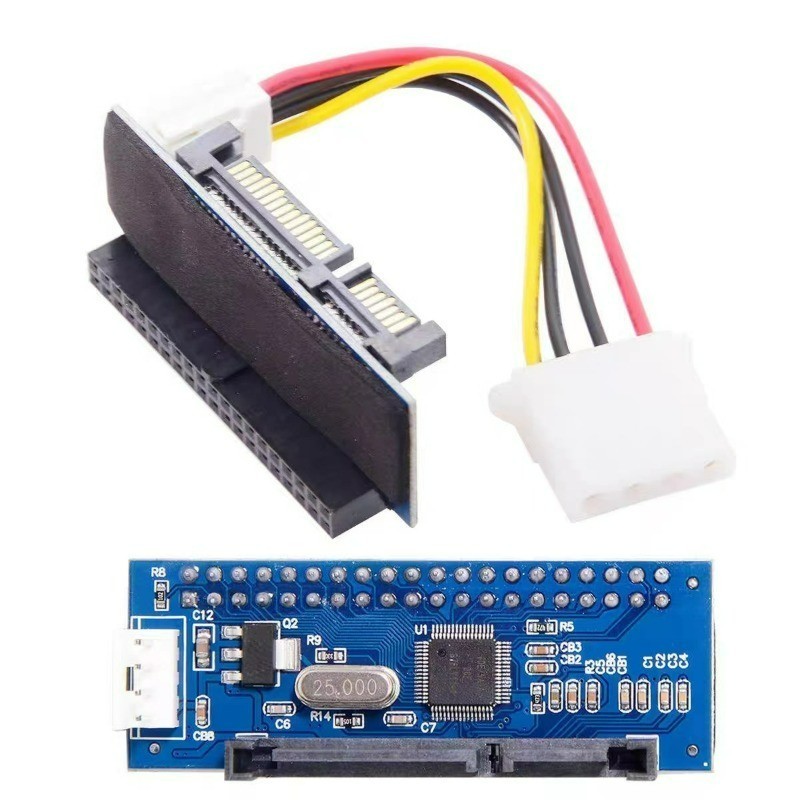
Product Description Wiring Method: 1. Some adapter cards and hard drives/optical drives need power. You must set the jumper to the MASTER position to work properly. 2. If the included power cable is not enough, you can also use the 4-pin power from your computer's power supply. 3. Usually, people use this with old hard drives or optical drives. The pins might be rusty, so you can scrape them with a small blade and plug them in a few more times to ensure good contact. Product Name: IDE to SATA Adapter Card Product Size: 6*2.2CM Model Used: JM20330 Material: Made with a PCB double-layer circuit board Applicable Range: Suitable for IDE optical drives, burners, 3.5-inch hard drives, DVR hard drives Compatible Systems: Compatible with Windows XP, Win7, Win8 32-bit/64-bit systemsCompatible with all brands of desktop computers:
1. Convert DVR IDE hard drives to SATA, connect to the motherboard SATA port.2. Convert 3.5-inch IDE hard drives to SATA, connect to the motherboard SATA port.3. Convert IDE optical drives to SATA, connect to the motherboard SATA port.4. Convert IDE burners to SATA, connect to the motherboard SATA port.5. Can use a desktop 3.5-inch IDE hard drive on a SATA DVR (please format the hard drive on the computer first).6. The converted hard drive can be used as a primary or secondary drive (requires reinstalling the system and refreshing in BIOS, etc.).7. The converted optical drive can boot the system.8. The adapter card supports parallel port hard drives up to 1000GB.9. For IDE devices using the adapter card, the jumper must be set to the MASTER position.10. Compatible with SATA 1, SATA 2, and SATA 3.11. Plug and play, no drivers needed.
Common issues when the product doesn’t work:
1. Check if the SATA data cable is loose or faulty. Try using a different working SATA cable.2. Make sure the jumper is set to MASTER.3. Check if BIOS settings are correct. Some motherboards require the SATA mode to be set to IDE MODE in BIOS.4. If it still doesn’t work, it might be a compatibility issue; some devices may not be compatible with this type of adapter.5. If the system can’t recognize the device due to product compatibility, here’s a fix: right-click “My Computer” → “Properties” → “Hardware” → “Device Manager”. Open “IDE ATA/ATAPI controllers”, double-click the Primary and Secondary IDE channels, select “Advanced Settings”, set “Device Type” to “Auto Detection”, and set “Transfer Mode” to “DMA (if available)”. Click OK and restart to check if the system detects the new hardware.6. This model does not support converting motherboard IDE ports to SATA hard drives. Please note the direction cannot be reversed when purchasing.