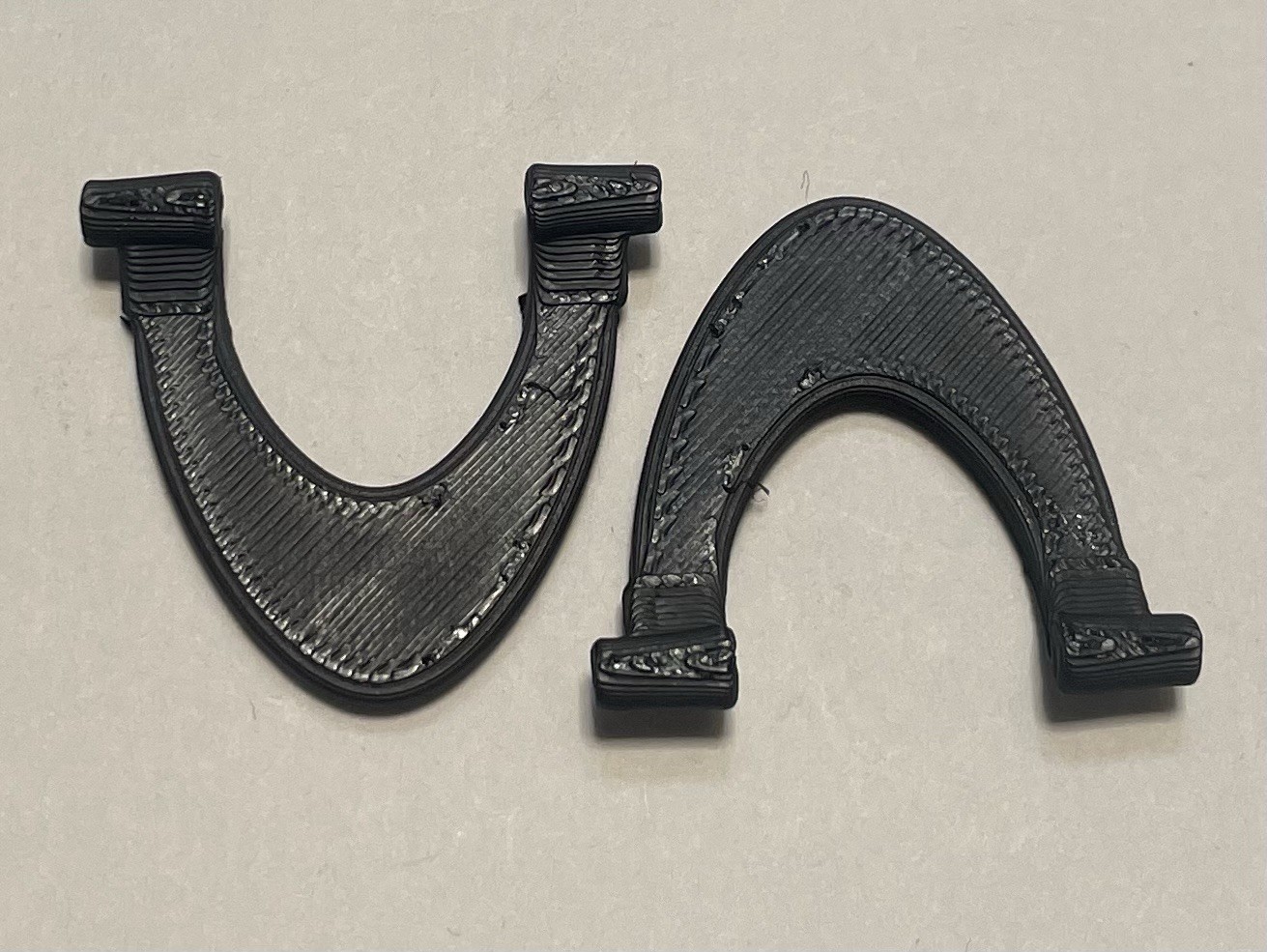
3D Printed Microsoft Digital Media Pro Keyboard Replacement Feet PETG - Pair of 2
Premium PETG replacement feet for Microsoft Digital Media Pro keyboard — restore stability and desk grip to your vintage media keyboard. Professional-grade durability for reliable keyboard support.
⚠ IMPORTANT
- This is a3D printed replacement part, not genuine Microsoft OEM.
- Printed in premium PETG — engineered for durability far exceeding Microsoft's original plastic feet.
- Pair of 2 feet— complete foot set for your Digital Media Pro keyboard.
- Installation: Snap-fit replacement — no adhesive or tools needed.
- Perfect for Microsoft Digital Media Pro owners who want reliable replacement feet for their vintage keyboard.
Part Details
- Keyboard Model:Microsoft Digital Media Pro (vintage media keyboard)
- Material:PETG (professional-grade plastic — exceeds Microsoft original specifications)
- Color:Black (matches Microsoft Digital Media Pro finish)
- Quantity:Pair of 2 feet (front and rear tilt adjustment points)
- Grip Surface:Textured finish prevents keyboard sliding on desk
- Installation:Snap-fit replacement — no modifications or tools required
Why Digital Media Pro Feet Wear Out
- Age-related degradation:The Digital Media Pro is a vintage keyboard — after years of use, the original feet have hardened or worn smooth
- Thin plastic fails:Microsoft's original feet become brittle and lose grip over time
- Media keyboard use:Used for intensive media control and typing — the feet experience constant stress
- Keyboard slip on desk:Worn feet cause keyboard to move during use — affects hand positioning and comfort
- Collector consideration:Many Digital Media Pro owners maintain these vintage keyboards — they need proper replacement feet
PETG Professional Grade vs Microsoft Original
- Vintage durability:PETG won't become brittle like aged plastic — designed to last for decades
- Stability restored:Locked-down feet keep your Digital Media Pro keyboard positioned correctly
- Tilt support maintained:Proper foot height allows correct angle adjustment for ergonomic use
- Professional reliability:Vintage keyboard deserves professional-grade replacement feet
- Future-proof solution:PETG resists age-related degradation better than original plastic
For Digital Media Pro Owners
- Vintage keyboard restoration:Keep your Digital Media Pro in working order with professional replacement feet
- Keyboard functionality:Restore proper support to your vintage media keyboard
- Collector solution:Microsoft Digital Media Pro enthusiasts can now maintain their keyboards properly
- Simple upgrade:No tools needed, snap-fit installation, instant stability improvement
Microsoft Digital Media Pro Compatibility
- Microsoft Digital Media Pro keyboard
- Microsoft Digital Media Pro variants with standard snap-fit feet
Installation Instructions
- Turn your Microsoft Digital Media Pro upside down — you'll see two tilt feet at the support points.
- Gently pry out the original feet using a flat tool (plastic spoon, card, or guitar pick).
- Clean any debris from the mounting holes on the keyboard base.
- Align each new PETG foot with its mounting point and snap firmly into place — you should hear/feel a click.
- Flip the keyboard right-side up and test tilt angles — feet should lock smoothly at all positions.
- Your Digital Media Pro is now restored to full functionality with professional-grade feet.
Who This Is For
- Microsoft Digital Media Pro keyboard owners looking for replacement feet
- Vintage keyboard collectors and enthusiasts
- Anyone with a Digital Media Pro whose feet have worn or lost stability
- Users seeking professional solutions for maintaining vintage equipment
Microsoft is a registered trademark of Microsoft Corporation. This product is a third-party replacement accessory and is not affiliated with, endorsed by, or manufactured by Microsoft. Product names are used for compatibility reference only.