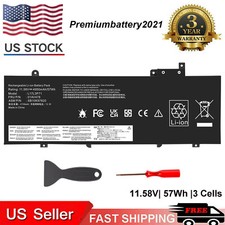
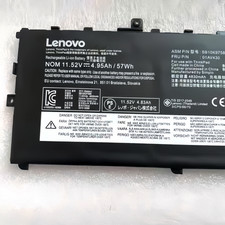
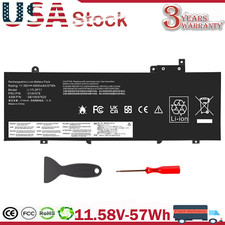
Specification:Battery Model: L19M3PF6Capacity: 11.52V /57Wh
Battery Type: Li-ionCell:
high quality guaranteeColor: BlackCondition:100% Brand
New Replace Part Number:L19M3PF6 L19L3PF2 L19C3PF5
L19M4PF1 L19L4PF1 L19C4PF1 L19D3PF3 L19C3PF4SB10W86961
SB10W86938 SB10W86952 SB10W86946SB10W86949 SB10W86960 5B10W86947 5B10W86944 5B10W869405B10W86948 5B10W86950
5B10W86955 5B10W86959Compatible Laptop Model:For Lenovo
Ideapad 5-15IIL05 81YK SeriesFor Lenovo
Ideapad 5-15ARE05 81YQ SeriesFor Lenovo
Ideapad 5-15ITL05 82FG SeriesFor Lenovo
Ideapad 5-15ARE05 82LN SeriesFor Lenovo
IdeaPad 5 15IAL7 82SF SeriesFor
Lenovo IdeaPad 5 15ABA7 82SG
SeriesFor Lenovo XiaoXinAir 15IIL 2020For
Lenovo XiaoXinAir 15ARE 2021For Lenovo
XiaoXinAir 15ALC 2021For Lenovo XiaoXinAir
15ITL 2021 How to check the
battery model of your computerSystem
query, 3 methods:Win+R → Type
"cmd" → Press Enter.Type: powercfg
/batteryreportOpen the generated HTML fileFind
"Installed batteries" → The battery
model is located above "Design
Capacity"Win+X → Select "Device Manager".Expand
"Batteries" → Right-click "“Microsoft-Compliant Control
Method Battery" → Properties.Go to
the "Details" tab → Select
"Hardware Id" or "Battery Information"
from the Property dropdown to
see the model string.Open Lenovo
PC Manager (or install Lenovo
Vantage from Microsoft Store).Go to
Hardware Information → Battery:Displays battery
model, voltage, capacity, and serial
number.Locate the SN / system
serial number on the label
at the bottom of the
laptop.Visit the Lenovo official website search.It
will list: the battery model
and FRU part number. Disassembly:Shut down
the laptop, disconnect all power
sources, and unplug the power
adapter.Unscrew the back cover screws
and open the back cover.The
battery label contains detailed information
including the model, voltage, and
capacity. PaymentDelivery detailsReturn PolicyAbout usWarranty PolicyPayment 1.We
accept payment via PayPal, Visa,
Mastercard, Apple Pay, Google Pay
etc.2. All payments must be
prepaid. Delivery details 1. Items are generally
shipped out within 24 hours
after your payment has been
cleared (Sat. & Sun. excluded.)2.
Orders from the United States
will all be shipped out
via UPS/USPS/Fedex/UNIUNI. The shipment usually
takes 1-4 business days( Exclude
public holiday), if you need
the item urgently, please contact
us for detail before purchase.3.
We ship to US ONLY
and do not support Collection.4.
All items will be shipped
to buyer's paypal address. Please
check your paypal address before
place the order.5. We are
not responsible for wrong or
undeliverable address. We reserve the
right to charge the shipping
fee again for returned items
due to wrong address. Return Policy 1.
We provide 90 days free
replacement ,30 days money back
on non-defective, undamaged, unused and
resalable products. Product is not
eligible for refund after the
30-day refund period has expired.2.
Our warranty does not extended
to any products that are
physically damaged or that are
not under normal operating conditions
as a result of misuse
or improper installation on the
buyer/user's part.3. For all returned
products, Please contact us for
the returning address.4. In all
cases, buyers pay shipping fees
at their own cost to
return products for exchange or
refund. We will be responsible
for the postage of replacements.
Refund will b