 When you click on links to various merchants on this site and make a purchase, this can result in this site earning a commission. Affiliate programs and affiliations include, but are not limited to, the eBay Partner Network. When you click on links to various merchants on this site and make a purchase, this can result in this site earning a commission. Affiliate programs and affiliations include, but are not limited to, the eBay Partner Network.
Product description 1 FRONT 2 BACK 1 Compatibility 2 About Software 3 Region Code -
How to Change Region Code?(For Windows System) 1. Open "Device Manager" ( "This PC" > "Manage" > "Device Manager"); 2. Locate the optical drive, right-click, and select "Properties"; 3. Under the "Settings" tab, adjust the "Start Drive Letter" and "End Drive Letter" to the desired drive letter. -
How to Change Region Code?(For MacOS System) 1. Insert the DVD; 2. Insert the DVD into your Mac's optical drive; 3. If the DVD's region code does not match the current drive settings, a dialog box will prompt you to change the region code. -
Why the optical drive did not function, or stopped working after received? 1. Check for Systems Updates, Sometimes a system update may resolve compatibility issues; 2. Ensure it's connected properly; 3. Check the Cable and Connection; 4. Ensure the disc is clean and free from scratches. - 🔵 Support 100G Disc Read&Write: This external blu ray drive allows you to burn high-capacity 100GB discs, perfect for large file storage, backups, or creating high-definition content. Enjoy hassle-free burning for all your media needs. It reads Blu-ray discs at up to 6x, DVDs at up to 8x, and CDs at up to 24x.
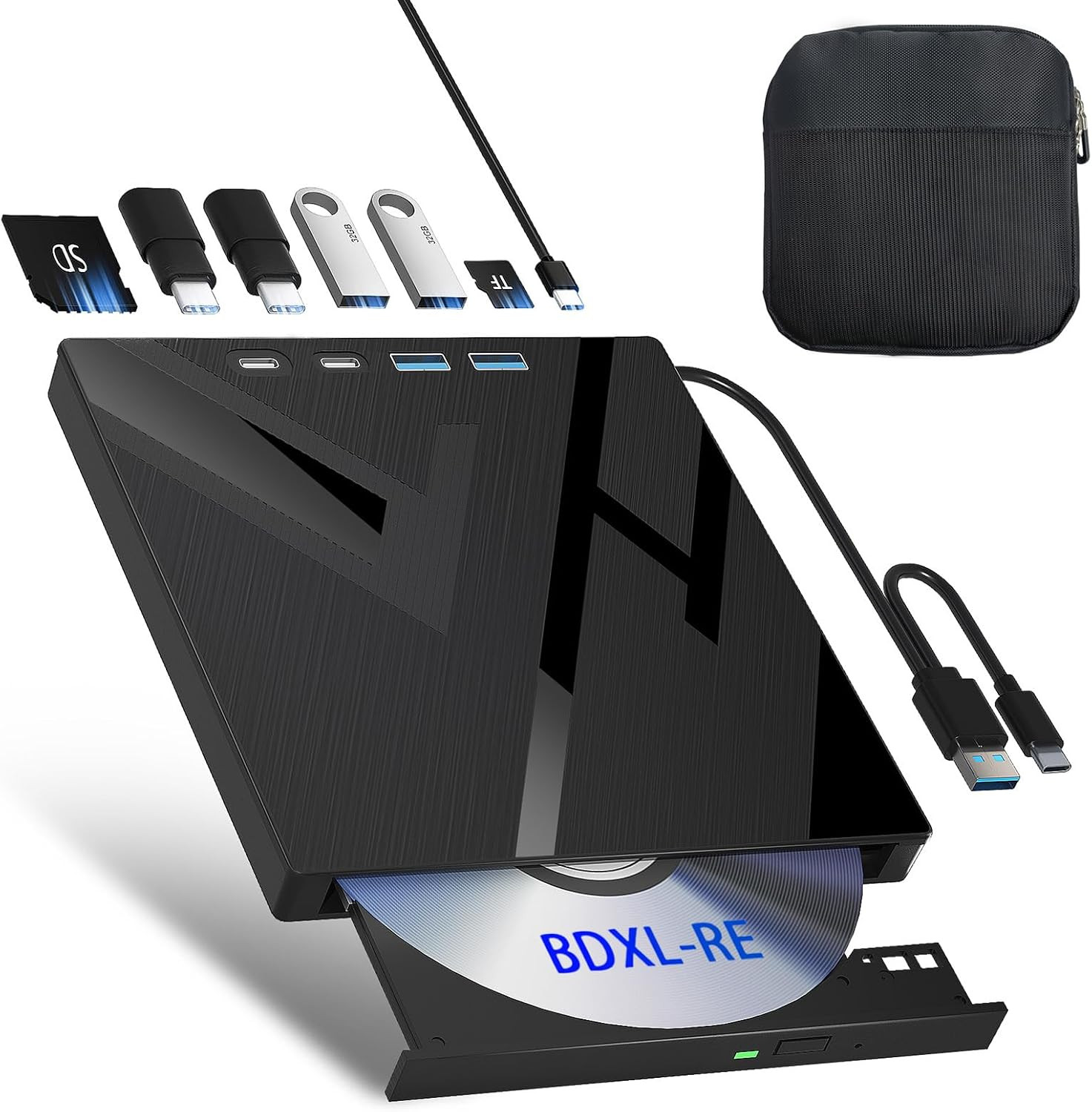
- 🔵With Protective Carring Case: This external bluray drive comes with a durable storage case, ensuring your drive stays safe and secure when not in use. The case is designed to protect against dust, scratches, and minor impacts, making it perfect for on-the-go use. With the added convenience of a carrying case, you can easily store and transport your drive wherever you need it, keeping it in pristine condition for longer.
- 🔵7-in-1 External Bluray Drive: This blu ray burner offers versatile features. It has 1*SD card slot, 1*TF card slot, 2*Type-C ports, 1*USB 3.0+1*USB 2.0 ports,and 1*2-in-1 cable(usb3.0+type-c) for data transfer or charging purposes. It supports reading BD/DVD/CD discs and writing BD/DVD/CD discs. You can easily copy music, movies, and data files from SD cards, TF cards, or through the USB/Type-C ports to your computer. You can also transfer files from a Bluray player to an SD card, USB hard drive, or USB flash drive. Please note that the SD card and TF card cannot be used simultaneously; you can only choose one at a time. However, both of them can function simultaneously with the USB ports.
- 🔵 Compact & Portable Design: With its lightweight, slim design, this external blu ray drive is perfect for on-the-go use. Easily slip it into your bag or backpack, making it the ideal companion for business trips, travel, or working from home.
- 🔵 Broad Compatibility with Blu-ray Software Required: This external Bluray drive is compatible with a wide range of devices, including laptops, PCs, working seamlessly with Windows, macOS, and Linux. However, Bluray playback and writing require specific software, such as PowerDVD, Leawo Blu-ray Player, or VLC Media Player. [𝐏𝐥𝐞𝐚𝐬𝐞 𝐧𝐨𝐭𝐞, 𝐬𝐨𝐟𝐭𝐰𝐚𝐫𝐞 𝐢𝐬 𝐧𝐨𝐭 𝐢𝐧𝐜𝐥𝐮𝐝𝐞𝐝 𝐰𝐢𝐭𝐡 𝐭𝐡𝐞 𝐝𝐫𝐢𝐯𝐞.] Simply install your preferred Bluray software to get started.
- 🔵 Confident Purchase: Wbacon 7 in 1 Multifunctional external blu ray drives are easy to use and built to last. If you encounter any concerns or issues with the product upon receiving it, we are always at your service. We're committed to customer satisfaction and will do everything we can to help.
 |
|