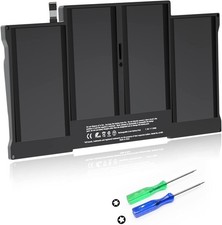
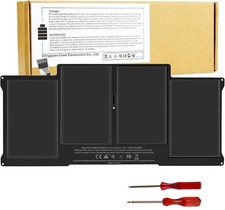
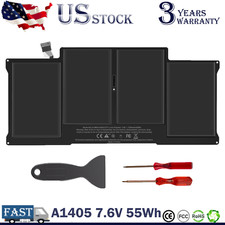
♣A1496 A1405 A1377 Macbook Air Battery: 55Wh, Voltage: 7.6V, can up to 500 charging cycles; Manufacturing standard are the same as those of the original battery supplier
♣Replacement Battery for MacBook Air: Made for MacBook Air 13 inch A1466 (Mid 2012, Mid 2013, Early 2014, Early 2015, 2017 Version), A1369 (Late 2010, Mid 2011 Version), MC503LL/A, MC504LL/A, MC965LL/A, MC966LL/A, MD231LL/A, MD232LL/A, MD760LL/A, MD761LL/A, MD760LL/B, MD761LL/B, MJVE2LL/A, MJVG2LL/A. EMC Applicable number: 2469/2559(see compatible models)
♣Designed to meet and exceed factory specifications.【CE/UL/FCC certification】 - formal and safe raw materials, advanced and stable chips, not leaking battery.【RoHS certification 】- free of lead, mercury, cadmium, PBBs, and PBDE.
♣Easy to install. There are two screwdrivers P5 Pentalobe Screwdriver and T5 Torx Screwdriver in the package. Enough to install your new Macbook Air battery.
·MacBook Air 3,2 13" A1369 - (Late 2010) ---MC503LL/A (1.86 GHz Core 2 Duo) / MC504LL/A (1.86 GHz Core 2 Duo)
·MacBook Air 4,2 13" A1369 - (Mid 2011) ---MC965LL/A (1.7 GHz Core 2 Duo) / MC966LL/A (1.7 GHz Core 2 Duo) BTO/CTO (1.8 GHz Core i7)
Install A New Battery:
1.You need to turn off your laptop and disconnect the power.
2.Remove the old battery, carefully install the new battery on the battery case, and connect the wiring of the new battery.
3.If you don't understand the above steps, you can search for the video about laptop battery installation on YouTube. Maybe it will help you.
Laptop Maintenance Tips:
1.New battery: For use a new battery, you’d better try a few cycles of discharging to 5%. then charging up to 95%. So that it can be activated completely
2.Overuse: Do not always run out of a battery to 0%, this would make it damaged or usage life shortened
3.Charging sequence: when charging, first install the battery, then turn on the power, when fully charged, first cut off the power, then pull the power plug.
4.Long-term storage:Please store the unused battery fully charged.(Charge it once a month) Do not store at low power to prevent reduce the lifespan of a battery
5.Charger: Do not replace the laptop adapter casually. If the original adapter cannot be applied due to malfunction or damage, please replace the models, so as not to reduce the service life of the battery due to incompatibility.