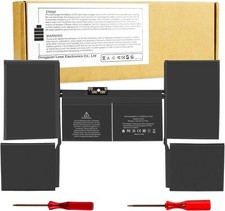
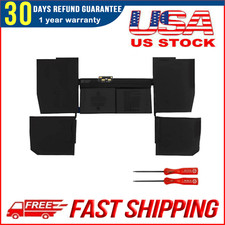
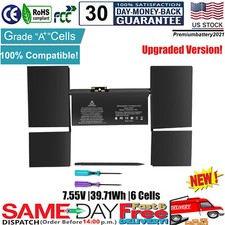
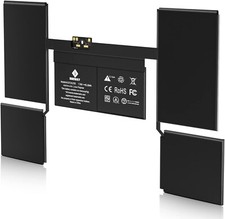
Specifications:
Battery Type: Li-ion polymer
Battery Condition: Brand New
Battery Voltage: 7.6V
Battery Capacity: 40.28Wh
Compatible Model:
For MacBook 12 Inch (Model A1534, Release 2017 2016 2015) with Retina Display
For MacBook 12 Inch A1534 (Early 2015) Series:
For MacBook 12" Early 2015 BTO/CTO:1.3 GHz Core M (M-5Y71)
For MacBook 12" Early 2015 (Gold): MK4M2LL/A (1.1 GHz Core M)
For MacBook 12" Early 2015 (Space Gray): MJY32LL/A (1.1 GHz Core M)
For MacBook 12" Early 2015 (Silver): MF855LL/A (1.1 GHz Core M)
For MacBook 12" Early 2015 (Gold): MK4N2LL/A (1.2 GHz or 1.3 GHz Core M)
For MacBook 12" Early 2015 (Space Gray): MJY42LL/A (1.2 GHz or 1.3 GHz Core M)
For MacBook 12" Early 2015 (Silver): MF865LL/A (1.2 GHz or 1.3 GHz Core M)
MF855CH/A, MF865CH/A, MK4M2CH/A, MJY42CH/A.
For MacBook 12 Inch A1534 (Early 2016) Series:
For MacBook 12" Retina A1534 (EMC 2991)
For MacBook 12" Early 2016: MLHA2LL/A* (1.1 GHz Core m3 M3-6Y30)
For MacBook 12" Early 2016: MLHC2LL/A* (1.2 GHz Core m5 M5-6Y54)
MLH72LL/A, MLH82LL/A, MLHE2LL/A, MLHF2LL/A, MMGL2LL/A, MMGM2LL/A.
For MacBook 12 Inch A1534 (Mid 2017) Series:
For MacBook 12 inch Retina A1534 (EMC 3099)
For MacBook 12" Mid 2017: MNYG2LL/A (1.3 GHz Core i5 I5-7Y54)
For MacBook 12" Mid 2017: MNYF2LL/A* (1.2 GHz Core m3 M3-7Y32)
MNYH2LL/A, MNYJ2LL/A, MNYK2LL/A, MNYL2LL/A, MNYM2LL/A, MNYN2LL/A.
Compatible Part Numbers:
A1527 A1705 A1534 A1534(EMC 2991) A1534(EMC 2746) A1534(EMC 3099) 613-01923-A 661-02267 613-01926 613-01923-01
Ctrl + F to find your models
Please check the original battery model, shape & connector, and make sure you get the correct one.
Note:
Please check carefully about your laptop model name/battery part number/battery shape and size to make sure you purchase the correct battery.
How to confirm that the battery is suitable for your laptop?
Method 1: Use System Information to find your laptop model
Step 1: Press Windows + R to open Run window.
Step 2: Input "msinfo32" in the empty box and click OK to open System Information.
Step 3: Keep in the System Summary section, and you will find the System Model item in the right pane.
Method 2: Remove Battery from Laptop to find your laptop battery part number
Step 1: Switch off the laptop and unplug the power cable in case of electric shock
Step 2: Remove the back panel with the screwdriver. You should to this with care avoiding any harm to the laptop components.
Step 3: Disconnect the cable connected to the battery and then take out the battery. After that, you can check the specifications of your battery.