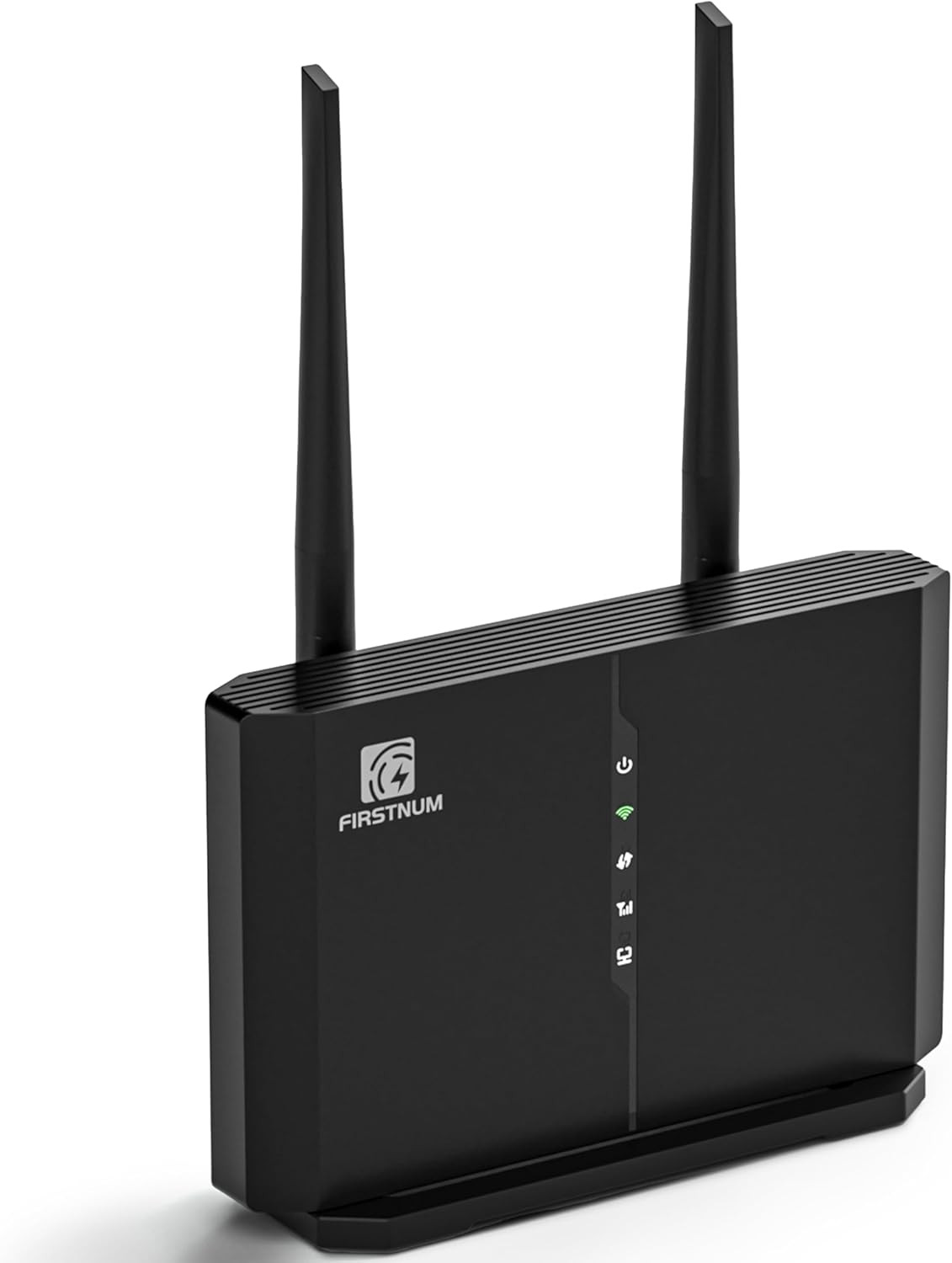
- 【Portable WIFI】FIRSTNUM C600C internet router can output a WIFI signal by inserting a SIM card Simply. And you can insert a SIM card from AT&T and T-Mobile to get CAT4 internet which download speeds up to 150Mbps and upload speeds up to 50Mbps, and get all your Wi-Fi devices connected to the network. This 2.4/5 GHz wifi router is very convenient for you to enjoy WIFI in places where ethernet cable is unavailable, such as your holiday cabins or remote cameras.
- 【SIM Card Slot】Besides the normal RJ45 LAN port * 4, this home router also has a SIM card slot. After inserting the nano SIM card(SIM Data cards are not included) you can enjoy WIFI with your family and friends. Tips: Before inserting the SIM card into the lte router, ensure the SIM card is activated and confirm your SIM card operator supports hotspot services.
- 【Used In Multi-Scenarios】Since CPE = Modem + Ethernet Router, so the 4g router with sim card slot has a higher efficiency, our router wifi device can be used in different places and scenarios to provide a portable WiFi and a portable hotspot. Besides homes and offices, this wireless wifi router can also be used as WiFi in your car. For example, we can use it in RVs and trucks. Additionally, C600C 4g lte router allows 32 devices to connect simultaneously, making it perfect for vacation travel.
- 【Easy to Set Up and Manage】This wired router only needs 3 steps to set up which is very easy, and the installation details are shown in the manual. After setting up the wifi router long range, we can manage it by entering 192.168.1.1 to log in to the product background. For your convenience, you can press the WPS button to connect to WIFI quickly.
- 【Secure and Private Connection】This wifi hotspot devices for travel provides safe and private WiFi for up to 10 devices simultaneously, ideal for studying, working, or entertainment on the go. This hotspot ensures a safe and secure WiFi connection with advanced security protocols, eliminating concerns about public WiFi risks. It offers detailed data tracking, supports personal network access, and includes a SIM card slot for flexible data usage tailored to your needs.
Product Description At Home
Firstnum C600C offers strong, stable WiFi for your entire home. Plug in a SIM card and enjoy fast internet across multiple rooms without needing an Ethernet connection.
In Library
Stay connected in the library with Firstnum C600C. Its compact, portable design provides instant, reliable WiFi for research and studying, all without needing an Ethernet cable.
On Truck/RV
Firstnum C600C provides truck drivers with reliable internet access on the road. Insert a SIM card and enjoy stable, high-speed WiFi during long trips, ideal for staying connected.
On a Trip
Travel with ease using Firstnum C600C. Its portable design delivers high-speed WiFi anywhere. Simply insert a SIM card for internet access on your adventures, no Ethernet needed.
Frequency Band FDD-LTE: B2/B4/B5/B7/B12/B13/B17/B66/B71 TDD-LTE: B38/40/41 UMTS: B2/B4/B5 GSM: B2/B3/B5/B8 4G LTE Category Up to 300 Mbps Download / 100 Mbps Upload 5GHz WiFi Speed Up to 867 Mbps on 5GHz 2.4GHz WiFi Speed Up to 300 Mbps on 2.4GHz Users Up to 32 Users SIM Card Slot Nano SIM Card Slot
Our router mainly supports three carriers, AT&T, T-Mobile. If you can not access the Internet, please try according to the subordinate operation:
1.Insert the sim card, connect the power and turn on the router.
2.Wait for 2~3 minutes, wait for the router to respond, and observe the indicator light (for details, please refer to the user manual)
3.Use your computer to connect WiFi according to the information on the label on the back of the router.
4.Use the browser to open the webpage "192.168.1.1" and login. (Default username: admin Password: FIRSTNUM)
5.Click Mobile→change the "4G AUTO" to "4G ONLY" (If it is not work, please change it to "3G" first and then back to "4G ONLY")
6. If point 5 can't help, Please click Mobile→Click APN (enter the information according to the sim card of the different carriers you are using).
If you still can't solve your problem, please scan the QR code on the user manual
If you are experiencing the problem of not being able to turn on your router please try the following options:
- Plug in the power supply to charge the router
- Remove the battery and replace it with a new one.
- Pull out the battery and use the power supply directly.