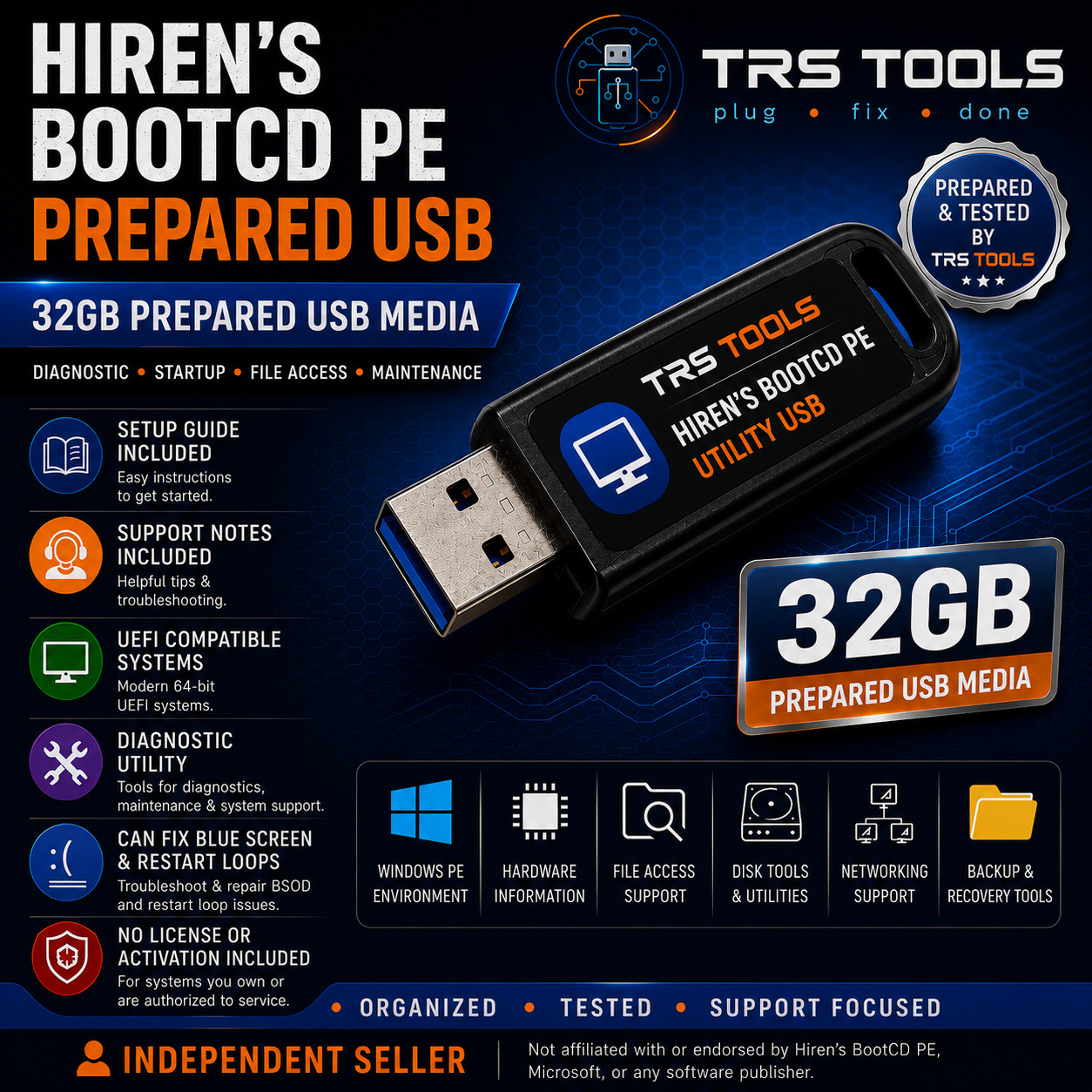
TRS Tools Prepared Physical Media Hiren’s BootCD PE Prepared USB Media 32GB Diagnostic Utility USB with Setup Guide & Support Notes Plug • Fix • Done Prepared USB Media for Diagnostics, Startup Assistance, and File Access
This TRS Tools prepared physical USB media is designed for users who want a convenient diagnostic utility resource with setup notes, support information, and compatibility guidance. It is intended for computer troubleshooting, startup assistance, maintenance reference, file access support, hardware checks, and general diagnostic workflows on compatible systems.
The value of this listing is the physical USB drive, preparation, organization, testing, setup guide, support notes, compatibility reference, and convenience provided by TRS Tools.
Important: This listing does not include Windows ownership, a Windows license, an activation key, product key, paid software license, account access, password bypass service, official installer media, or manufacturer-approved service media. No license or activation is included.
What Is Included
- 1 prepared 32GB USB flash drive from TRS Tools
- Hiren’s BootCD PE utility media prepared for compatible systems where permitted by applicable terms
- Setup guide for booting from USB on compatible computers
- Support notes for basic first-use guidance
- Compatibility reference for supported 64-bit UEFI-capable systems
- Helpful notes for startup assistance, file access, hardware checks, and maintenance workflows
- TRS Tools preparation and media testing before shipment
Key Features Diagnostic Utility Focus
Useful for startup assistance, hardware checks, file access support, disk information, system information, and maintenance-related tasks on compatible computers. Prepared Physical USB Media
Organized and prepared by TRS Tools for convenience, setup reference, and practical support-focused use. Setup Guide Included
Includes simple notes to help users access the USB boot menu and understand basic startup steps. Support Notes Included
Includes practical support-focused guidance for using the prepared media responsibly on systems you own or are authorized to service. Compatibility Notes
Hiren’s BootCD PE is intended for modern 64-bit systems and is described by its official project site as supporting UEFI booting with at least 4 GB RAM. Compatibility depends on your computer hardware, firmware settings, Secure Boot settings, USB boot support, storage controller behavior, and current project requirements.
Some computers may require a BIOS/UEFI boot menu selection, USB boot permission, or Secure Boot configuration changes. Internet access may be required for updates, documentation, networking, additional downloads, or system-specific troubleshooting.
No guarantee is made that every tool, driver, feature, or workflow will work on every system.
Important Compliance Disclaimer
No Windows license, activation key, product key, proprietary software ownership, paid software license, account access, password bypass service, official installer media, OEM media, manufacturer-approved service media, or guaranteed repair service is included.
This item is prepared physical USB media with setup notes, support documentation, and publicly available or redistributable resources where applicable. It is intended only for systems you own or are authorized to service.
TRS Tools is an independent seller and is not affiliated with, endorsed by, sponsored by, certified by, or approved by Hiren’s BootCD PE, hirensbootcd.org, Microsoft, any software publisher, computer manufacturer, or project maintainer referenced for compatibility or identification.
Any trademarks, product names, file formats, or project names are used only for accurate identification, compatibility reference, or descriptive purposes.
No License or Activation Included
No license, activation, product key, subscription, account login, paid software access, Windows ownership, or premium service access is included with this listing. Buyers are responsible for following all applicable software licenses and obtaining any required paid software directly from the original publisher when needed.
30 Years of Information Technology Experience
TRS Tools brings 30 years of Information Technology experience to the preparation, organization, and support notes included with this physical media. The goal is to provide a clean, practical, support-focused USB resource for users who want an easier way to access diagnostic utility media and related documentation.
How to Boot Linux from USB?
This listing is for diagnostic utility USB media and is not sold as Linux, Windows installation media, Windows recovery media, or manufacturer-approved service media. However, the general USB boot process is similar across many bootable utility USBs:
- Back up important files before changing boot settings or running diagnostic utilities.
- Insert the TRS Tools prepared USB media into the computer.
- Restart the computer.
- Open the boot menu using the key shown by your computer manufacturer, often F12, F10, F9, ESC, or DEL.
- Select the USB drive from the boot menu.
- Allow the boot environment to load if your system is compatible.
- Use the included setup guide and support notes before running any tools.
This section is provided only as general compatibility guidance. This listing does not include an operating system license, Windows license, official installer media, recovery media, restore media, password bypass tool, or manufacturer-approved service product.
FAQ 1. Am I buying a Windows license or activation key?
No. No Windows license, activation key, product key, software ownership, paid subscription, or account access is included. You are buying prepared physical USB media, setup notes, organization, and TRS Tools support documentation.
2. Is this an official Hiren’s BootCD PE product?
No. TRS Tools is an independent seller and is not affiliated with, endorsed by, sponsored by, certified by, or approved by Hiren’s BootCD PE, hirensbootcd.org, Microsoft, or any software publisher.
3. What can this utility media help with?
It can help with diagnostic workflows such as startup assistance, file access support, hardware checks, disk information, system information, and maintenance reference on compatible systems.
4. Does this work on every computer?
No universal compatibility is promised. Compatibility depends on your computer hardware, firmware settings, USB boot support, Secure Boot configuration, storage controller behavior, and current project requirements.
5. Does this reset passwords, bypass accounts, or unlock computers?
No. This listing does not include password bypass, account bypass, unlocking services, or unauthorized access tools. Use the media only on systems you own or are authorized to service.
6. Is internet access required?
Some tools may be usable after setup, but internet access may be required for updates, documentation, networking, additional resources, or hardware-specific troubleshooting.
7. What support is included?
TRS Tools provides support notes for the prepared media and basic setup guidance. We cannot provide support for Windows licensing, third-party software licensing, password bypass, unauthorized access, hardware repair guarantees, or manufacturer warranty service.
TRS Tools Support-Focused Closing
Prepared physical USB media, clear setup notes, compatibility guidance, and practical support documentation from TRS Tools.
TRS TOOLS Plug • Fix • Done