When you click on links to various merchants on this site and make a purchase, this can result in this site earning a commission. Affiliate programs and affiliations include, but are not limited to, the eBay Partner Network. When you click on links to various merchants on this site and make a purchase, this can result in this site earning a commission. Affiliate programs and affiliations include, but are not limited to, the eBay Partner Network.
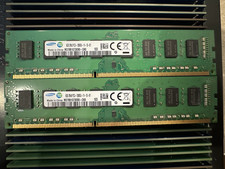
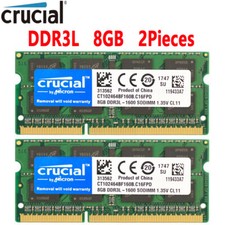
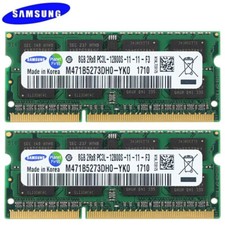
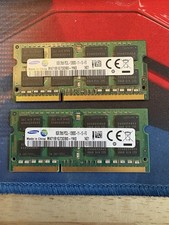
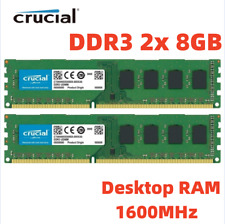
- ✅【DDR3 8GB 1600MHz SODIMM RAM 】PC3-12800, DDR3L 1600MHz, Unbuffered, Dual Rank, Non ECC, 2Rx8, 204-Pin, CL11, 204-pin memoria ram, apply for AMD, Intel, Mac system. Operate at low voltage 1.35V or high voltage 1.5V and DDR3L/DDR3 1600MHz 12800 type
- ✅【Advanced Chips】All DDR3L 8GB ram are high quality ram memory module. Professional company, high-quality materials, more guaranteed product quality
- ✅【Stable and Durable】8GB DDR3L-1600MHz Sodimm, 100% tested for stability, durability and compatibility. We test all rams before shipment to ensure this PC3L-12800 ram works stably and normally
- ✅【Increases System Performance】PC3 8GB ram will speed up loading times, improve system responsiveness, and increase your system's ability to handle greater workloads. Warm tips: Please make sure your laptop model meets 1600 12800 kit, you can also contact us to make sure
- ✅Made for (not limited to) Apple such as iMac (27-inch Late 2013 / 27-inch Late 2012), model ID: iMac14,2, 13,2. MacBook Pro (15-inch 2012 / 13-inch 2012), model ID: MacBookPro9,1, 9,2. Mac mini (Late 2012 / Late 2012 Server / Mid 2011 / Mid 2011 Server), model ID: Macmini6,1, 6,2, 5,1, 5,2. iMac w/Retina 5K (27-inch Mid 2015 / 27-inch Late 2014) , model ID: iMac15,1
Product description Precautions When Purchasing Memory for Upgrades - What is maximum memory? The total amount of memory that can be installed on the machine.
- What is default installed memory? This is the standard memory installed when the computer is shipped from the manufacturer.
- What is the number of slots? The number of memory slots available for installing memory modules.
- The 32-bit version of Windows 10 supports a maximum memory of 4 GB, as defined in the detailed settings.
If the current memory capacity is unknown, follow these steps to check: Windows Operating System Click Start > Settings > Control Panel > System > About/System. The current RAM will display the memory (e.g., 4.00 GB). Mac Operating System To check the installed RAM capacity, select "About This Mac" from the Apple menu. Under the Memory tab, the installed RAM capacity will be displayed. Precautions When Adding Memory Sticks to a Computer: - Determine the original factory memory specifications. Do not mix memory modules with different parameters. In particular, memory modules of different frequencies may be incompatible and can cause computer instability. It is best to install memory of the same frequency. Please note.
- The contact part of the memory stick is longer on one side and shorter on the other. This design matches the slot to prevent incorrect insertion. Insert the memory stick at a 60-degree angle relative to the slot, press it down, and it will snap into place. If you hear a "click" sound, it is securely installed. Then, press it horizontally forward.
- Preparation before installation: Turn off the computer, open the case, and use a brush to remove dust from the memory slots. Use an eraser to clean the gold fingers (contacts) of the memory stick to remove oxidation, ensure cleanliness, and good contact.
- Normally, a short beep sound will be heard during startup. Other sounds (a long beep, continuous beeps, etc.) indicate that the memory was not installed correctly. If poor contact occurs due to other components being disturbed during cleaning, start from step 2 again. Re-seating the memory stick usually resolves the issue.
 |
|