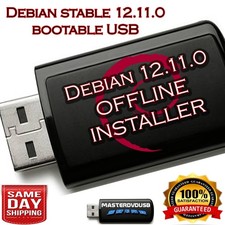
✅DEBIAN OS, THE UNIVERSAL OPERATING SYSTEM
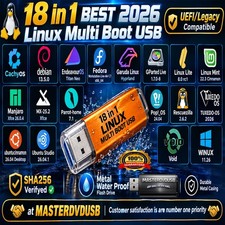
BOOTABLE USBs OR DVDs COMBOSALL MAJOR BUILDS AVAILABLE
LIVE BOOT: CINNAMON, GNOME, KDE, LXDE, LXQT, MATE, STANDARD, XFCE
FULL INSTALLER FOR MAC, PC & CHROMEBOOK‼️ MUST GIVE IT A TRY! There are a lot of reasons to choose Debian as your operating system – as a user, as a developer, and even in enterprise environments. Most users appreciate the stability, and the smooth upgrade processes of both packages and the entire distribution. Debian is also widely used by software and hardware developers because it runs on numerous architectures and devices, offers a public bug tracker and other tools for developers. If you plan to use Debian in a professional environment, there are additional benefits like LTS versions and cloud images.
✅NEED IT FAST? SELECT FASTER SHIPPING (3-6 BUSINESS DAYS) OPTIONS WITH TRACKING AT THE CHECKOUT.
‼️ Free Shipping takes up to 7-10 business days to deliver & comes with no tracking. This is how I pass on these unbelievable discounts to you for my time & service.
☑️HOW TO BOOT LINUX OS FROM USB?
✅Steps for Windows PC & Chromebooks
1.Turn-off your computer
2.Insert the USB into any available USB port
3.Switch on your computer
4.Press the key that allows your computer to boot to an alternate device (ESC on many HPs, F12 on many Dells, F8 on many custom builds, yours may vary, see your computer's documentation)
5.At the Book-up screen, select Boot from USB Interface option, press enter.
6.Follow on-screen links for initiate OS.
7.Wait for system to boot into Linux OS.
8. That's it, Enjoy!
✅Step for Apple Macs Devices
1.Turn-off your computer
2.Insert the USB into any available USB port
3.Switch on your computer
4.Press the Option keyon your keyboard to go the boot menu
5.Select EFI Book
6.Follow on-screen links for initiate OS.
7.Wait for system to boot into Linux OS.
8. That's it, Enjoy!