 When you click on links to various merchants on this site and make a purchase, this can result in this site earning a commission. Affiliate programs and affiliations include, but are not limited to, the eBay Partner Network. When you click on links to various merchants on this site and make a purchase, this can result in this site earning a commission. Affiliate programs and affiliations include, but are not limited to, the eBay Partner Network.
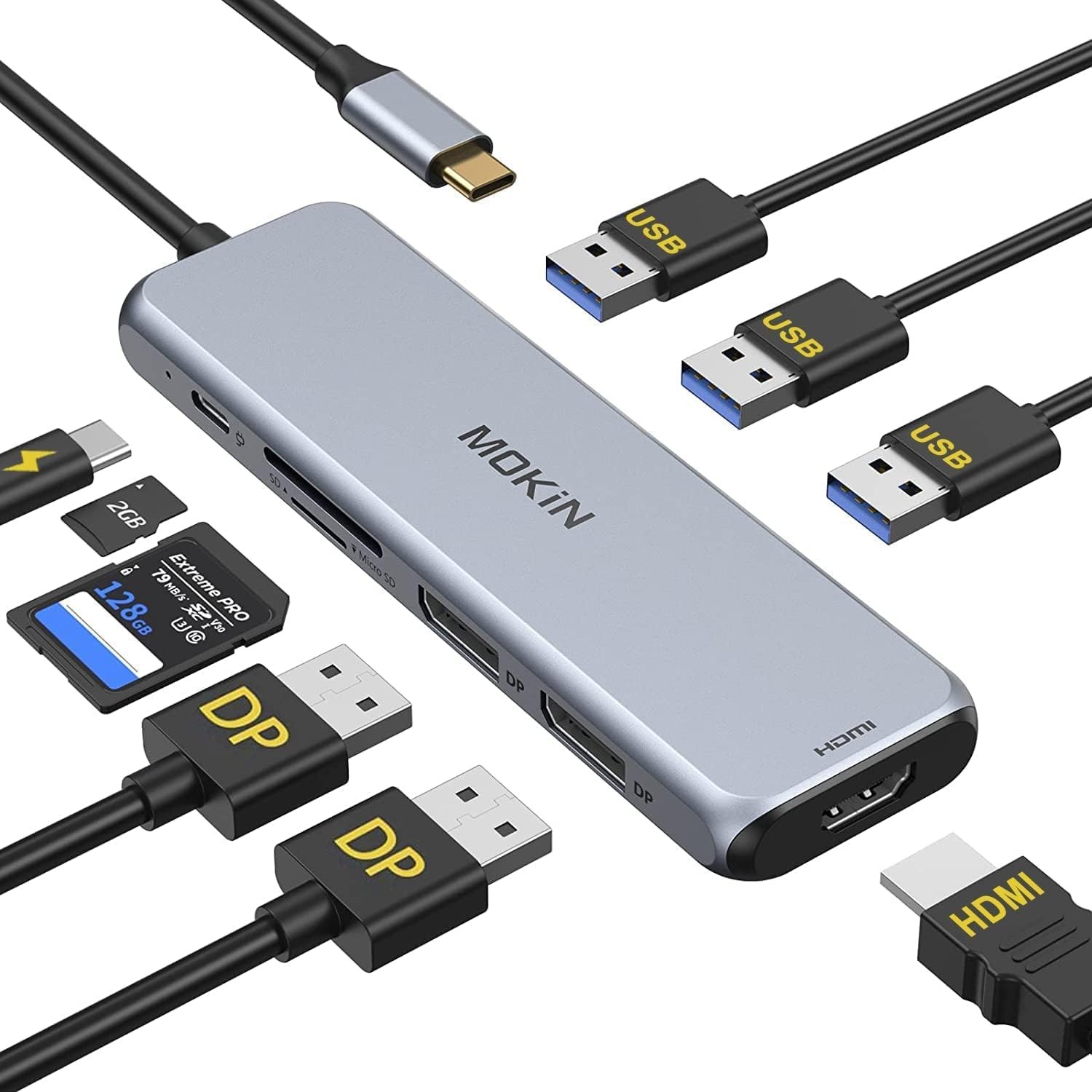
Docking Station Dual DisplayPort, MOKiN USB C Hub Dongle with 2 DP, white Product Details - Brand: MOKiN
- Item model number: 2903
- Operating System: Mac OS
- Item Weight: 3.84 ounces
- Product Dimensions: 60 x 2 x 0.25 inches
- Item Dimensions LxWxH: 60 x 2 x 0.25 inches
- Color: white
- Manufacturer: MOKiN
- Brand: MOKiN
- Color: white
- Hardware Interface: DisplayPort
- Special Feature: Play, Plug
- Compatible Devices: Microsoft Surface Pro
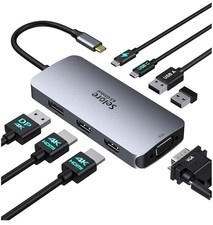
- 【9 IN 1 LAPTOP DOCKING STATION】MOKiN USB C docking station dual monitor equips with 2 x DisplayPort, 1 x HDMI port, 3 x USB A 3.0 port, 1 x SD & Micro SD card slot, 1 x PD charging port.
- 【TRIPLE MONITOR DOCKING STATION】There are 2 x DisplayPort and one HDMI port on this dual displayport docking station. which can extend 3 monitors at the same time (Note: MacOS system, the screens of external monitors are the same, no matter they are displayed in mirror mode or extended mode. For MacBook with M1 or M2 chip only can extend or mirror 1 monitor, Because M1 and M2 chip's limitation, it won't allow dual monitor for displaying. So all these types of products won't support dual monitor for M1 and M2 chip)
- 【FAST DATA TRANSFER】This USB C DisplayPort hub equips with three USB 3.0 port (up to 5GB/s) connecting smartphones, tablet, hard drives, keyboard or mouse, GamePad etc
- SD CARD READER & PD CHARGING PORT】You can also use this universal docking station as a SD & Micro SD card reader(up to 104MB/s) and this computer docking station with power delivery support 100W PD Charging (This docking station will occupy 13W power to work, so only 87W power for laptop charging)
For Windows Mirror Mode: AA, AAA, AAAA Extend Mode: AB, ABB, ABC, ABBB, AABC, ABCD Resolution & Refresh Rate For Windows 1. HDMI or DP1 or DP2 = 4K@60HZ (Make sure your host laptop support DP 1.4 protocol, otherwise it won't achieve 4k@60HZ) 2. DP + HDMI = 4K@30HZ : 4K@30HZ (Make sure your host laptop support 4k resolution) 3. DP1 + DP2 + HDMI = 1920*1080P@60HZ : 1920*1080P@60HZ : 1920*1080P@60HZ (For Windows computer, only DP1.4(AMD Graphics Card) can support 3 monitors display at the same time) Note: The resolution of monitors will be always consistent with laptop if mirror display under Windows system. For Mac Os Mirror Mode: AA, AAA, AAAA Extend Mode : AB, ABB, ABBB Resolution & Refresh Rate For Mac Os 1. HDMI or DP1 or DP2 = 4K@60HZ 2. DP + HDMI = 4K@60HZ : 4K@60HZ 3. DP1 + DP2 + HDMI = 4K@60HZ : 4K@60HZ : 4K@60HZ (Make sure your host laptop support DP 1.4 protocol, otherwise it won't achieve 4k@60HZ) Note: Mac OS system, the screens of external monitors are the same, no matter they are displayed in mirror mode or extended mode. 2. For MacBook with M1 or M2 chip only can extend or mirror 1 monitor, Because M1 and M2 chip's limitation, it won't allow dual monitor for displaying. So all these types of products won't support dual monitor for M1 and M2 chip.  |
|



![Kensington SD4840P USB-C 10Gbps Triple 4K Docking Station [Black] picture](/store/item/img/g/KXkAAeSwo4BqDWHW/s-l225/Kensington-SD4840P-USB-C-10Gbps-Triple-4K-Docking-.jpg)