 When you click on links to various merchants on this site and make a purchase, this can result in this site earning a commission. Affiliate programs and affiliations include, but are not limited to, the eBay Partner Network. When you click on links to various merchants on this site and make a purchase, this can result in this site earning a commission. Affiliate programs and affiliations include, but are not limited to, the eBay Partner Network.
ElectroCookie Mini PC Case for Raspberry Pi 5 with M.2 NVMe SSD PCIe HAT and Active RGB Lighting Cooler (Black Case + M.2 HAT[ECR5 SSDS]) Product Details - Brand: ElectroCookie
- Motherboard Compatability: Mini ITX
- Case Type: Raspberry Pi
- Recommended Uses For Product: General Purpose Computing, Education
- Color: Matte Black
- Material: Plastic
- Power Supply Mounting Type: Bottom Mount
- Cooling Method: Air
- Model Name: Mini PC Case for Raspberry Pi 5
- Number of Expansion Slots: 1
- Supported Motherboard: Mini ITX
- Case Type: Raspberry Pi
- Power Supply Mounting Type: Bottom Mount
- Cooling Method: Air
- Total Expansion Slots Quantity: 1
- Total USB 2.0 Ports: 1
- Other Special Features of the Product: Active RGB Lighting, Active Cooling, Portable
- Hard Disk Form Factor: 22 millimeters
- Internal Bays Quantity: 1
- Compatible Devices: Raspberry Pi 5
- Number of Fans: 1
- Light Color: RGB
- Color: Matte Black
- Enclosure Material: Plastic
- Brand: ElectroCookie
- Model Name: Mini PC Case for Raspberry Pi 5
- Number of Items: 1
- Manufacturer: ElectroCookie
- Built-In Media: Case, Components
- Model Number: 3.Black Case+M.2 HAT(ECR5 SSDS)
- Mfr Part Number: Raspi Case
- Warranty Description: Warranted
- Antenna Location: General Purpose Computing, Education
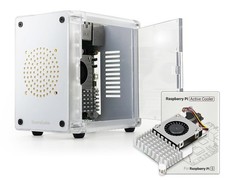
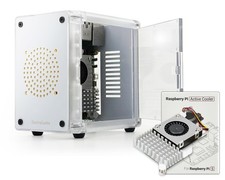
- Miniature PC-Style Case for Raspberry Pi 5, featuring an NVMe M.2 SSD shield compatible with 2230 and 2242 sizes, providing expanded storage and ultra-fast responsiveness.
- **SSD Compatibility & Setup Info : Please check SSD compatibility in the product description or by searching Pi Benchmark online. Boot drive setup instructions are also provided in the product description below, or you can follow official Raspberry Pi documentation and online tutorials.
- Enjoy easy access to GPIO pins and quick SSD swaps with the tinted side door, which also beautifully showcases internal RGB lighting to combine style with functionality.
- Equipped with an RGB-lit PWM fan that turns on with system power and automatically adjusts its speed based on CPU temperature (*Note: The lighting is not programmable, and the fan may not spin when the CPU is cool, or may run continuously if no OS or bootable drive is available to control it.).
- Easily power your Raspberry Pi 5 on or off from outside the case using the convenient side power button, directly connected to the Raspberry Pi 5's power button.
- Create a unique case by customizing front panels; the frame is designed to support various materials like 1/161/8 inch(1.63mm) acrylic, wood, and PCB board for a personalized style.
Raspberry Pi 5 NVMe SSD HAT – Compatibility Notice This NVMe SSD HAT forRaspberry Pi 5 shares the same circuit design as widely adopted M.2 HATs,featuring a PCB layout that’s been minimally customized to fit our casedimensions. As with the official Raspberry Pi Foundation M.2 HAT, it supportsonly 2230 and 2242 NVMe SSDs. If your SSD is not recognized or fails to bootwith the Raspberry Pi 5, it is most likely due to incompatibility between theSSD and the Raspberry Pi 5. The HAT simply acts as a signal and power bridgeand does not affect SSD compatibility. SSD controllers known to cause issuesinclude: SMI2263XT, SMI2263EN, MAP1202, Phison series controllers ★ KnownIncompatible SSDs ★ The following SSDs have been reported to showcompatibility issues with Raspberry Pi 5: Inland TN446Corsair MP600Micron2450Kingston OM8SEP4256Q-A0WD_Blue SN550 / SN580WD_Green SN350WD_Black SN850 /SN770Kingspec seriesAny other SSDs that use SMI2263XT, SMI2263EN, MAP1202, orPhison series controllers ★ Recommended SSDs (Confirmed Compatible) ★ Thefollowing SSDs are known for low power consumption and low heat generation,making them a great match for the Raspberry Pi 5’s hardware and power limits:Samsung PM9A1, PM981, PM991, PM991a, PM9B1SK hynix BC901, BC711OfficialRaspberry Pi NVMe SSD ★ Tips for Stable Operation ★ Make sure your RaspberryPi 5’s bootloader and OS are up to date.Before purchasing an SSD, we recommendsearching online for “Pi Benchmarks” to check real-world performance andcompatibility reports. 🔧 How to Set Up SSD Boot on Raspberry Pi 5 Using an M.2HAT 📝 Note: SSD boot setup is the same as with the official M.2 HAT or otherstandard models. You can follow the official Raspberry Pi documentation,online tutorials, or simply refer to the step-by-step guide below. 1. Assembleyour Raspberry Pi 5 board with the M.2 HAT and SSD. 2. Insert an SD card withRaspberry Pi OS into your Raspberry Pi 5, and power it on. 3. Open theterminal and run the following commands one by one to update your RaspberryPi.: sudo apt update && sudo apt full-upgrade sudo apt install rpi-eeprom sudorpi-eeprom-update 4. Install Raspberry Pi Imager: sudo apt install rpi-imager5. Launch Raspberry Pi Imager: rpi-imager 6. In the Imager: - Select RaspberryPi 5 as your device - Choose the OS version - Select your SSD as the targetdrive, and start the installation. 7. After OS installation, run the followingto configure boot order: sudo raspi-config 8. Set boot order: Advanced Options→ Boot Order → NVMe/USB Boot Then press Finish or the Escape key. 9. Rebootyour Raspberry Pi. It will now boot from the NVMe SSD 🎉  |
|