When you click on links to various merchants on this site and make a purchase, this can result in this site earning a commission. Affiliate programs and affiliations include, but are not limited to, the eBay Partner Network. When you click on links to various merchants on this site and make a purchase, this can result in this site earning a commission. Affiliate programs and affiliations include, but are not limited to, the eBay Partner Network.
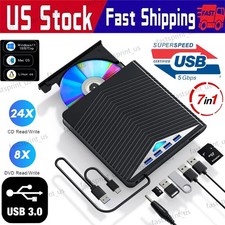
- 【PLUG & PLAY – EASY CONNECTION】 Simply connect the Amicool External DVD Drive to your computer’s USB or Type-C port, and it will usually be detected right away without the need for extra drivers. For stable operation and sufficient power, we recommend connecting it directly to a USB port on your computer (for desktops, use a rear motherboard port) and avoiding USB hubs or extension cables. This user-friendly design ensures quick setup for both beginners and professionals.
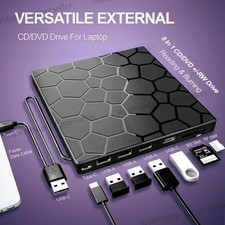
- 【FAST & STABLE DATA TRANSMISSION】 Featuring dual interfaces (USB 3.0 and Type-C), this optical drive supports data transfer speeds up to 5Gbps. To ensure a reliable connection, please connect it directly to your computer. The drive supports multiple disc formats such as DVD+R, DVD-R, CD-R, and CD-RW. Please note: It does NOT support DVD-RAM, Blu-ray (BD) discs, or certain proprietary formats. Maximum DVD read speed is 8x, and maximum CD read/write speed is 24x.
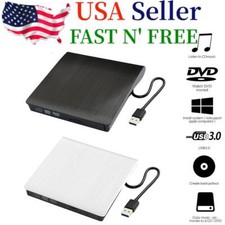
- 【UNIVERSAL COMPATIBILITY】 Compatible with Windows 11 / 10 / 8.1 / 7, Linux, and macOS (Note: Some versions may require additional system settings for full functionality). Works with most computers from brands like Apple, Dell, HP, Lenovo, ASUS, Acer, and Samsung. 👉 Important: Designed specifically for computers. It is NOT compatible with TVs, tablets, game consoles (e.g., PlayStation, Xbox), car stereos, or standalone Blu-ray players.
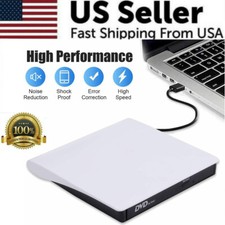
- 【SLIM & PORTABLE DESIGN – BUILT-IN CABLE, READY TO GO】With an integrated cable design, slim body, and stylish matte finish, this lightweight CD/DVD drive is both durable and portable. Easily slip it into your laptop bag or backpack and use it anytime, anywhere—perfect for business, travel, or home use
- 【MULTIFUNCTIONAL & RELIABLE OPERATION】 Equipped with intelligent error correction and anti-shock technology, this drive supports reading, writing, and burning discs. If the drive is not recognized or a disc cannot be read, try restarting your computer or testing with a different, standard CD-R or DVD-R disc. The pop-up button and built-in cable design offer convenience and portability. For desktop PCs, connecting to a rear USB port is recommended for optimal power and performance.
Product description 1 Universal Compatibility 2 Effortless Versatility 1 Steps on Windows 2 Steps on Mac 3 About Region Code 1 Compact Design 2 On-the-Go Size 1 Office Set-up 2 Home Entertainment 3 Data Backup 4 Content Creation  |
|