- Store
- New Arrivals
- Add to Favorite
- View response
- Contact
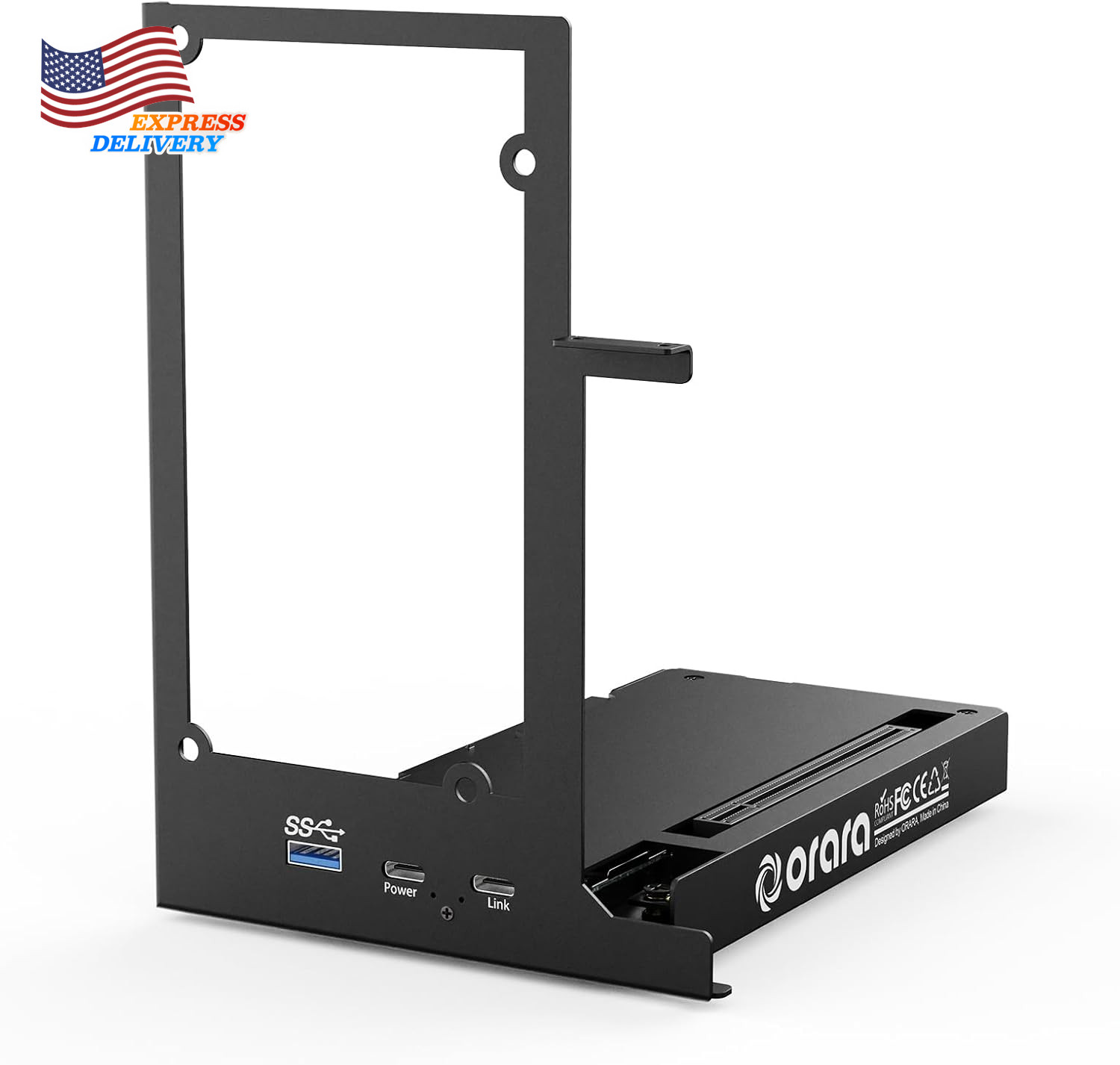
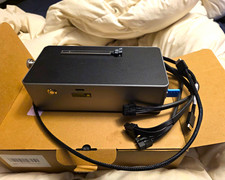
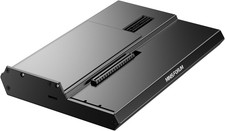
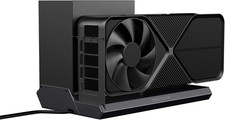
External GPU Dock Station Mini Egpu Enclosure Only Compatible Thunderbolt 3/4Description Item model number ORA-GDS-01 Total USB Ports 1 Color black Wattage 85 Compatible Devices TB4/TB3/usb4 laptop Item Weight 500 Grams Number of Ports 3 Hardware Interface Thunderbolt 3, Thunderbolt 4 Product Dimensions 7.8"L x 7.8"W x 1.9"H
- Application: Our this eGPU dock is ONLY Compatible with Thunderbolt 4/3/USB4 interface NUC/ LAPTOP/Game machine. (NOTE1: It does NOT compatible with Thunderbolt 1/Thunderbolt 2 ports/type c/USB-C interface products-check details in installation video, computer or laptop with these port DOES NOT WORK. NOTE2: For Windows system,Please install or update the latest version of the Windows 11 operating system, low version can not be detected. NOTE3: For Graphics Card,Please refer power supply according description page, low power power supply will cause the using effective.)
- Great Performance: Our portable GPU dock station built in the officially certified JHL7440 controller module, which used to break the 22Gbps limitation of JHL6 series and the neutering of JHL8 series PCIE X1,provides a stable and efficient expansion experience.
- Daisy Chain Support: The port supports daisy chain for excellent performance. Enables 32Gbps data transfer with PCIE3.0X4.
- Power Supply: Works with ATX, SFX, FLEX and DC 12V power supplies. Supports PD charging (up to 85W). Please prepare the power supply according to the power of the PCIe card.(NOT INCLUDE DC 12V POWER ADAPTER IN PACKAGE).
- Function Well: Built with a 10Gbps USB A port, a TB4 port, a daisy chain port, which makes this external GPU docking station also as a hub, and can attach the external device as you need.
- Very Important NOTE: Do NOT insert CPU CABLE to the PCIE-8PIN port of the dock, it will cause automatic power-off protection, if you wrongly inserted it, please unplug it and then unplug the ATX-24PIN cable, and next insert the ATX-24PIN cable again to use it.
- NOTE: Please make sure your laptop or your device has a TB4/TB3/USB 4 Port, otherwise it can not be used. And package does not contain the ATX power and does not contain the graphics card.
Product description
NOTE:
1. It does not compatible with Thunderbolt 1 port and does not compatible with Thunderbolt 2 port.
2. It does not support with MacBook models with M1/M2/M3/M4 Chips.
3. When using macOS on the MacBook, macOS does not support with Nvidia versions of graphics cards.
4. When running Windows via Boot Camp on the MacBook, only for Nvidia versions of graphics cards are supported.
5. For Windows system,Please install or update the latest version of the Windows 11 operating system.
6. DC adapter is NOT included in the package and the DC power supply is only suitable for those PCIe devices which does not require external power supply, for example Integrate video capture cards, NVMe drives, FireWire cards, high-speed fiber / ethernet connectivity...etc
7. Do NOT insert CPU CABLE to the PCIE-8PIN port of the dock, it will cause automatic power-off protection, if you wrongly inserted it, please unplug it and then unplug the ATX-24PIN cable, and next insert the ATX-24PIN cable again to use it.
Common Questions
Q: My computer has a TB4/TB3 port, but it can not detect the graphics card?
A: Please check if the power cable of the graphics card is properly connected and vertify if the thundebot manager on the computer is working properly.
Q: What should I do if there are no thundebot drivers in my operating system?
A: Please visit the official website of your laptop, search for the corresponding model, find the thundebot drivers, download and install them.
Q: How should I choose a power supply?
A: Choose a power supply based on the power consumption of the graphics card, and ensure sufficient redundancy space. It is recommended to choose a power supply with a rated power of 500W or higher and certified with 80 PLUS Gold.
Q:Does this product work with type c?
A:This product is ONLY compatible with TB4/TB3/USB4, it does NOT work with a type c interface product.
Q:Why there is no indicator LED or any power after following the installation video?
1.Please check the port on your computer has a TB4/TB3/USB4 port, otherwise it can not be used.
2.Please make sure you did NOT inserted the CPU-8PIN cable to the PCIE-8PIN port on the dock station. if you wrongly inserted it, please unplug it and then unplug the ATX-24PIN cable, and next insert the ATX-24PIN cable again to use it.
3.Please check if the graphics card is connected with the power cable.
Specification:
Item Type: External GPU Docking Station
Product Size:162 x 118 x 177mm
TB Ports Transfer Rate: 40Gbps
USB3.0: 10Gbps
Daisy Chain: Support
Power Supply: ATX/SFX/FLEX
Graphics Card Size Support: Unlimited
PD Charging: Maximum 85W
USB Function: USB: 5V2A, Type C(Daisy Chain Port): 5V3A
Packing List:
*1 x External GPU Dock (graphics card and power supply not included)
*1 x USB4 data cable
*1 x Screw package
*1 x ATX bracket
*1 x ATX to SFX bracket
*1 x User Manual