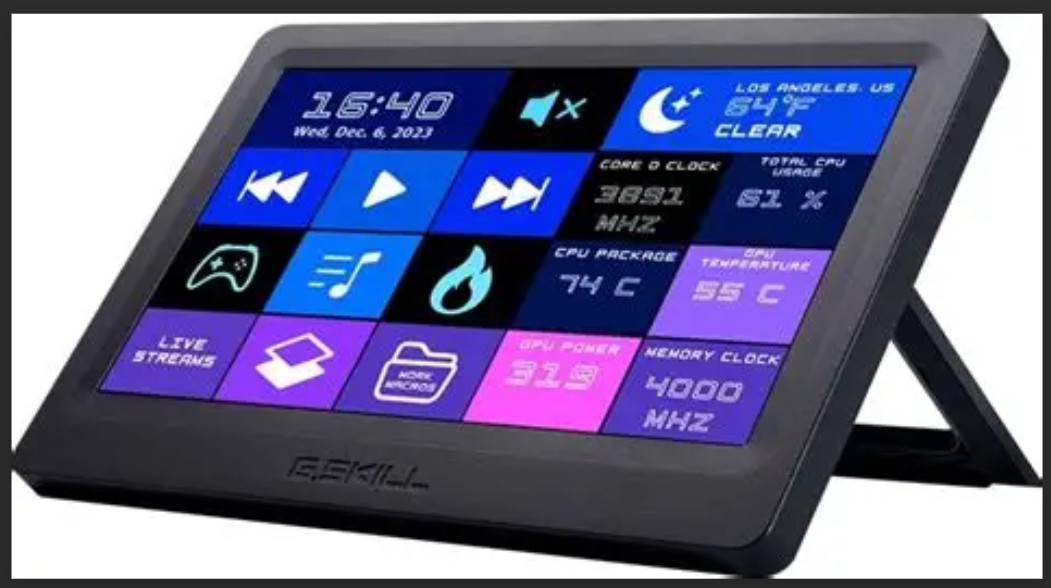
The screen I included is of the AIDA64 screen I designed for my system. I decided to use one of my two extra PC screens instead. The panel works WigiDash 7" Touch Panel PC Command Center -USB-C
Take your PC setup to the next level with this innovative touchscreen control center!
KEY FEATURES:
• 7-inch responsive touch panel display for easy control
• Customizable 5x4 grid with up to 20 virtual on-screen buttons
• Real-time system performance monitoring capabilities
• Streamlined workflow with programmable widgets and shortcuts
• Simple USB-C connectivity for both power and data
• Create unlimited custom pages for different tasks
• Export/import layout profiles to share or backup your configurations
• Integrated HWiNFO widgets for comprehensive system monitoring
• AIDA64 SensorPanel support for custom monitoring interfaces
• Twitch chat widget support for streamers
• Programmable hotkeys for games and applications
• Convenient secondary display that doesn't interrupt your main workflow
TECHNICAL SPECIFICATIONS:
• Display Size: 7 inches
• Connection: Single USB Type-C cable (data and power)
• Power Source: USB powered (USB 3.0 port recommended)
• Compatible with: Windows PC
• Software Required: WigiDash Manager (free download)
PACKAGE INCLUDES:
• G.Skill WigiDash 7" Touch Panel
• USB Type-C Cable
This innovative PC command panel is perfect for gamers, content creators, streamers, and power users who want to optimize their workflow and have critical system information at their fingertips.