GAOMON M1220 Graphics Drawing Tablet
12" Professional Digital Drawing Tablet with 8192 Pressure Levels
🎨 Key FeaturesBattery-Free Pen Technology
8192 pressure levels with AP32 battery-free stylus. No charging needed, just draw naturally with ±60° tilt support for precise, artistic strokes.
21 Customizable Controls
8 express keys + 13 multimedia buttons + touch ring + function dial. Control your workflow, adjust canvas, manage music and volume without leaving your creative zone.
Android Device Support
Works with Android 6.0+ smartphones and tablets via OTG connection. Draw on-the-go with your mobile device (OTG function required).
Large Active Area
10 x 6.25 inches working space for PC, 6.25 x 3.5 inches for phone mode. Perfect for detailed digital art, photo editing, and design work.
📊 Technical SpecificationsActive Area (PC Mode)258.4 x 161.5mm (10 x 6.25")Active Area (Phone Mode)161.5 x 90.8mm (6.25 x 3.5")Pressure Sensitivity8192 LevelsResolution5080 LPIReport Rate266 PPSReading Height10mmAccuracy±0.3mmTilt 7+, macOS 10.12+, Android 6.0+📦 What's Included
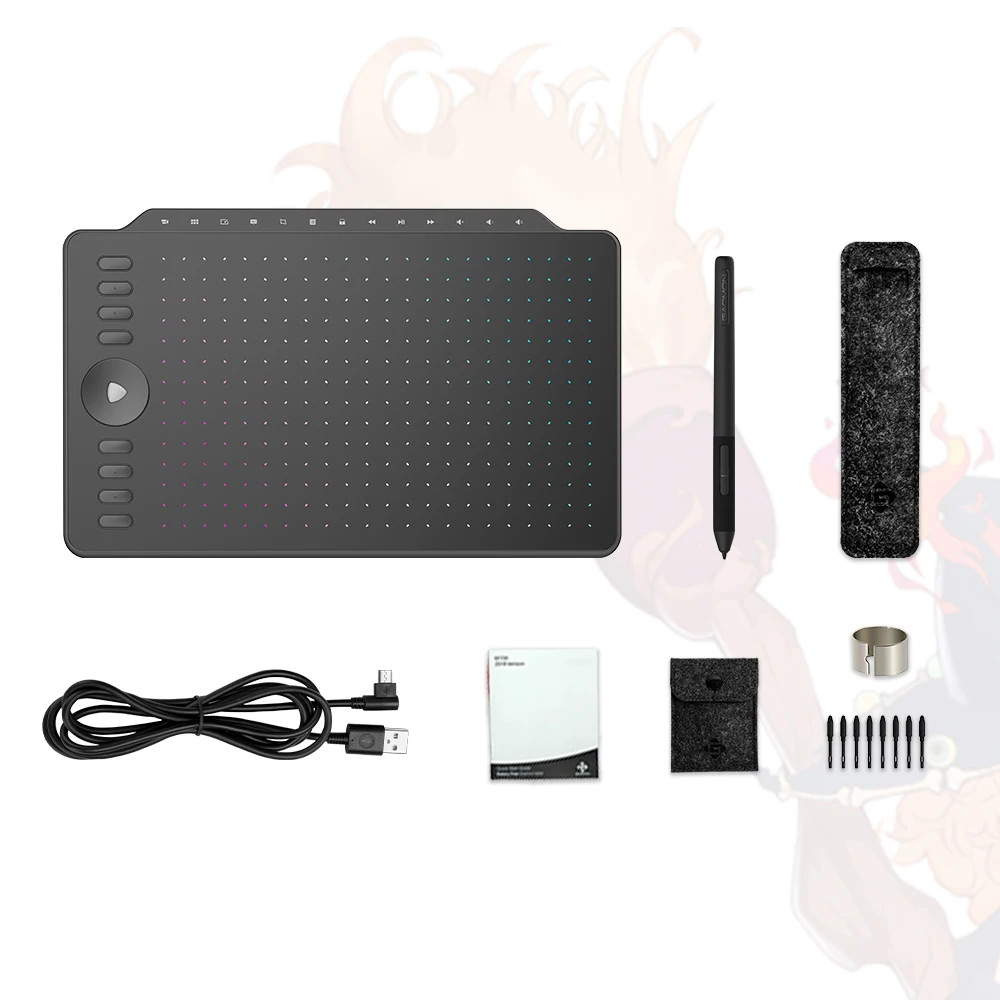
Complete Package Contents:
• M1220 Graphics Tablet
• AP32 Battery-Free Digital Pen
• USB Cable
• 8 Replacement Pen Nibs
• Nib Clip
• Pen Sleeve
• Pen Nib Sleeve
• Multi-Language Quick Start Guide
• Driver Installation Card
📸 Product Gallery❓ Frequently Asked QuestionsQ: Does this work with my Android phone?
A: Yes! Compatible with Android 6.0+ phones and tablets that support OTG. Press K1+K5 to activate Phone Mode. Note: iOS devices (iPhone/iPad) are not supported.
Q: Does the pen require batteries or charging?
A: No! The AP32 pen is completely battery-free using electromagnetic resonance technology. Never worry about charging or replacing batteries.
Q: What programs does this work with?
A: Works with popular creative software including Photoshop, Illustrator, Clip Studio Paint, Krita, GIMP, and most other digital art programs on Windows and Mac.
Q: Can I customize the express keys?
A: Absolutely! All 8 express keys, the touch ring, and function dial are fully customizable through the GAOMON driver software.
Q: What's the difference between PC mode and Phone mode?
A: PC mode offers the full 10x6.25" active area. Phone mode uses a smaller 6.25x3.5" area optimized for Android device connectivity via OTG.