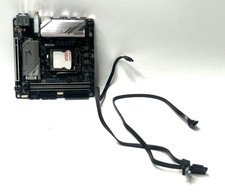
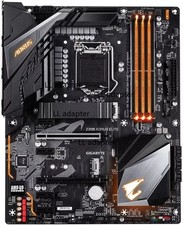
GIGABYTE Z390 AORUS PRO WIFI + INTEL CORE i7-8700 + CORSAIR 120MM AIO COOLER
READ THIS FIRSTYou get the motherboard with the CPU already installed in the socket and the load plate closed, plus the Corsair liquid cooler that cooled it during our test. The cooler comes off the board, with its Intel mounting hardware. No RAM, graphics card, Wi-Fi antennas, box or cables are included.
HOW WE TESTED ITBooted Linux and ran stressapptest for 10 minutes on all 12 threads, using 16GB DDR4 (2x 8GB, one stick per memory channel, at 2133 with XMP off).Result: PASS, 0 errors, 0 hardware incidents.CPU temperature on this Corsair cooler: 41 C idle, 43 C peak under load, all-core 4.3 GHz.Both memory channels detected. The other two memory slots were empty, so they were not tested.The onboard Intel network port worked throughout. The Wi-Fi and Bluetooth module was detected by the system but not connected to a network.
MOTHERBOARDGigabyte Z390 AORUS PRO WIFI, Intel Z390, LGA 1151, ATXBoard revision 1.0, BIOS version F114 DDR4 slots, 2 M.2 slots with both heatsink covers fittedBuilt-in rear I/O shieldCMOS battery installed
PROCESSORIntel Core i7-8700 (non-K), 6 cores / 12 threads3.20 GHz baseS-spec SR3QS
CPU COOLERCorsair CW-9060007-BB, 120mm all-in-one liquid coolerRadiator with pump block, one Corsair 120mm fanIntel mounting bracket, backplate and 4 thumb nuts
CONDITIONUsed. Thermal paste residue around the edges of the CPU lid, and scuffs on the cooler tubes, as shown in the photos. Fresh thermal paste is needed when you mount the cooler.
WHAT WE DID NOT TESTSATA ports, M.2 slots, the other PCIe slots, audio, HDMI output, USB 3 and Type-C speeds, and Wi-Fi/Bluetooth connections.
SOLD AS-ISNo returns. If you need a detail we have not listed, ask before buying.