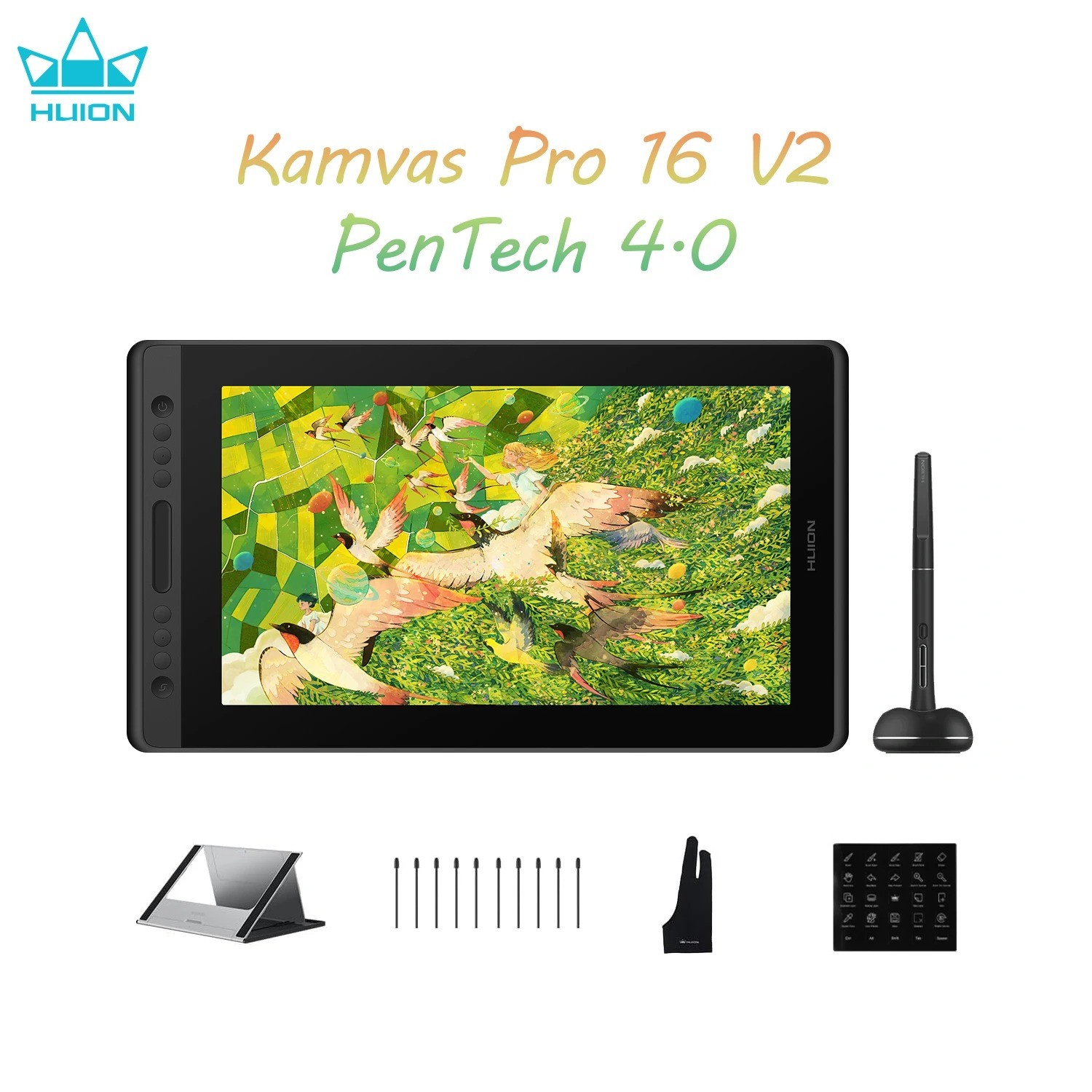
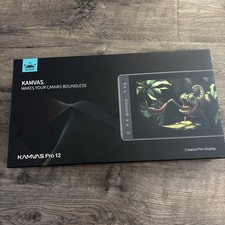
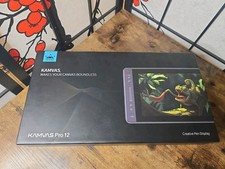
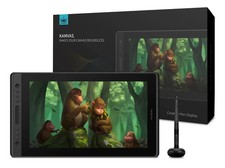
Kamvas Pro 16 V2 is not standalone or touch screen.Pixel-Perfect Pen: PW600A battery-free pen with PenTech 4.0, 16,384 pressure levels and 5080 LPI for precise, natural drawing. 3 side keys + dust-proof grip for better efficiency.Vivid Display: 15.6" fully laminated anti-glare screen with minimal parallax. 120% sRGB (99% sRGB + 99% Rec.709), 16.7M colors, 178° viewing angle.Efficient Workflow: 6 customizable express keys + Smart Touch Bar for zoom/brush/scroll. Hold 3s to switch to OSD controls.Clean Setup: 3-in-1 cable + recessed Type-C port for stable, secure connection.Portable Design: 2.65 lb, 0.453 in slim. ST200 stand offers 6 angles (14.5°–45°).Compatibility: Windows 7+, macOS 10.12+, Linux Ubuntu 20.04 LTS. Works with Photoshop, Clip Studio Paint, SAI, Lightroom.
HUION Kamvas Pro 16 V2 15.6" Drawing Tablet Display 16K Levels PenTech 4.0 PenYour Quality Choice.PenTech 4.0
Powered by advanced pen tech, the pen delivers precise tracking and sensitive pen pressure.
Color
Easily switch between sRGB and Rec.709 color modes, ensuring accurate color reproduction.
Canvas Glass 2.0
With full-lamination nano-etched Canvas Glass 2.0, it reduces glare and being highly durable.
Perfect Size
The 15.6-inch screen offers a great balance of screen estate and portability, ideal for drawing.
Metal Backcase
The aluminum backcase resists scratches and improves heat dissipation.
Beginner-friendly
It comes with handy default shortcuts so you can dive in quickly.
All Accessories Included
Everything a beginner needs comes in the box: cable, stand, spare nibs, pen holder, and glove.
High-Quality Design Endures.
Kamvas Pro 16 V2 inherits the design from its predecessor, including the aluminum back case, nano-etched glass, sleek body, press keys, and touch strip.
Durable Metal Back Case
Canvas Glass 2.0
Lightweight Body
Press Keys
Just the Right Size & Clarity.
It also continues the classic combination of a 15.6-inch screen size and Full HD resolution, offering ample drawing space for artists to unleash their creativity while ensuring a clear visual experience.
15.6 inches
Screen Size
1920*1080
Resolution
16:9
Aspect Ratio
True Color Mastery.
The upgraded color gamut clamp lets you switch effortlessly between 99% sRGB/Rec.709 color spaces via the OSD menu or driver. With 16.7 million display colors, it ensures precise color accuracy, preventing oversaturation or deficiencies.
99% sRGB
Gamut Coverage
99% Rec.709
Gamut Coverage
16.7 Million
Display Color
PenTech 4.0
Not just an upgrade in technology, but experience.
Digital Pen PW600A
Like a Real Pen.
Kamvas Pro 16 V2 features Huion's latest PenTech 4.0 technology. The PW600A pen is equipped with the HV200 chip, significantly enhancing pen pressure sensitivity and cursor tracking. With three side buttons and a dust-proof grip, it not only provides a real pen-like experience but also boosts efficiency.
Battery-Free
No need for charging.
Dust-Resistant Silicone Grip
Enhanced comfort and dust-proof.
3 Side Keys
Customizable shortcuts, perfect for efficiency.
Enhanced Precision & Stability.
With revolutionary PenTech 4.0, the edge precision of the screen was enhanced, and Tilt Auto-Alignment technology decreased the cursor offset issues. Additionally, we’ve made the pen head smaller to avoid any obstruction of your view. With a 0.35mm retraction distance, the drawing experience becomes more stable and free of wobble.
Cursor
Tilt Auto-alignment
Thinner
Pen Head
0.35mm
Retraction Distance
2 Types
Customized Pen Nibs
Capture Even the Lightest Strokes.
PenTech 4.0 divides pen pressure into 16,384 levels and offers a 2g initial activation force, capturing even light strokes. The adjustable maximum force range from 200g to 500g makes coloring and shading easier. Additionally, ±60° tilt support helps imitate effects like shading or broad strokes, like a real pen.
16384 Levels
Pressure Sensitivity
2g
Initial Activation Force
200g-500g
Adjustable Maximum Force
±60°
Tilt Support
Enhanced Durability with
Superior Visuals.Canvas Glass 2.0
Kamvas Pro 16 V2 features nano-etched Canvas Glass 2.0, reducing glare and minimizing graininess for a more comfortable viewing experience. Full-lamination technology enhances color vibrancy and brightness. All these help create a durable and scratch-resistant surface, ensuring a longer lifespan.
Preset Keys, Ready to Go!Brush ToolIncrease Brush SizeDecrease Brush SizeHand ToolSaveUndo
The 6 press keys and the touch strip can be programmed to various shortcuts through the driver to streamline your workflow. Additionally, it comes with preset settings for drawing, making it easy for beginners to start using right out of the box.
6
Press Keys
1
Touch Strip
All You Need Included.
Cable
Pen Holder
Stand
Glove
Create All Possibilities on One Display.
Kamvas Pro 16 V2 is a versatile pen display that meets the creative needs of various art styles. For beginners, it provides everything you need to help you quickly start your artistic journey.
For Illustration
With advanced PenTech 4.0 pen technology, you can enjoy a more precise and stable drawing experience while creating detailed illustrations.
For Animation
The customizable press keys and touch strip provide quick access to functions, increasing your efficiency when working on animations.
For 3D modeling
The 15.6-inch screen provides more workspace, preventing a cramped experience. Additionally, the pen can function as a carving tool to fine detailing on your models.
CompatibilityOperating SystemWindows
(Windows 10 and above.)
macOS
(macOS 10.12 and above.)
LinuxOS
(Ubuntu 20.04 LTS)
Recommended Applications
The terms HDMI, HDMI High-Definition Multimedia Interface, HDMI Trade dress and the HDMI Logos are trademarks or registered trademarks of HDMI Licensing Administrator, Inc.
In the Box
- Kamvas Pro 16 V2×1
- Foldable Stand ST200×1
- Battery-free Pen PW600A×1
- Standard Pen Nibs (Inside the Pen Holder)×10
- Pen Holder×1
- 3-in-1 Cable×1
- Power Adapter (Image for reference; plug may vary)×1
- Artist Glove×1
- Shortcut Key Sticker×1
- Cleaning Cloth×1
- Quick Start Guide×1
FAQsWhat is the difference between Kamvas Pro 16 and Kamvas Pro 16 (V2)?
The primary difference between the Kamvas Pro 16 and the Kamvas Pro 16 (V2) lies in the pen technology: the V2 model features the advanced PenTech 4.0, while the original version uses the earlier PenTech 2.0. Additionally, the Kamvas Pro 16 (V2) is equipped with Canvas Glass 2.0, which offers improved anti-glare performance and reduced color distortion compared to the first-generation anti-glare glass used in the Kamvas Pro 16. The V2 also boasts enhanced color performance, supporting 99% sRGB and 99% Rec.709 color gamut coverage.
Do I need to connect the Huion Kamvas Pro 16 (V2) to a computer to make it work?
Yes, the Huion Kamvas Pro 16 (V2) is a drawing monitor. You need to connect the monitor to a computer/laptop to make it work.
What color modes does the Huion Kamvas Pro 16 (V2) support?
The Huion Kamvas Pro 16 (V2) supports native, sRGB, and Rec. 709 color modes, which you can adjust in the OSD menu.
What are the advantages and improvements of Canvas Glass 2.0?
The Huion Kamvas Pro 16 (V2) is equipped with Canvas Glass 2.0. Utilizing new nano etching technology, it provides excellent anti-glare effects and a paper-like texture, ensuring a smoother workflow for artists. Furthermore, it effectively addresses sparkle and grain issues by adjusting granularity, haze, and gloss values. As a result, color noise is significantly reduced, particularly against pure white backgrounds.
What is Huion PenTech 4.0 Technology?
Huion PenTech 4.0 means the 4th Generation Huion pen technology, which perfectly enhances pressure sensitivity to 16384 levels via digital signals transmitted by the independently developed HV200 chip. The pressure curve is more precise for even line drawings, supporting pressure from 2g initial activation force to maximum force. Furthermore, PenTech 4.0 also comes with these advanced functions:
- Tilt Auto-alignment: Ensuring the cursor stays precise and will not be offset while drawing lines at any angle.
- Reduced Pen Head Size: Minimizing obstruction while drawing.
- Extremely Low Retraction Distance: The retraction distance refers to the distance that the pen nib retracts to the inside when the pressure is applied from the minimum to the maximum. It now has been optimized to 0.35mm, eliminating nib wobbling during drawing.
Key advanced functions from PenTech 3.0 remain:
- Optional Pen Nibs: Artists can choose between regular and felt nibs (for better friction).
- Tilt Recognition: You can use tilt recognition in software that supports this function to imitate real strokes (such as pencils, brushes, etc.)
Which pen comes with the Huion Kamvas Pro 16 (V2) standard package?
The Huion Kamvas Pro 16 (V2) comes with a PW600A digital pen. You can also purchase aPW600orPW600Sdigital pen.
What are the differences between PW600A, PW600L, PW600 and PW600S?
The PW600 is the basic form, with a normal pen body, 3 side keys, and a tail eraser;
The PW600L (Lite Pen) is a lighter version, same with a normal pen body, 3 side keys, but no tail eraser;
The PW600A is a specialized version of the PW600L, intended for applications beyond our standard product line. The two models are identical in design except for the nib; the PW600A comes with a felt tip, as opposed to the standard nib in the PW600L.
The PW600S (Slim Pen) is a slim version, with a thinner pen body, 2 side keys, and a tail eraser.
Does the Huion Kamvas Pro 16 (V2) have touch input?
No, the Huion Kamvas Pro 16 (V2) does not have touch input.
Can I use the Huion Kamvas Pro 16 (V2) as a second monitor?
Yes, you can use the Huion Kamvas Pro 16 (V2) as a second monitor by setting the Duplicate Mode or Extend Mode.
Please refer to the articles below for step-by-step guidance.
Windows Computer:How to Set the Duplicate Mode or Extend Mode on Windows While Using Huion Pen Display?.
Mac Computer:How to Set the Mirror Mode or Extend Mode on MAC While Using Huion Pen Display?.
Does the Huion Kamvas Pro 16 (V2) support a one-cable connection?
No, the Huion Kamvas Pro 16 (V2) does not support a one-cable connection. If you want this feature, you can purchase theHuion Kamvas 16 (2021).
What is the cable length of the Huion Kamvas Pro 16 (V2)?
3-in-1 Cable: 1.8m
Power Cable: 1.5m
Note: Cable length information is for reference only, please refer to the physical length included in the purchase.
Is a stand included with the Huion Kamvas Pro 16 (V2)?
Yes, a foldable stand ST200 is included in the package of the Huion Kamvas Pro 16 (V2).
Learn more about the stand ST200 viathis link.
Will the fan noise of the Huion Kamvas Pro 16 (V2) be very loud?
The Huion Kamvas Pro 16 (V2) has no fan inside, so you don’t have to worry about noise issues.
FAQsWhat is the difference between Kamvas Pro 16 and Kamvas Pro 16 (V2)?
The primary difference between the Kamvas Pro 16 and the Kamvas Pro 16 (V2) lies in the pen technology: the V2 model features the advanced PenTech 4.0, while the original version uses the earlier PenTech 2.0. Additionally, the Kamvas Pro 16 (V2) is equipped with Canvas Glass 2.0, which offers improved anti-glare performance and reduced color distortion compared to the first-generation anti-glare glass used in the Kamvas Pro 16. The V2 also boasts enhanced color performance, supporting 99% sRGB and 99% Rec.709 color gamut coverage.
Do I need to connect the Huion Kamvas Pro 16 (V2) to a computer to make it work?
Yes, the Huion Kamvas Pro 16 (V2) is a drawing monitor. You need to connect the monitor to a computer/laptop to make it work.
What color modes does the Huion Kamvas Pro 16 (V2) support?
The Huion Kamvas Pro 16 (V2) supports native, sRGB, and Rec. 709 color modes, which you can adjust in the OSD menu.
What are the advantages and improvements of Canvas Glass 2.0?
The Huion Kamvas Pro 16 (V2) is equipped with Canvas Glass 2.0. Utilizing new nano etching technology, it provides excellent anti-glare effects and a paper-like texture, ensuring a smoother workflow for artists. Furthermore, it effectively addresses sparkle and grain issues by adjusting granularity, haze, and gloss values. As a result, color noise is significantly reduced, particularly against pure white backgrounds.
What is Huion PenTech 4.0 Technology?
Huion PenTech 4.0 means the 4th Generation Huion pen technology, which perfectly enhances pressure sensitivity to 16384 levels via digital signals transmitted by the independently developed HV200 chip. The pressure curve is more precise for even line drawings, supporting pressure from 2g initial activation force to maximum force. Furthermore, PenTech 4.0 also comes with these advanced functions:
- Tilt Auto-alignment: Ensuring the cursor stays precise and will not be offset while drawing lines at any angle.
- Reduced Pen Head Size: Minimizing obstruction while drawing.
- Extremely Low Retraction Distance: The retraction distance refers to the distance that the pen nib retracts to the inside when the pressure is applied from the minimum to the maximum. It now has been optimized to 0.35mm, eliminating nib wobbling during drawing.
Key advanced functions from PenTech 3.0 remain:
- Optional Pen Nibs: Artists can choose between regular and felt nibs (for better friction).
- Tilt Recognition: You can use tilt recognition in software that supports this function to imitate real strokes (such as pencils, brushes, etc.)
Which pen comes with the Huion Kamvas Pro 16 (V2) standard package?
The Huion Kamvas Pro 16 (V2) comes with a PW600A digital pen. You can also purchase aPW600orPW600Sdigital pen.
What are the differences between PW600A, PW600L, PW600 and PW600S?
The PW600 is the basic form, with a normal pen body, 3 side keys, and a tail eraser;
The PW600L (Lite Pen) is a lighter version, same with a normal pen body, 3 side keys, but no tail eraser;
The PW600A is a specialized version of the PW600L, intended for applications beyond our standard product line. The two models are identical in design except for the nib; the PW600A comes with a felt tip, as opposed to the standard nib in the PW600L.
The PW600S (Slim Pen) is a slim version, with a thinner pen body, 2 side keys, and a tail eraser.
Does the Huion Kamvas Pro 16 (V2) have touch input?
No, the Huion Kamvas Pro 16 (V2) does not have touch input.
Can I use the Huion Kamvas Pro 16 (V2) as a second monitor?
Yes, you can use the Huion Kamvas Pro 16 (V2) as a second monitor by setting the Duplicate Mode or Extend Mode.
Please refer to the articles below for step-by-step guidance.
Windows Computer:How to Set the Duplicate Mode or Extend Mode on Windows While Using Huion Pen Display?.
Mac Computer:How to Set the Mirror Mode or Extend Mode on MAC While Using Huion Pen Display?.
Does the Huion Kamvas Pro 16 (V2) support a one-cable connection?
No, the Huion Kamvas Pro 16 (V2) does not support a one-cable connection. If you want this feature, you can purchase theHuion Kamvas 16 (2021).
What is the cable length of the Huion Kamvas Pro 16 (V2)?
3-in-1 Cable: 1.8m
Power Cable: 1.5m
Note: Cable length information is for reference only, please refer to the physical length included in the purchase.
Is a stand included with the Huion Kamvas Pro 16 (V2)?
Yes, a foldable stand ST200 is included in the package of the Huion Kamvas Pro 16 (V2).
Learn more about the stand ST200 viathis link.
Will the fan noise of the Huion Kamvas Pro 16 (V2) be very loud?
The Huion Kamvas Pro 16 (V2) has no fan inside, so you don’t have to worry about noise issues.
PaymentDelivery detailsReturnsresponseContact usPayment
1. Payment should be done within 7 days after offerding.
2. If you need any help, please contact us via message.
3. The payment only include the item price, shipping & handling. Shipping & Handling does not include remote area fee, duties, local taxes or any other import fees.
Delivery details1. Please confirm your detailed shipping address is up-to-date.2. We do not ship to PO BOX. Or please choose USPS with additional postage.3. Please include valid phone number and email address in your address; your local postman or customs will use this phone number or email address to contact you! We are not responsible for any wrong or undeliverable addresses.4.Remote area and island may has additional shipping costs, please contact seller before payment.5.Buyers are responsible for import duties, custom fees and taxes, if any. Please check with your country's custom office to determine the additional costs impose on the item prior to buying. We are not responsible for any applicable customs charge, taxes and duties.Returns1. One year warranty for all the items.
2. Returns must include all accessories and include original packaging.
3. 30 days free return. Once the returned item arrives back in our warehouse for inspection, the refund process will begin.
4. For quality-related returns, we will send replacement or arrange the refund once we confirmed the problem and received the returned package.
5. Please email us if there any problem with the item.response1. If you've had a pleasant buying experience from our store, please leave us a 5 star positive response.
2. If you’re not satisfied with our goods and plan to give us a neutral/negative response, please write to us immediately so that we can help you out by all means.
3. If any problems, please use the "Ask A Question" form to get a solution instead of opening return request/case on .Contact us1. You can get online professional technical support on huion official website, or leave us a message on .2. Please use the "Ask A Question" form to contact us.3. Working time: Mon-Fri 8:30am-6:00pm Chinese time(GMT+8).