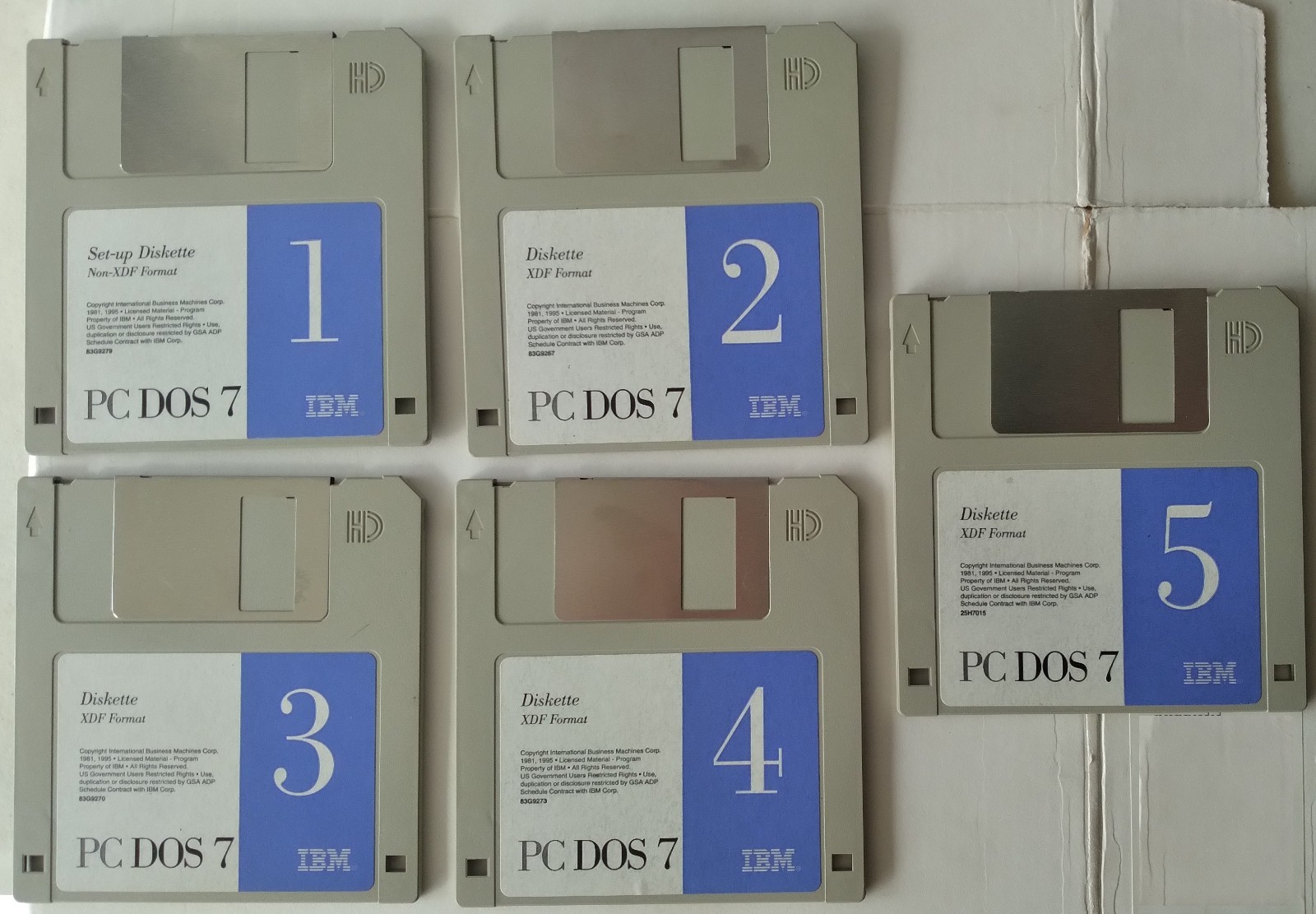
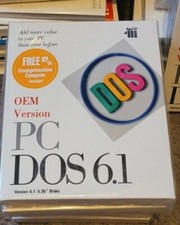
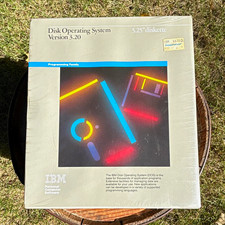
IBM PC DOS 7 in Five Hard Copy Diskettes, of which four(4) are formatted with IBM eXtended Density Format (XDF), which can only be read in floppy disk drives that are attached directly to the system by way of a floppy disk controller (FDC).
However, for users lacking the above physical hardware requirements, I will include an *equivalent* non-XDF IBM PC DOS 7 in Six 3.5" digital images (.img) suitable to be used in virtualization; or non-OEM hard copy diskettes for use with your USB-attached Floppy. Your choice.
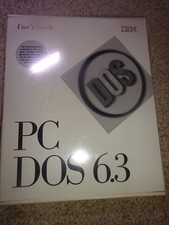
Please do not make any assumptions otherwise. What you see in the pictures is what I will be shipping to you. Thank you.
Includes: REXX
Reference Summary Handbook (Fourth Edition)
by Richard K. (Dick) Goran
Note: with the exception of the yellowish-previous-sticker-burn on the front cover, above the OS2WARP blue letters logo, the handbook is clean and crisp overall.
(From front cover)
"Everything You Wanted To Know About Managing Workplace Shell Objects with REXX, But Didn't Know Where To Look"
Plus: OS/2 Version 2.1 REXXUTIL & REXXLIB
WPTools & RxFTP
(Page 1)
1. Language Summary
The information provided in this handbook has been collected from multiple sources.It is intended to serve as a "keyboard-side" aid in the use of REXX under IBM's OS/2 2.x and OS/2 Warp Versions 3 and 4. Items introduced with Warp Version 4 (originally code named Merlin) are indicated by (V4). Items made obsolete by Warp Version 3 are indicated by (pre V3). Items available in Object REXX only are indicated by (OBJ).
A complete reference for OS/2 SAA REXX (referred to as Classic REXX) can be found in the OS/2 Information Folder and in the following IBM Publications: OS/2 Procedures Language 2/REXX Reference (IBM publication number S10G-6268) and OS/2 Procedures Language 2/REXX User's Guide (IBM publication number S10G-6269). Beginning with Warp Version 4, the online REXX reference (REXX.INF) pertains to the active REXX interpreter with the alternate .INF file being renamed. If Classic REXX is active, the \OS2\BOOK directory will contain REXX.INF and OREXX.INF. If Object REXX is active, \OS2\BOOK will contain CREXX.INF and REXX.INF.
Information for the use of the external REXX function packages included in this publication was obtained from the provider of the respective modules...
-- putting the DOS path as the "Working directory", however, no path is to be provided for the PC DOS Prompt icon
-----------------------End of from manual shown:
. PCMCIA Support
PC DOS 7 includes PCM 3.01 support for PCMCIA card services.
. Documentation Viewing Facility
PC DOS 7 provides a text-based, full-screen, online documentation and help facility. This viewer can be used to read the following books online: PC DOS 7 Command Reference, PC DOS 7 Error Messages, and PC DOS 7 REXX for DOS.
. National Language Support
- Code pages 865, 912, and 915
- Keyboards 452 and 453 (German keyboard layout DIN 2137)
Deleted Files
The following files were deleted from this version of PC DOS 7:
4201.CPI
4208.CPI
COMP.COM
EDLIN.EXE
EPS.CPI
EXE2BIN.EXE
FASTOPEN.EXE
GRAPHICS.COM
GRAPHICS.PRO
PPDS.CPI
PRINTER.SYS
If you have a licensed copy of PC DOS 6.3, you are authorized to copy these commands to any system with a licensed copy of PC DOS 7.
System Requirements
PC DOS 7 will operate on all models of Personal System/2*, Personal System/1, IBM Personal System/55*, IBM Personal Computer*, IBM Personal Computer XT*, Personal Computer XT-286, Personal Computer AT*, Portable Personal Computer, PC Convertible, and IBM compatibles with a minimum system memory of 512K.
The system should also have a 1.44MB or 2.88MB 3.5-inch, or a 1.2MB 5.25-inch floppy diskette drive. The PC DOS 7 Upgrade requires a system with a prior version of PC DOS or MS-DOS** (3.3 or higher) installed on the hard disk.
. PC DOS 7 provides user commands to perform the following functions:
- Manage information by creating, assigning attributes to, copying, comparing, renaming, listing, printing, erasing, replacing, moving, backing up, restoring, recovering files, and rewriting fragmented files contiguously.
- Manage directories by creating, removing, modifying, copying, and displaying the structure of directories.
- Format, unformat, copy, and compare diskettes.
- Format, partition, and check status of a disk.
- Perform system tasks, including:
- Assign drives
- Change the system codepage and keyboard layout
- Clear the screen
- Set the system time and date
- Create a PC DOS 7 batch file to perform special or repetitive tasks.
- Configure your system for multiple configurations.
. Memory Support:
- Memory optimization of available upper memory.
- Expanded Memory Support (EMS) and Extended Memory Support (XMS).
This support conforms to the Lotus**/Intel**/Microsoft**/ (LIM) 4.0 definition
. Disk Cache
PC DOS 7 provides an improved hard-disk caching program.
. Hard-Disk Support:
PC DOS 7 allows greater than 32MB fixed disk partition support.
. Advanced Power Management (APM)
PC DOS 7 supports the latest standard of APM 1.1 and continues to support system with APM 1.0 bios.
. Virus Detection and Antivirus Support
- Full-screen utility
- Terminate-and-stay-resident
- Updated signature files to detect over 2100 viruses
. Full-Featured Backup Utility
- Provides a full-screen utility
- Backs up to diskette, tape, or network drive
. REstructured eXtended eXecutor language (REXX)
PC DOS 7 provides this easy-to-use structured programming language that:
- Offers powerful functions
- Provides extended mathematical capabilities
- Works across multiple [IBM] platforms ([OS/2] WARP, AIX, VM, and PC DOS)
. Text Editor
PC DOS 7 provides a full-screen text editor that allows the end user to create, edit, save, browse, and print ASCII files.
. Full-Screen DOS Interface (PC DOS Shell)
- Provides a limited application switching mechanism which suspends execution of one application while executing another.
- Enables the creation of a user-defined menu system for the execution of applications.
- Provides a full-screen user interface to facilitate DOS file and directory maintenance.
. Full-Screen Interactive Installation Program
- Install all PC DOS 7 utilities and optional tools.
- Creates user configuration files.
- Installs to a new system or replaces an existing system.
. Scheduler Utility
- Allows execution of DOS programs at specific times.
- Provides a full-screen, easy-to-use interface.
. Data Compression Utility
- Automatic, transparent data compression that frees up storage space.
- A Stacker Anywhere program, allowing you to use compressed data on a system without compression.
- A conversion function for DBLSPACE compressed files.
- DOS and Windows toolbox interfaces.
- Automated uncompress to convert compressed data to its original form.
. Docking Support
PC DOS 7 provides the ability to dynamically load certain device drivers and to execute specified commands when docking events occur.
. File Synchronization Utility
PC DOS 7 provides a file monitoring utility that synchronizes files whenever files are moved from one computer to another.
All sales are final. Please elaborate upon my previous statement before submitting a offer for the item(s).