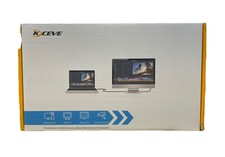
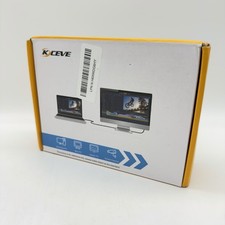
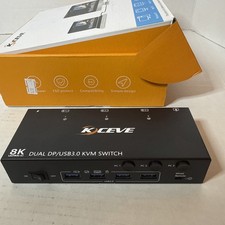
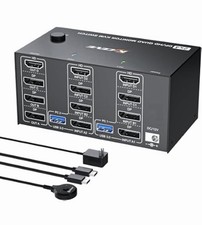
🖥️ KCEVE 8K KVM Switch - 4 PC to 2 Monitors
Professional Dual Display Switcher with USB 3.0
✨ Key Features🎯 Dual Monitor Support
Control 4 computers with 2 monitors simultaneously. Supports both Copy Mode (mirror displays) and Extend Mode (drag windows between screens) for maximum productivity.
📺 Ultra HD 8K Resolution
Experience stunning visuals with support up to 8K@60Hz and 4K@144Hz. Backward compatible with 1080p for versatile display options.
⚡ USB 3.0 High-Speed Ports
4 USB 3.0 ports for sharing keyboard, mouse, printers, scanners, and other peripherals with stable, lightning-fast data transfer.
🎮 Dual Switching Modes
Switch between computers using front panel buttons OR the included wired remote controller. Hide the KVM under your desk for a clean workspace.
🔧 Technical SpecificationsInput Ports4 x HDMI + 4 x DisplayPort (4 computers)Output Ports1 x HDMI + 1 x DisplayPort (2 monitors)Max Resolution8K@60Hz, 4K@144Hz (requires 8K cables)USB Ports4 x USB 3.0 (up to 5Gbps transfer speed)Switching MethodFront panel buttons + Wired remote controllerPower SupplyDC 12V adapter (included)Cable TypeUSB-C connection to computersPlug and PlayYes - No driver installation required⚠️ Important Notice
For 8K@60Hz resolution: You MUST use 8K-rated HDMI cables, 8K-rated DisplayPort cables, and ensure ALL devices (computers and monitors) support 8K output/input. Standard cables will limit resolution to 4K or lower.
📦 Package Contents
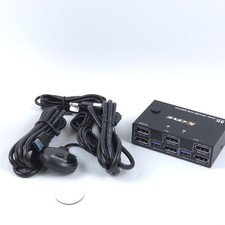
- 4 x USB-C Connection Cables
- 1 x DC 12V Power Adapter (choose your plug type at checkout)
- 1 x Wired Remote Controller
- 1 x User Manual
💼 Perfect ForProfessional Use: IT professionals, programmers, traders, graphic designers
Home Office: Multi-computer setups, work-from-home stations
Gaming & Streaming: Switch between gaming PC and streaming PC
Education: Teachers managing multiple computers in classrooms❓ Frequently Asked QuestionsQ: Can I use different monitor types (HDMI + DisplayPort)?
A: Yes! One monitor connects via HDMI, the other via DisplayPort. The KVM automatically handles both simultaneously.
Q: Do I need special cables for 8K resolution?
A: Yes, you must use 8K-certified HDMI 2.1 cables and DisplayPort 1.4 cables. Standard cables will limit you to 4K or lower.
Q: Can I mix resolutions (one 4K, one 1080p monitor)?
A: Yes, the KVM supports different resolutions on each output. Your computer will detect and configure each monitor independently.
Q: Does this require software installation?
A: No, it's completely plug-and-play. Just connect your devices and start switching immediately.
Q: What plug type should I choose?
A: Select the plug type that matches your country's electrical outlets. All plugs support the same functionality.