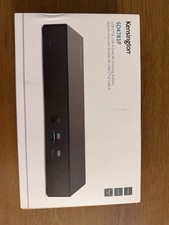
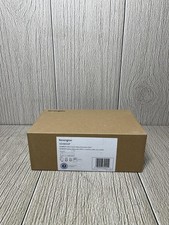
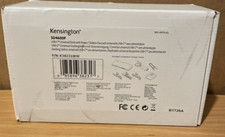
FeaturesUniversal Compatibility
Working with any laptop equipped with USB-C or Thunderbolt 3 and supporting Windows, Mac and Chrome operating systems, the SD1600P allows you to connect with confidence.
USB-C Pass-Through Power
Plug your laptop’s USB-C power adapter into the dock to provide pass-through power to the laptop, or power the dock and connected devices using the laptop’s battery when traveling. This feature eliminates the need for an additional power adapters and provides a tidy setup.
Versatile Video Connections
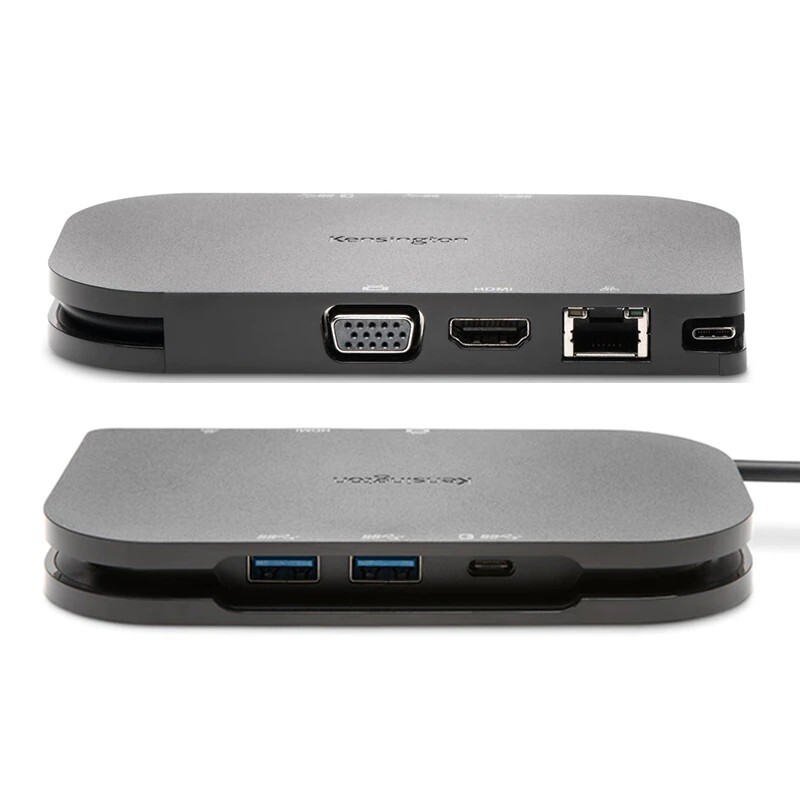
Provides options for HDMI (4K@30Hz) or VGA Full HD (1920x1080p) video output to an external monitor, TV or projector. This versatility allows you to connect with confidence to varying AV setups in conference rooms and collaboration spaces, while also simplifying your packing by eliminating the need for extra video adapters and dongles.
3 USB Ports
Extend your productivity capabilities via 2 USB-A 3.2 Gen1 ports (up to 5Gbps) and an extra USB-C 3.2 Gen1 port for data synchronization (up to 5Gbps).
Built-In Charging Hub
When not connected for docking, you can charge your low-power mobile accessories using the two USB-A 3.2 Gen1 ports (up to 2.4A) — eliminating the need to travel with additional power adapters.
Gigabit Ethernet Port
Provides a reliable 1Gbps wired networking connection.
8” Hideaway USB-C Cable
Provides you with an extended, flexible length (20.5cm) while conveniently storing within the dock when not in use.
Compact Design
Designed to fit into your laptop backpack or carrying case, while also providing you with the opportunity to eliminatemany video adapters, dongles and mobile accessory power adapters
Enhance your productivity with Samsung DeX
With support for Samsung DeX, Kensington’s USB-C docking stations allow you to do more by having a computer-like experience with your Samsung Galaxy, Note and Tab devices.
Today’s mobile professionals work in a variety of spaces, with old and new technologies. With Kensington’s SD1600P USB-C Mobile 4K Dock with Pass-Through Charging, users can expand their desktop setup to include a full HD (VGA) or 4K (HDMI) display and connect to their favorite USB accessories using two USB-A 3.2 Gen1 ports. Whether in a temporary workspace or a conference room, the SD1600P keeps users productive and powered up with pass-through charging for accessories. Built on USB-C technology and Power Delivery 3.0, users can connect with confidence to PC, MacBook or Chromebook knowing the SD1600P will let them expand their workspace, use their favorite accessories, and power their device at the same time.
- Best For: Highly Mobile USB-C Laptops & Ultrabooks, requiring additional ports for accessories, as well as Monitors & Projectors that support up to 4K (supports USB-C Power Delivery)
- USB-C Power Delivery: Supports USB-C PD 3.0 (60W of laptop charging)
- # of Monitors Supported: 1
- Video Ports: 1 x HDMI v1.4 and 1 x HD VGA
- Maximum Resolution Supported: Single Monitor: HDMI UHD 3840 x 2160 @ 30Hz OR VGA Full HD 2048 x 1152 @ 60Hz
- Plug & Play installation without need for drivers or downloads (macOS and Windows 7 require a one-time driver download)
- System Requirements: Host device must support Power Delivery and DisplayPort Alt mode over USB-C
- Samsung DeX support is available on Kensington’s USB-C docking stations [SD1500*, SD1600P, SD2000P, SD4600P**, SD4610P**, SD4620P** and SD4800P**]. Samsung models supported (S8, S8+, Note 8, S9, S9+, Note 9, S10, S10+) must be running Android OS 9 or later and Samsung OS One UI 1.0 or later. Please note that Samsung DeX only supports one external display at HD+ (1600 × 900), FHD (1920 x 1080) or WQHD (2560 x 1440) with an aspect ratio of 16:9. *charging is not supported on this model **only a single display is supported on this model
- Power Pass-Through functionality is not supported on MacBook Pro 16" (2020)
- Original Apple M1 - While this docking station will work with the original M1 MacBook, only a single video output is supported. For multi-monitor support on your original M1 MacBook, see our Hybrid USB-C DisplayLink docking stations (ex: SD4700P, SD4750P, SD4780P, SD4900P, etc.) or USB-A DisplayLink adapters (DisplayPort K33989, HDMI K33988, DVI-I K33974). NOTE: Newer Apple devices (M1 Max and M1 Pro, etc.) are not impacted and support multiple monitors without issue on Thunderbolt docking stations.
Product Specifications
- Connection TechnologyUSB-C Alt Mode
- DriverlessYes
- Additional Screen Outputs1
- Video PortsHDMI, VGA
- Maximum Resolution4K
- Power DeliveryPass-Through Power
- Operating System(s)Chrome OS, macOS, Windows
- Number of USB Ports2
- USB Fast ChargingYes
- Docking Station FamilyThe Road Warrior
- DockWorksNo
- Best ForHighly Mobile USB-C Laptops and Ultrabooks as well as Monitors and Projectors that support up to 4K
- CompatibilityChrome OS 44 or above, macOS 10.13 or above, Windows 7 or above
- USB-A Ports2 x USB-A 3.2 Gen1 Ports (rear) with 5V/2.4A fast-charging on each port
- USB-C Ports1 x USB-C 3.2 Gen1 Port: (rear) for pass-through power
- Data Transfer SpeedsSupports up to 5Gbps data transfer speed
- Ethernet Speed (Mbps)1000, 100, 10
- Maximum Resolution SupportedSingle Monitor: HDMI UHD 3840 x 2160 @ 30Hz or VGA Full HD 2048 x 1152 @ 60Hz
- Warranty3 years
- Plug & PlayPlug & Play installation without need for drivers or downloads, Windows 7 may require a one-time driver be downloaded and installed
- System RequirementsHost device must support Power Delivery and DisplayPort Alt mode over USB-C
- Thunderbolt PortsN/A - However, TB3 Compatible
- USB-C Power DeliverySupports USB-C PD 3.0 (60W of laptop charging)
- Video Output1 x HDMI v1.4, 1 x HD VGA
- 4K SupportYes