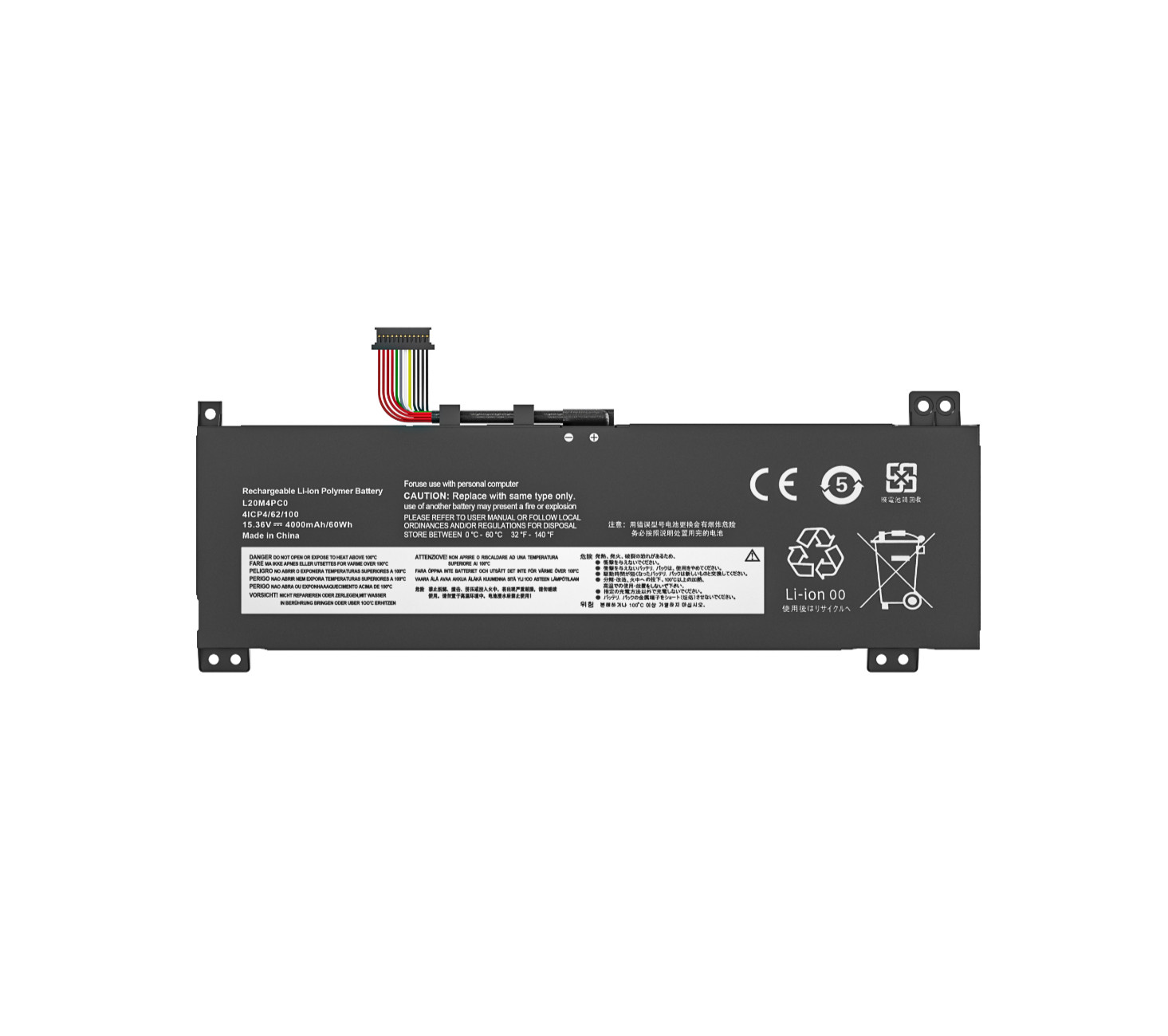
BATTERY SPECIFICATIONBattery Model L20C2PF0Battery Type Li-ionBattery Voltage 7.68VCapacity 38W / 4947mAhCondition 100% Brand New From ManufacturerPackaging 1*Battery+1*Manual+1*Tool KitsBATTERY SPECIFICATION
Battery Type: Li-ion
Battery Voltage: 15.36V
Battery Capacity: 60Wh
Replacement Part Number:
L20C4PC0 5B11B48827 SB11B48820
L20D4PC0 5B11B48819 SB11B48818
L20L4PC0 5B11B48817 SB11B48826
L20M4PC0 5B11B48816 SB11B48831
Compatible Machine Models:Fit Laptop Machine Models (please use ctrl+f to search for your laptop model):Replacement for Lenovo Legion 5-15ITH6H 82JH Series;Replacement for Lenovo Legion 5-15ITH6H 82MH Series;Replacement for Lenovo Legion 5-15ITH6 82JK Series;Replacement for Lenovo Legion 5-15ACH6H 82JU Series;Replacement for Lenovo Legion 5-15ACH6 82JW Series;Replacement for Lenovo Legion 5-15ACH6A 82NW Series;Replacement for Lenovo Legion 5-15ACH6A 82QJ Series;Replacement for Lenovo Legion 5-15IAH7 82RC Series;Replacement for Lenovo Legion 5-15IAH7H 82RB Series;Replacement for Lenovo Ideapad Gaming 3-15ACH6 82K1 Series;Replacement for Lenovo Ideapad Gaming 3-15ACH6 82K2 Series;Replacement for Lenovo Ideapad Gaming 3-15ACH6 82MJ Series.
Install A New Battery:1. You need to turn off your laptop and disconnect the power.2. Remove the old battery, carefully install the new battery on the battery case, and connect the wiring of the new battery.3. If you don't understand the above steps, you can search for the video about laptop battery installation on YouTube. Maybe it will help you.Laptop Maintenance Tips:1. New battery: For use a new battery, you’d better try a few cycles of discharging to 5%. then charging up to 95%. So that it can be activate completely2. Overuse: Do not always run out of a battery to 0%, this would make it damaged or usage life shortened3. Charging sequence: when charging, first install the battery, then turn on the power, when fully charged, first cut off the power, then pull the power plug.4. Long-term storage:Please store the unused battery fully charged.(Charge it once a month) Do not store at low power to prevent reduce the lifespan of a battery5. Charger: Do not replace the laptop adapter casually. If the original adapter cannot be applied due to malfunction or damage, please replace the models, so as not to reduce the service life of the battery due to incompatibility.