Product description
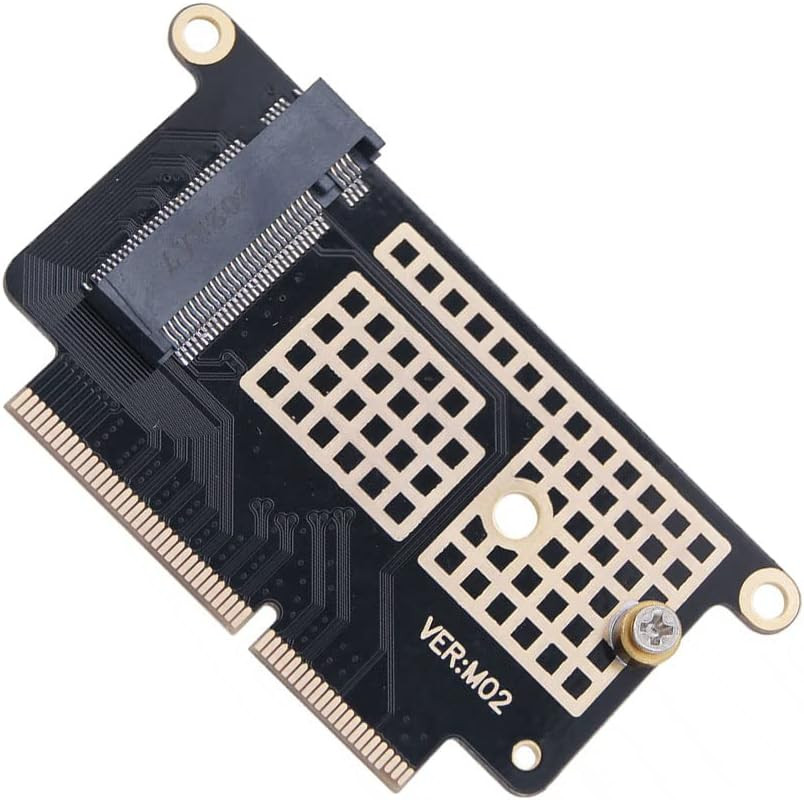
M.2 NVMe SSD Convert Adapter Card
Relatively easy for person who has basic skills.
- If you have no idea what you are doing, please save yourself the trouble and just get a new device
- If you do know what you're doing, push that 2016/2017 MBP 128GB or 256GB to 1TB or 2TB if you can find them. Just get the right size M.2 nvme or you will regret it.
Willhom M.2 NVMe SSD Convert Adapter Card fit for MacBook Pro 13" Retina (Function Keys, Late 2016-2017) A1708 Description
Upgrade space for your mac with the M.2 NVMe SSD Convert Adapter Card and ssd that fit for MacBook Pro 13" with Retina display and Function Keys from late 2016 or 2017 model A1708
- Relatively easy repair to undertake if you have basic skills. Not for tech illiterates.
- Connects to a PCIe 3.0 x4 slot with the 22+34 pin connector
- Our M.2 NVME SSD Convert Adapter Cards are individually function perfectly.
Identify Your Mac
Compatible with MacBook Pro 13 inch Function Keys Late 2016 A1708 (EMC 2978)
- MacBookPro13,1 Late 2016: MLL42LL/A or BTO/CTO
Compatible with MacBook Pro 13 inch Function Keys 2017 A1708 (EMC 3164)
- MacBookPro14,1 Mid 2017: MPXQ2LL/A, MPXR2LL/A, MPXT2LL/A, MPXU2LL/ or BTO/CTO
NOTE
- This is NOT fit for macbook pro touch bar 2016 2017 13" A1706 , 15 " A1707
What is your computer's Model number and EMC number ( located on the bottom of your computer)?
Bring your mac non touch bar back to life Trying to use this convert adapter card for MacBook Pro a1708, with sabrent m2 2242 ssd, but it doesn’t recognize?
- Did you prepare USB stick with newer MAC OS Majove 10.14 installer to read the SSD in disk Ultility?
- I had the same problem and nothing worked until I created a High Sierra USB boot installer and did a recovery boot, then the new SSD showed up in available drives.
- This M.2 NVME SSD adapter card only supports the installation of Mac OS Mojave, Catalina or higher version system, and does not support lower than 10.14 version, due to the nvme driver integrated in the lower version of the system cannot recognize most nvme SSDs on the market at present!
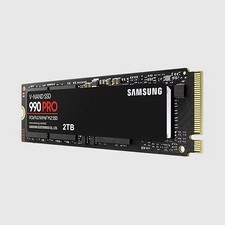
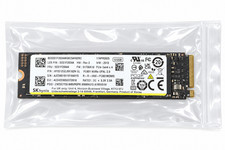
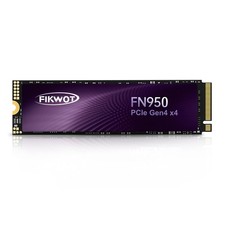
What ssd recommend use?
- The Sabrent Rocket nano NVMe PCIe M.2 2242 SSD will be ok.
- If you are looking for an adapter for a Sabrent 512GB or 1TB Rocket NVMe PCIe M.2 2242 DRAM-Less Low Power Internal High Performance SSD, this product works very well for MacBook Pro 13" with retina display A1708 .
Grow your space with this NVMe PCIe M.2 SSD adapter card
- Need to upgrade your SSD ,this SSD adapter card is for you.
- Only fit for MacBook Pro 13" Retina display and Function Keys from late 2016 to 2017 model A1708
- Only Fit for 2230/2242 type key M nvme M.2 SSD, not supports SATA bus key B/B+M SSD
- Relatively easy repair to undertake if you have basic skills.
Tips 1 For your safety, discharge your computer's battery before you begin this procedure. 2 Delete your new M.2 SSD(nvme) all partitions 3 Convert partition table of your new M.2 SSD to GUID format on another windows by the Partitioning tool(etc, diskgenius) 4 Install your new M.2 SSD to A1708 adapter(DONGLIN 109150/109151/109152) 5 Install the succedaneum (A1708) to yourlaptop. Warning:unplug the battery cord 6 Hold "Command+R" and power on your laptop ,Perform system online recovery Note It can't support recovering from internet for first time installing,important to prepare bootable USB disk driver(M.2 PCIe has no OS systerm inside,it must be erased first). Because Mac OS software's bug, pls unplug power cord from USB 3.1 port if mac can't reboot. Add to Cart Add to Cart Add to Cart Add to Cart Add to Cart Add to Cart Customer Reviews 4.2 out of 5 stars 15 3.4 out of 5 stars 4 4.8 out of 5 stars 22 4.4 out of 5 stars 224 3.1 out of 5 stars 4 3.6 out of 5 stars 8 Price $10.99$10.99 $40.99$40.99 $16.99$16.99 $7.99$7.99 $16.99$16.99 $3.79$3.79 Compatible with MacBook Pro 13" Function Keys Late 2016-2017 (A1708) ✓ ✓ ✓ no data ✓ ✓ Compatible with MacBook Pro 13" 2019 (A2159) no data no data ✓ no data no data no data Compatible with MacBook Pro 13" Late 2016-2017 (A1706) no data no data no data no data no data ✓ Compatible with MacBook Pro 15" Late 2016-2017 (A1707) no data no data no data no data no data ✓ mac parts
Try to providing each customer with the highest standard of help.
- M.2 NVME SSD Convert Adapter Card with Screw fit for MacBook Pro 13 inch late 2016 to mid 2017 Model A1708 included
- Supports for 2230/2242 Type Key-M NVME M.2 SSD, NOt compatible with SATA bus key B/B+M SSD (NOT Fit for 2260/2280).
- Require macOS 10.14 High Sierra or Later,please use your original SSD to upgrade your macOS before installation
- Compatible with MacBook Pro 13" Function Keys Late 2016 A1708 (EMC 2978):MLL42LL/A or BTO/CTO
- Compatible with MacBook Pro 13" Function Keys 2017 A1708 (EMC 3164):MPXQ2LL/A, MPXR2LL/A, MPXT2LL/A, MPXU2LL/ or BTO/CTO