WAVLINK Hard Drives Enclosure, M.2 SSD Dual-Bay Duplicator, Compatible with NVMe and AHCI,
One Click Offline Clone, 20Gbps USB-C(USB3.2 Gen 2x2), 8TB Expansion Storage(4TBx2)
The M.2 dual-bay SSD enclosure is a convenient and fast storage solution designed to provide users with an efficient data migration and
backup experience. The box has a unique design and supports dual bays with M.2 interface, allowing users to connect two M.2 SSDs at
the same time.The transfer rate is up to 20Gbps, using the USB-C to C data cable of USB3.2 Gen2, you can quickly transfer pictures,
videos, etc. The one-click offline cloning function provides users with a convenient way to copy data, which saves users valuable time and
is especially suitable for scenarios that require frequent backup or upgrade of storage devices.
*High Speed Transmission: USB-C supports a maximum transmission speed of 20Gbps. High-speed reading and writing are 1631MB/s and
1267MB/srespectively. Just plug and play and you can quickly transfer large-capacity tasks such as pictures, videos, files, games, etc.
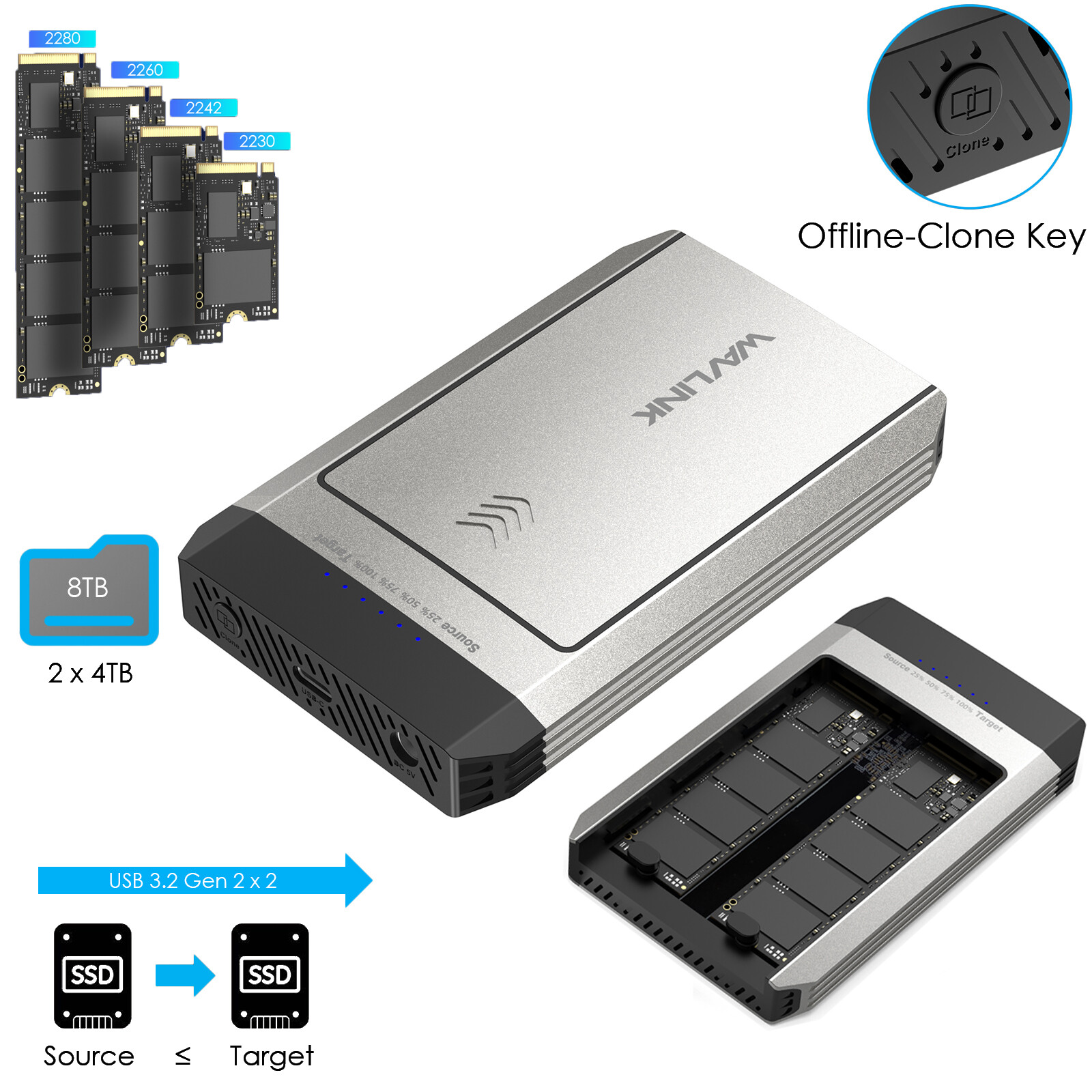
*One-Click Offline Clone: WAVLINK's hard disk enclosure is a dual-bay device that supports one-click cloning from the source disk to the.
target diskAnd don't insert the wrong SSD location in the dual-disk drive; otherwise, cloning will not start. Be sure to disconnect the data from
your computer before starting cloning.
*Wide Compatibility: The dual-bay supports SSDs of various sizes, such as 2280/2260/2242/2230 and applicable interfaces, M and B+M keys.
But it is not suitable forSSD with SATA or mSATA interfaces. It also comes with two silicone buckles and two thermally conductive silicone pads
to secure the SSD.
Compatibility
Systems: Microsoft Windows 10/11; Mac 10 or later; Chrome OS; Linux; Android; Harmony OS; iPad OS; iOS
Devices: Computers with USB-C or A ports that support data transmission; mobile phones and tablets with USB-C ports.
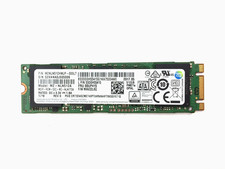
SSD: Support M and B+M key PCIe NVMe(target disk) and AHCI(source disk) in sizes of 2230/2242/2260/2280; not support SATA or mSATA SSDs.
*Flexible Storage Expansion: The dual-bay hard drive enclosure supports up to 8TB, which equates to two 4TB SSDs. Equipped with a C
to C power cord,USB-A adapter and OTG support, it can help you connect your mobile phones, tablets, laptops, desktop computers and other
devices to expand your storage capacity.
*Detail & Design: Metal shell, sliding cover design, no tools required, easy to disassemble and install; equipped with ventilation holes on the
side for heat dissipation.
*LED Indicator: The blue progress indicator light only lights up when the cloning task is in progress; the blue work indicator light only lights
up when data is read.
*Compact & Portable:Length, width and height - 118.1 x 73.25 x 15.78mm /4.65 x 2.88 x 0.62in, weight 132.7g, lightweight and compact,
easy to store and take out for office use
*Easy to Use: Metal sliding cover design, easy to disassemble and assemble, no tools required, plug and play, no need to download any driver.
If you encounter any installation or usage problems, please contact our customer service staff to protect your rights.
How to Install the SSD?
① Push the cover in the direction of the arrow to open the top lid of the Enclosure.
② Insert the SSDs into the slots.
③ Tear off the protective films on both sides of the two thermal silicone pads, and stick them on two SSDs respectively.
④ Reassemble the top lid in the direction of the arrow.
⑤ Connect the USB-C cable to the Host.
⑥ Finally, plug it in and it’s ready to use.
Specification:
1.Model: ST348
2.Ports: 1 x DC IN Port, 1 x USB-C Port
3.Button: 1 x Offline Cloning Key
4.Status LED(Blue): 1 x Source, 1 x Target
5.Offline Cloning Indicator(Blue): 25%, 50%, 75%, 100%
6.Power Adapter: DC 5V/4A
7.Unit Dimensions: 118.1 x 73.25 x 15.78mm /4.65 x 2.88 x 0.62in (L x W x H)
What’s in the Package?
- 1 x USB-C 20Gbps Dual M.2 SSD Enclosure
with Offline Clone
- 1 x USB-C to USB-C with USB-A Cable
- 2 x Thermally Conductive Silicone Pad
- 1 x DC 5V/4A Power Adapter
- 2 x Silicone Buckles
- 1 x Quick Start Guide
Note:
- Supports OTG mobile phones to read and write USB peripherals and SSD.
- Please start cloning after disconnecting the data connection from the computer.
- The target disk capacity must be larger than the source disk. Please check your SSD before installation.
- Compatible with NVMe and AHCI, not suitable for SATA or mSATA interfaces. Please confirm your hard drive type before purchasing.