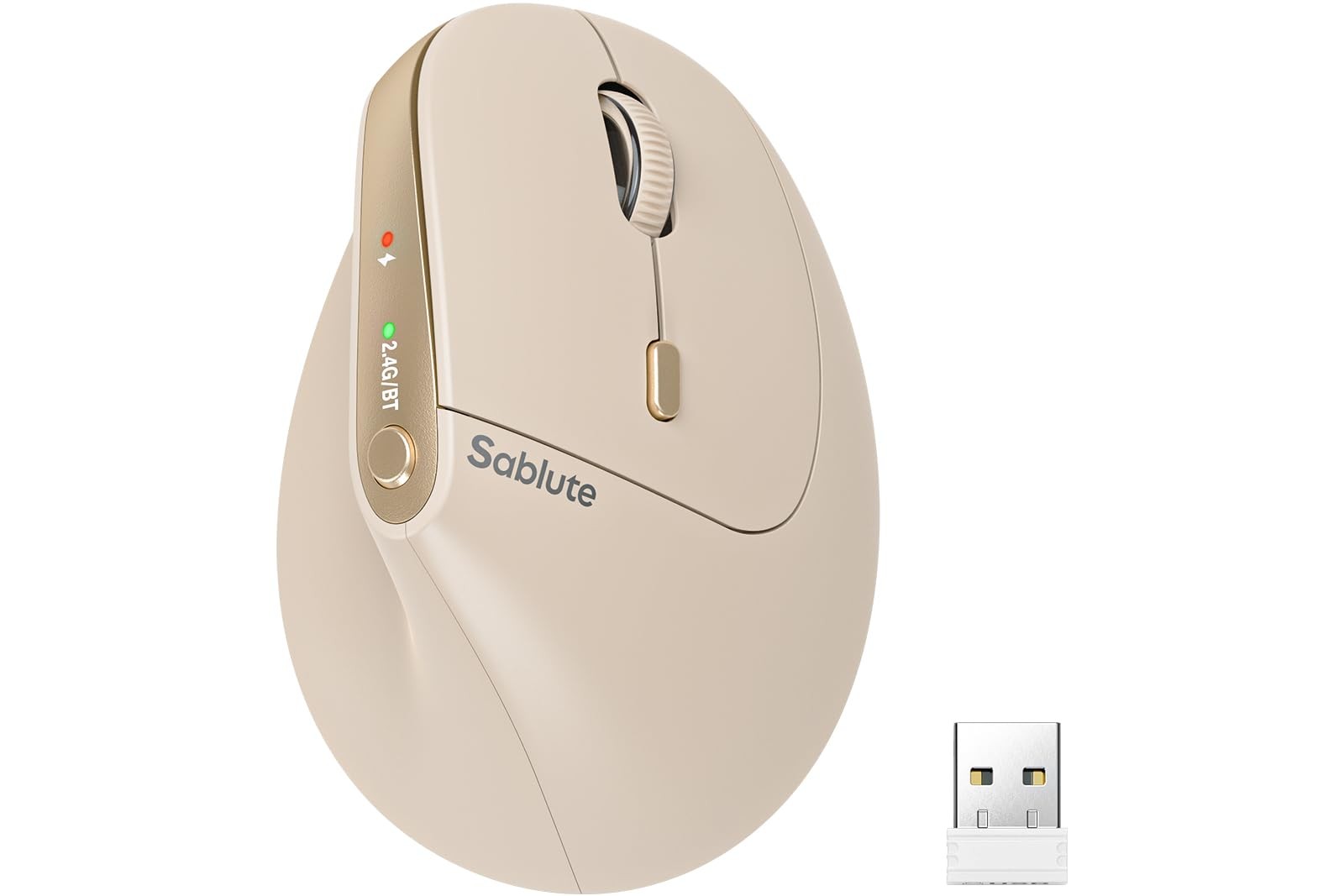
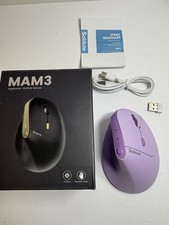
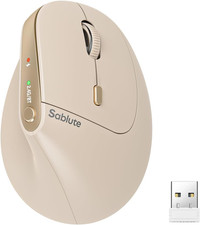
3-Device Connectivity ergonomic mouse 2.4G wireless mouse for latop sliten cilk mouse 5.0 bluetooth mouse with 4 adjustable DPI auto sleep mode Rechargeable Vertical Mouse with 30-Day Battery Life Q1: What hand size is this vertical mouse designed for? A: The MAM3 is specifically designed for small to medium-sized hands. Its compact ergonomic shape allows your fingers to naturally reach all buttons without stretching, providing a comfortable grip during long hours of work or study. Q2: Is this mouse suitable for small hands? A: Yes. The MAM3 was developed with small and medium hand users in mind. Many users find it easier to control than larger vertical mice, especially if traditional ergonomic mice feel too bulky. Q3: Is this vertical ergo mouse designed for ergonomic comfort? A: Yes. The 57° vertical design promotes a natural handshake position that helps keep your wrist in a more neutral posture during computer use. Many users choose vertical mice for improved comfort during long work sessions. Q4: Why do people choose a vertical mouse instead of a traditional mouse? A: Many users prefer a vertical mouse because it encourages a more natural hand position compared to a traditional flat mouse. This design can help reduce wrist bending during everyday computer tasks. Q5: How long does it take to get used to a ergonomic vertical mouse? A: Most users adapt within 3 to 7 days. After the adjustment period, many find the vertical grip more comfortable than a traditional flat mouse. Q6: Can I use this computer mouse for 8+ hours a day? A: Yes. The ergonomic shape is designed for extended daily use and is ideal for office professionals, students, programmers, designers, and remote workers who spend long hours at a computer. Q7: Can this mouse connect to multiple devices? A: Yes. The MAM3 laptop mouse supports connections to up to 3 devices simultaneously using Bluetooth and the included USB receiver. You can switch between devices with a single button. Q8: Does this rechargeable mouse work with Windows and Mac? A: Yes. The mouse is compatible with Windows, macOS, ChromeOS, Linux, laptops, desktops, and many tablets that support Bluetooth mouse connections. Q9: Can I use this mouse ergonomic with a MacBook or iPad? A: Yes. Bluetooth mode allows the mouse to connect to most MacBooks and iPads that support external mouse input without requiring additional software. Q10: Do I need to install any drivers? A: No. The wireless mouse is plug-and-play. Simply connect using Bluetooth or the USB receiver and start using it immediately. Q11: Is this ergo mouse quiet? A: Yes. The silent-click buttons reduce click noise by up to 90% compared to traditional mice, making it ideal for offices, libraries, classrooms, and shared workspaces. Q12: Can I adjust the DPI settings? A: Yes. The wireless ergonomic mouse offers 4 adjustable DPI levels: 800, 1200, 1600, and 2400 DPI, allowing you to choose the sensitivity that best fits your workflow. Q13: Is the battery rechargeable? A: Yes. The MAM3 bluetooth mouse features a built-in rechargeable battery, eliminating the need for disposable batteries and helping reduce long-term operating costs. Q14: Does the vertical mouse have an automatic sleep mode? A: Yes. To help extend battery life, the ergonomic mouse automatically enters power-saving sleep mode after periods of inactivity and quickly wakes when needed. Q15: What warranty and support are included? A: provides a 24-month warranty and lifetime technical support. If you have any questions about setup or usage, our customer support team is ready to assist.
Designed for Small to Medium Hands – Comfortable All-Day Use Without Finger Strain:Tired of ergonomic mouse that feel too bulky or awkward? The vertical ergonomic mouse is specially shaped for small to medium-sized hands, providing a secure and natural grip without overstretching your fingers. The optimized button layout keeps every control within easy reach, making it comfortable for students, office professionals, and anyone working at a computer for 8+ hours a day
57° Ergonomic Vertical Design – Helps Reduce Wrist Fatigue and Pressure:Unlike traditional flat mice, the 57° vertical angle promotes a natural handshake posture that helps reduce wrist bending and forearm tension. Many users switch to vertical mouse to improve comfort during long work sessions, especially those experiencing discomfort from repetitive computer use. Most users adapt within 3–7 days and report noticeably less wrist strain afterward
Connect Up to 3 Devices and Switch in One Click:Boost productivity by connecting up to 3 devices simultaneously via Bluetooth and USB receiver. Instantly switch between your laptop, desktop computer, and tablet with a single button press—no reconnecting or re-pairing required. Perfect for multitaskers, remote workers, and users who work across multiple screens throughout the day(Note: Press once for Bluetooth mode. Hold 3–5 seconds until the blue light flashes for pairing mode)
Works with Windows, Mac, ChromeOS and Linux – No Drivers Required:Enjoy hassle-free setup with broad compatibility across Windows PCs, MacBooks, Chromebooks, Linux systems, and supported tablets. Simply connect via Bluetooth or the included USB receiver and start working immediately. No software installation or complicated setup process required
Quiet Clicks & Adjustable DPI – Ideal for Offices, Libraries and Shared Workspaces:Enjoy precise cursor control with 4 adjustable DPI levels (800/1200/1600/2400). The silent-click buttons reduce clicking noise by up to 90%, making the bluetooth mouse ideal for offices, libraries, classrooms, video meetings, and late-night work sessions. Smooth tracking performs reliably on most desks, office surfaces, and mouse pads
Rechargeable Battery with Auto Sleep – Built for Everyday Productivity:Forget disposable batteries. The built-in rechargeable battery supports extended daily use and automatically enters power-saving sleep mode when inactive, helping maximize battery life. Backed by a 24-month warranty and lifetime customer support from our US-based service team for added peace of mind