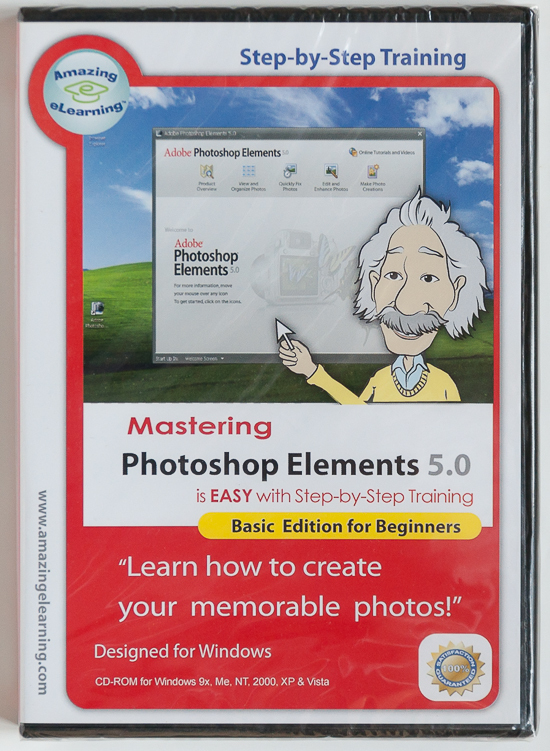
MASTERING Photoshop Elements 5.0
Basic Edition for Beginners
BRAND NEW IN A SHRINK-WRAP DVD CASE!
Amazing Step-By-Step Training!
Brand New In Shrink-Wrap DVD Case!
Product Information
Mastering Adobe Photoshop Elements 5.0 Topics(Basic Edition)is a quick and easy way to unlock the new features of Adobe Photoshop Element. You can learn how to take a snapshot and turn into a perfect picture. Fix the red eye in a snap. Manage your photo album and share your slideshow with your families and friends.
New improved interactivity and full screen display to maximize your learning!
Lesson 1 -How to start Photoshop Elements:
Launch Photoshop Elements
Creating a new catalog
Getting photos from a digital camera or card reader
Getting photos from files and folders
Organizer vs. the Editor
Viewing tags
Viewing photos at full screen or side-by-side
Creating a greeting card
Capturing still frames from a video
Using Adobe Photoshop Elements Help
Using the How To palette
Lesson 2 - How to organize, view, find and print photos:
Dragging photos and Searching for photos
Importing from a scanner
Using watched folders
Using Photo Browser, Date view and Stacks
Creating Picture Packages
Working with version sets
Finding photos using details and metadata
Viewing and managing files by their folder location
Creating new categories and sub-categories
Applying and editing category assignments
Creating and applying tags to photos
Converting tags and categories
Using tags to find pictures
Automatically finding faces for tagging
Finding photos with visual similarity
Using photo mail
Sharing photos online
Printing and CD/DVD Burning
Lesson 3 - How to share with slide show:
Using the Slide Show Editor
Adding text, graphics, audio, and narration to photos in the slide show
Applying transitions
Panning and zooming
Reordering slides
Adding a title slide
Choosing an output option for your slideshow
Saving your slideshow
Lesson 4 - How to fix color and red eye:
Quick Fix multiple files as a batch
Adding the corrected files to the Organizer
Opening image files for Quick Fix editing
Use Smart Fix
Applying other automatic fixes
Duplicating an image file
Automatically fixing color
Applying further changes to automatically fixed images
Combining automatic fix and manual image corrections
Comparing results
Adjusting skin tones
Fixing red eye
Requirements:
Windows:
Item will be shipped via USPS Media Mail for $4.95