OEM Dell USB Wireless Bluetooth Dongle Receiver 820-000442 DR985 C-UV35 For Sale
When you click on links to various merchants on this site and make a purchase, this can result in this site earning a commission. Affiliate programs and affiliations include, but are not limited to, the eBay Partner Network.
OEM Dell USB Wireless Bluetooth Dongle Receiver 820-000442 DR985 C-UV35
Price: US $10.00
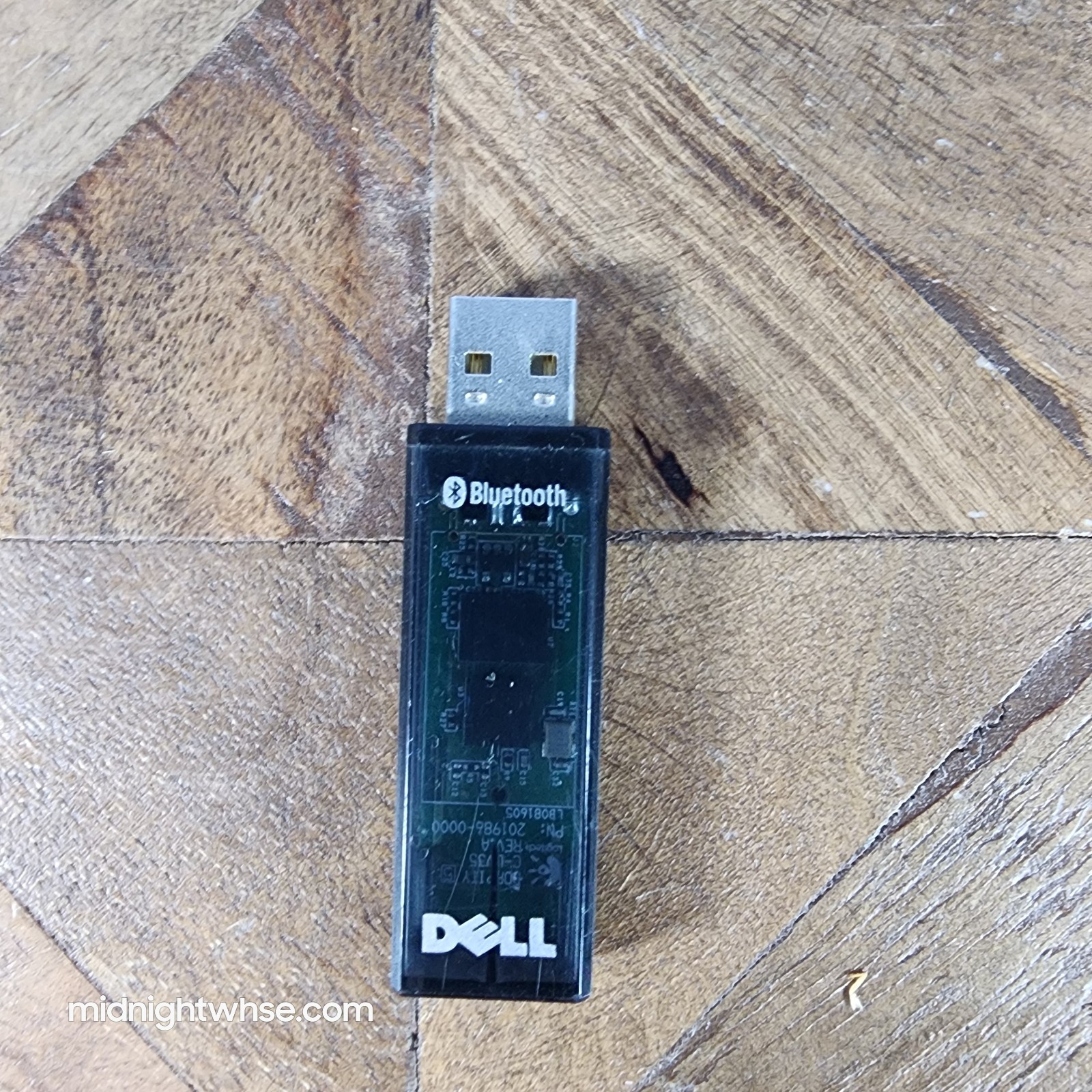
Genuine Dell C-UV35 Wireless USB Bluetooth Receiver Dongle. This adapter is manufactured by Logitech for Dell and features an integrated HID proxy mode, allowing compatible wireless keyboards and mice to function immediately at boot/BIOS screens. An excellent alternative if your bluetooth connection goes out and you need a quick USB alternative. Or if an old pc doesn't have bluetooth capabilities.Item Condition & Testing Details
Cosmetic State: Shows minor cosmetic scuffs from normal storage and handling (please review photos for exact condition).
Testing: Plugged into a Dell OptiPlex 7090 Micro PC running Windows 11. The system successfully recognized and registered the dongle as connected hardware. No further testing with a physical peripheral keyboard/mouse has been performed. Sold as-is based on this diagnostic check.
Technical Specifications
Model Number (M/N): C-UV35
Dell Part Number (D P/N): DR985 / 0DR985
Logitech Part Number (L P/N): 820-000442
Interface: USB 2.0
Wireless Protocol: Bluetooth (Dual-Mode / HID Proxy)
Power Rating: 5V === 500mA
FCC ID: to sync natively with legacy Dell and Logitech wireless desktop hardware bundles, including:
Logitech Cordless Desktop MX 5000 / MX 5500
Dell Wireless Keyboard and Mouse sets requiring model C-UV35
Driver InformationModern operating systems (including Windows 11) recognize this hardware automatically. Should you need control software for custom peripheral mappings:
Logitech Features: Download the Logitech SetPoint Software from the official Logitech Support Website.
Dell Deployment: System integration profiles can be confirmed by looking up your computer's configuration on the official Dell Drivers & Downloads Portal.
Important Usage Note for BuyersThis adapter defaults to a dedicated "HID proxy mode" designed to instantly sync to native keyboards/mice via the small blue button on the back.
To use it as a generic Bluetooth adapter for general devices like headphones on Windows, you must hold down the blue button while plugging it into your USB port. This forces Windows to bypass the default profile and load its built-in generic Bluetooth emulator drivers.