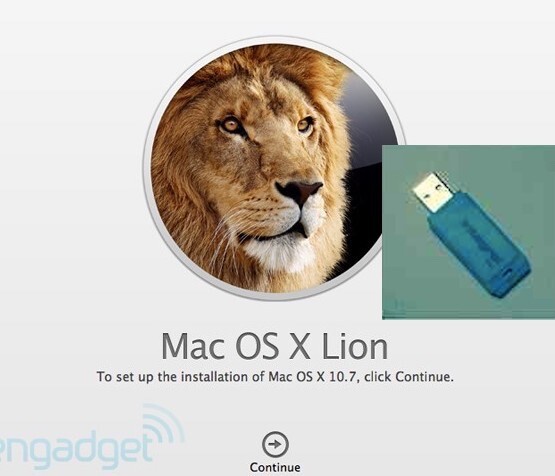
OS X Upgrade/Recovery USB Drive, Instructions& msg help - 10.7/11/13/14/15
Well respected seller with hundreds of bootable Mac OS USB solutions sold, many 5* reviews
Free tracked delivery with fast dispatch (normally same day)
- buyer protection for immediate refund in event of non-delivery
- compatible versions availablefor all Intel Macs dating as far back as 2007
- special versions to support the firmware updates needed for some Mac models
- our USB3 devices are up to 10 times faster than cheaper USB2 alternatives
- unlimited free same day supportbefore and after purchaseby message from expert Mac consultant
Special USB available for support departments/retailers of refurbished MacsIf you regularly need to re-install MacOS on a wide variety of macs of various ages, we also offer a 'full library' version on a single USBwhich contains all 7 of the installers. This will enable a compatible version to be re-installed on any Mac produced in the last 20 years. It supports re-installaion of systems as old as Lion and as new as Monterey.If you need to recover a failed system disc on your Mac, or have upgraded your system hard drive then you may be faced with the problem of restarting the system without a working OS X on your computer.
This USB allows you to reboot your Mac and initiate the built-in recovery mode that Apple provides on all of its hardware.
We use USB3 flash drives for fast transfer speeds and superior reliability with up to 2 years warranty. Brands and capacity used varies according to availability and data volumes.
By following the simpleinstructions provided you can have your Mac running again quickly and easily, allowing you toreinstate your backed up files and system data from Timemachine, iCloud or external drives. Alternatively you can create a fresh install of your current or any compatible version of OS X.
Various versions are offered that ensure wide compatibility with a full range of legacy Macsystems going back as far as 2007.
While you can be sure that re-installing your previous version will work without issues, if you are considering a different version you should refer to a reliable reference source such asEverymac.com or MacSales.com to see what OSX versions are supported by your model.
For guidance we include compatibilityinformation against each variant we offer (see photos) - but you should check the serial number of your actual computer against the reference source to be certain.
If you are unsure how to do this, send an message and we will advise.Note that we offer special versions of the Catalina and Mojave installers that include the High Sierra installer to allow you to upgrade your computer's firmware to support the APFS file system, which the Catalina and Mojave installers require.
This special version is ONLY needed in order to upgrade to Mojave/Catalina on Macs that have never previously been upgraded beyond 10.12 (Sierra).
(This does not change the compatibility requirements shown in the table)Big Sur and Monterey installation USB cautions
If you wish to re-install/upgrade to Mac OS 11 or higher, we strongly recommend upgrading using the USB installer for Catalina then using the normal Apple Software Update process.
This reduces any possible issues of compatibilitywith Legacy Intel and the current Apple Silicon (M-series chip) installs that started with Universal installer in MacOS 11, Big Sur, as the software update automatically uses the version compatible with the host computer.
However we can supply Big Sur (11.7) and Monterey (12.7) bootable installer USBs if required (see Selectdropdown on this listing).
Note that if installing these Mac OS systems onto an Apple Silicon Mac a working internet connection is needed during the install, even from this bootable USB stick.
Post-2017 some Mac computers were fitted with a security feature (T2 chip) that inhibits starting from external devices and changing components and complicates this process considerably
we therefore recommendagainst using this product on such systems.
How to install from the recovery USB onto your Mac
NB: if you wish to preserve your data, skip step 3. Always back up your startup drive before proceeding
Step 1:Ensure the bootable USB flash drive is securely connected to your Mac’s USB port and restart the computer. Press theOption key(Alt) when you hear the start-up chime
Step 2:Select the USB flash drive in start-up drive selection screen and press theEnter key.
The OS X installer should initiate the setup processStep 3:SelectDisk Utilitythen clickContinue.
Step 3a:Choose Macintosh HD (or your startup drive name) from the left hand-side pane and click on theErase tabon the top-right portion of the window. Click theErase buttonat the bottom right with all the settings at their default values.All files on your start- up hard drive will be erased during this process.
Step 3b:Once the erasing process is complete return to the main screen where you selected Disk Utility. SelectInstall OS Xthen clickContinue
Step 4:Select your startup drive (or if doing a clean install the erased Macintosh HD partition from step 3) and then clickInstall.The installation will now complete us through messaging relating to your order if you require support or have queriesunlimited support by email, messages and phone, with typical 1hr response
ex IT-consultant with extensive Mac hardware and software experience (since 1983)