TRS Tools • plug • fix • done Office Productivity Software Collection Prepared USB Drive + DVD Physical Media
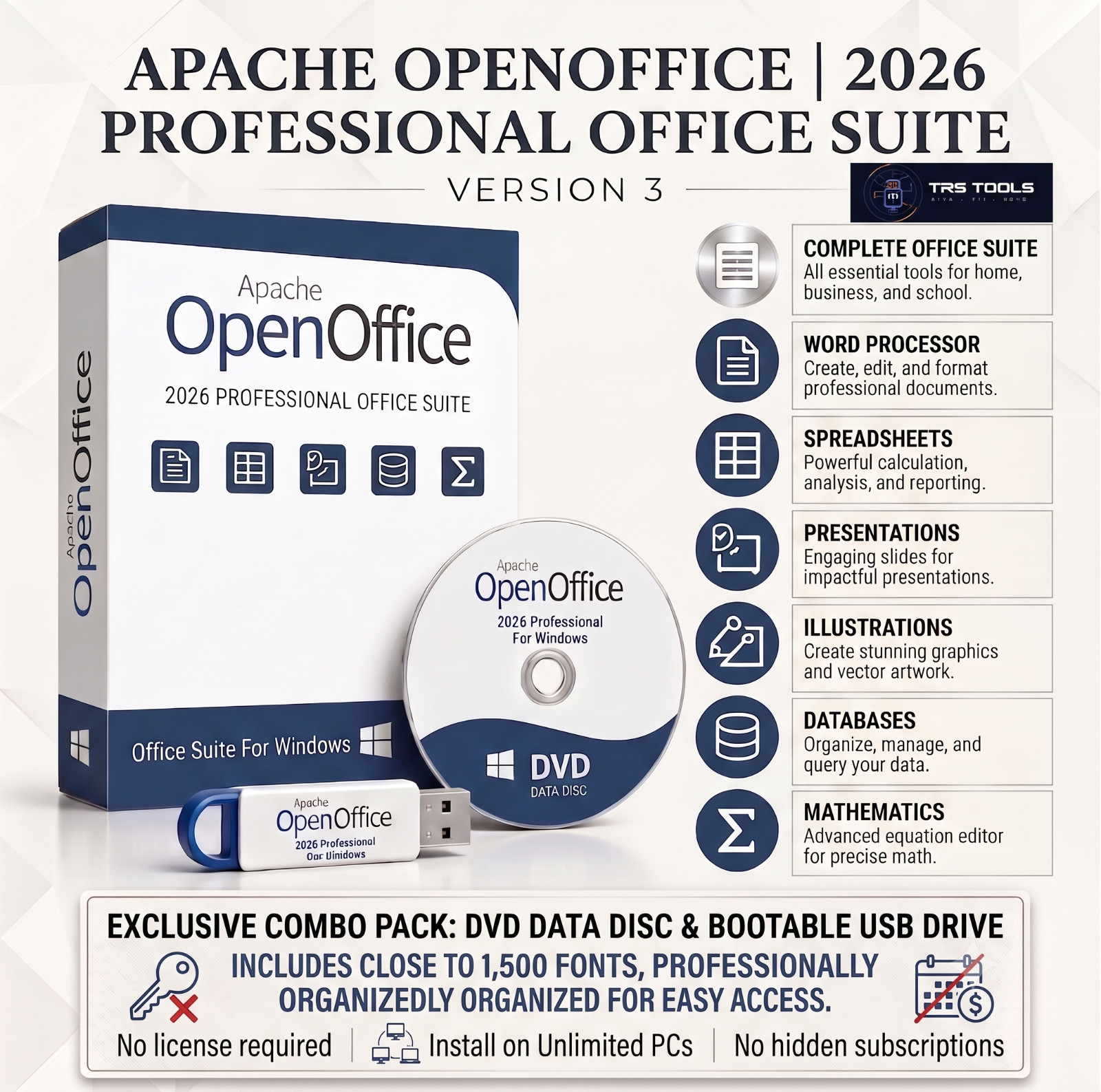
Create documents, manage spreadsheets, build presentations, prepare diagrams, organize databases, and write mathematical formulas on compatible Windows computers.
Prepared Physical Media USB + DVD Included 30+ Years IT Experience 20+ Years on Near-Perfect response
Practical Office Tools for Everyday Productivity
Create documents, manage spreadsheets, build presentations, work with databases, design diagrams, and prepare mathematical formulas using a practical office software collection prepared for compatible Windows computers.
The package is supplied on both a USB flash drive and DVD, giving you two convenient ways to access the included files. Digital setup instructions and available documentation are stored on the physical media to help you get started.
This is not a digital delivery. Your prepared media is packaged and shipped as a physical item. Buy with Confidence from TRS Tools
Backed by 30+ years of hands-on IT experience and over 20 years of selling history with a near-perfect response record.
Prepared by a real IT professional with decades of experience working with computers, software, troubleshooting, and physical media preparation.
Important Listing Note
Your order includes one prepared USB flash drive and one prepared DVD.
This listing is for prepared physical media, organized software files, digital setup guidance, available documentation, handling, packaging, shipping, and reasonable seller assistance.
This item is not a retail-boxed commercial software product. Any product case, software box, computer, monitor, or packaging artwork shown in listing images is for visual presentation only unless expressly stated as included.
Why This TRS Tools Media Stands Out Two Physical Formats Use the USB drive on many modern computers or access the DVD on a compatible optical drive. Organized Files The office applications, instructions, and available documentation are arranged for convenient access. Prepared and Checked Basic checks are performed before dispatch to confirm that the media can be accessed and the intended files are present. Buyer-Focused Service Prepared, organized, packaged, and shipped by TRS Tools with reasonable initial-access and setup assistance. Key Office Productivity Features Create Professional Documents
Write letters, reports, résumés, assignments, newsletters, labels, and other everyday documents using available word-processing tools.
Work With Spreadsheets
Organize information, calculate figures, prepare budgets, sort data, apply formulas, and create charts using the included spreadsheet application.
Build Presentations
Prepare slide presentations for school, business, training, meetings, or personal projects with text, images, charts, shapes, and speaker notes.
Create Diagrams and Drawings
Design flowcharts, organizational charts, process diagrams, posters, labels, simple technical drawings, and other visual layouts.
Manage Basic Databases
Create and organize basic databases for contacts, stock records, projects, collections, and other structured information using tables, forms, queries, and reports.
Write Mathematical Formulas
Prepare mathematical and scientific formulas for use in compatible documents, presentations, assignments, and educational materials.
Document Creation Features
Available word-processing features may include:
- Text formatting and page-layout tools
- Headers, footers, and page numbering
- Tables, images, shapes, and charts
-
- Templates for common document types
- PDF export from supported applications
- Support for a variety of commonly used office document formats
Spreadsheet and Presentation Tools Spreadsheet Functions May Include
- Formulas and calculations
- Sorting and filtering
- Tables and data organization
- Charts and graphs
- Cell formatting
- Multiple worksheets
- Import and export of supported file formats
Presentation Functions May Include
- Slide layouts and themes
- Text, images, charts, and shapes
- Transitions and animations
- Speaker notes
- Slide organization and rearrangement
- Printing and export of presentation materials
What You Will Receive
- One prepared USB flash drive
- One prepared DVD
- Office productivity software files
- Digital installation and setup instructions stored on the media
-
- Available digital documentation and readme files
- Reasonable seller assistance with initial media access and setup questions
- Close to 1,500 fonts & 100’s of templates
A printed retail manual, retail software box, activation card, paid account, subscription, proprietary commercial license, or computer hardware is not included unless specifically stated. Built for Buyers Who Prefer Physical Media
The dual-media format gives you flexibility when working with different compatible computers. Use the USB drive on many current systems or access the DVD on a computer equipped with an optical drive.
You do not need to use both formats. Choose the physical media option that is most suitable for your computer. The second format provides another convenient access method.
TRS Tools handles the physical media preparation, file organization, clean presentation, documentation, packaging, and shipping so you do not have to locate and organize the included tools individually.
System and Hardware Requirements Intended Operating Systems
- Compatible Windows 10 computers
- Compatible Windows 11 computers
General Requirements
- Compatible Windows desktop or laptop computer
- Working USB port to access the USB drive
- DVD-ROM or DVD writer to access the disc
- Sufficient available storage space
-
- Keyboard and mouse
- Internet access may be helpful for updates, optional resources, extensions, additional components, or online help
Many newer laptops do not include an internal DVD drive. The included USB drive may be used instead, or an external DVD drive may be required to access the disc. Windows S mode, employer-managed computers, school computers, virtual machines, and restricted user accounts may limit external media access or software installation. Great For Home Computer Users Students and Teachers Remote Workers Small Offices Freelancers Community Organizations Administrative Staff Job Seekers Computer Technicians Physical Media and Packaging Disclaimer
USB drive and DVD included. Retail software box not included.
Product-box, presentation-case, computer, monitor, or packaging images may be used for visual presentation only.
Actual USB brand, storage capacity, casing, color, shape, and appearance may vary according to available stock.
DVD label design, disc color, artwork placement, and packaging may vary from the listing images.
Returns and Buyer Confidence
Please review the return terms shown in the listing before purchase. Buyers are responsible for confirming operating-system, hardware, USB-port, optical-drive, user-permission, document-format, and license compatibility.
Each USB and DVD package is prepared and organized before shipment. Basic checks are performed to confirm that the USB can be accessed, the DVD is readable on compatible equipment, the intended files are present, and digital instructions are included.
Reasonable seller assistance is available for locating the instructions, opening the supplied media, and beginning setup. Support does not include computer repair, virus removal, data recovery, advanced document design, business consulting, or training in every software feature.
Why Doesn't This Come in a Retail Box?
This item is TRS Tools prepared physical media rather than a traditional retail-boxed commercial software product.
The value is in the prepared USB and DVD media, organized file structure, clean presentation, digital instructions, handling, packaging, shipping, and reasonable buyer support.
Frequently Asked Questions Does the order include both a USB drive and DVD? Yes. You will receive one prepared USB flash drive and one prepared DVD in the same shipment. Is this a physical item or an electronic delivery? This is a physical-media product. The prepared USB drive and DVD are packaged and shipped to the address on your order. Do I need to use both media formats? No. You may access or install the package from the compatible media format that is most suitable for your computer. File arrangement may vary between the USB and DVD. Does the software require a proprietary product key? No proprietary product key or paid activation is included unless specifically stated. The package may contain open-source, free, community-developed, trial, or otherwise publicly available applications. Can the applications open files created by other office programs? The included applications may open and save many commonly used office document formats. Complex formatting, macros, custom fonts, animations, embedded objects, and advanced proprietary features may not transfer perfectly between different office programs. Is internet access required? Many standard office functions may work locally after installation. Internet access may still be needed for updates, optional templates, online help, extensions, or additional components. Does this include a paid subscription or commercial software entitlement? No paid subscription, proprietary activation code, paid account, or commercial software entitlement is included unless specifically stated. Is a retail software box included? No retail box is included unless specifically stated. Any product case or presentation packaging shown in listing images is for visual presentation only. Will every document retain identical formatting? Not necessarily. Compatibility does not guarantee that every file will retain identical formatting. Macros, custom fonts, complex layouts, animations, password-protected files, damaged documents, and advanced proprietary features may not be fully supported. Do the database tools require technical knowledge? Some database functions may require additional system components, configuration, or technical knowledge. Buyers should review the available documentation and application requirements. Should I back up important files? Yes. Back up important documents before opening, editing, converting, or changing them in any application. Is this software legal? Yes. The office productivity applications are released under applicable license terms, such as the GNU GPL, Mozilla Public License, Apache License, or similar terms when applicable. This listing is for the prepared physical media, organization, handling, packaging, and shipping service provided by TRS Tools. The included software remains subject to its original license terms. Do you still have questions before or after purchase? Please feel free to message us through . TRS Tools is happy to help with questions about the listing, what is included, compatibility, or the prepared physical media before or after your purchase. Description of Our Service
The value of this item is the prepared physical media, organized file structure, clean presentation, handling, packaging, and shipping service provided by TRS Tools.
The purchase also includes digital setup guidance stored on the physical media, available documentation, and reasonable assistance with initial media-access and setup questions.
License and Disclaimer Information
The included software is released under applicable license terms. This listing is for physical media preparation, organization, handling, packaging, and shipping. The software remains subject to its original license terms.
Included applications may consist of open-source, freeware, community-developed, trial, or otherwise publicly distributed software. Use of each application is governed by its own license terms.
TRS Tools does not claim ownership of third-party software. Third-party names and trademarks remain the property of their respective owners and are referenced only where necessary to describe compatibility or file-format support.
TRS Tools is not affiliated with, sponsored by, endorsed by, or authorized by unrelated third-party software developers or trademark owners unless specifically verified.
Because computers differ in hardware, Windows configuration, security settings, user permissions, installed software, and document structure, operation on every system cannot be guaranteed.
No guarantee is made regarding continued software updates, support for every document format, preservation of complex formatting, macro compatibility, advanced proprietary features, or suitability for a particular personal, educational, technical, or business purpose.
TRS Tools plug • fix • done Prepared Physical Media • 30+ Years IT Experience • 20+ Years on Professional, Buyer-Focused Physical Media Preparation