DocumentPC fan dust mesh filter can be used for home computer chassis fan dust filters, speaker grilles, and other electronic products speakers dust protection. PC cooler fan dust filter can be used to protect home computer case fan dust-proof net, speaker net cover, and most vent filters.SpecificationSize: 12 x 1.9cm / 4.72 x 0.75 inch (L*W)Thickness: 0.5cm / 0.02 inchColor: WhiteMaterial: MetalPacking List: 10 x PCI Slot Cover and 10 x ScrewsAdvantageThe PCI slot cover dust-proof filter bracket, made of metal for optimal heat dissipation, is designed to enhance airflow and efficiently dissipate heat within your computer chassis. Its innovative design helps maintain a clean environment by preventing dust from entering the system.InstructionOpen the chassis cover and find the fan location where the dust filter needs to be installed. Place the dust filter over the fan's air inlet, making sure the mesh matches the fan opening.NotePlease allow slight errors due to manual measurement. Make sure its size matches the fan port. Clean the dust filter regularly to ensure smooth operation and maintain a cooling effect. Please be careful to avoid being cut by sharp edges during assembly.
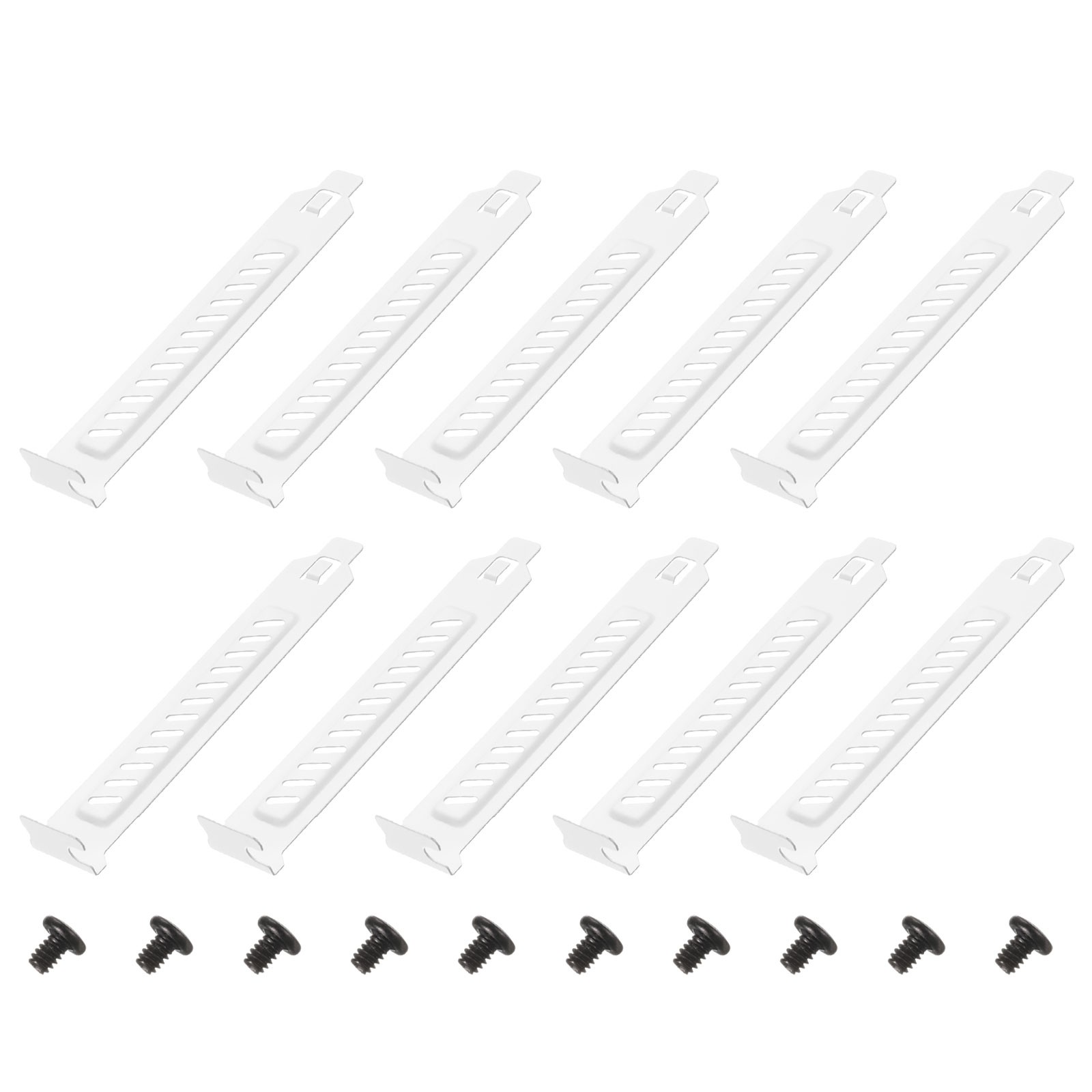
PCI Slot Cover Dust Filter, 10 Pcs Blanking Plate Expansion Blank Plate White PC fan dust mesh filter can be used for home computer chassis fan dust filters, speaker grilles, and other electronic products speakers dust protection. PC cooler fan dust filter can be used to protect home computer case fan dust-proof net, speaker net cover, and most vent filters.Specification
Size: 12 x 1.9cm / 4.72 x 0.75 inch (L*W)
Thickness: 0.5cm / 0.02 inch
Color: White
Material: Metal
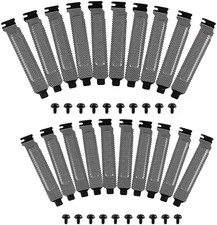
Packing List: 10 x PCI Slot Cover and 10 x ScrewsAdvantage
The PCI slot cover dust-proof filter bracket, made of metal for optimal heat dissipation, is designed to enhance airflow and efficiently dissipate heat within your computer chassis. Its innovative design helps maintain a clean environment by preventing dust from entering the system.Instruction
Open the chassis cover and find the fan location where the dust filter needs to be installed. Place the dust filter over the fan's air inlet, making sure the mesh matches the fan opening.Note
Please allow slight errors due to manual measurement. Make sure its size matches the fan port. Clean the dust filter regularly to ensure smooth operation and maintain a cooling effect. Please be careful to avoid being cut by sharp edges during assembly.Hot Item
Payment
- 1.We accept payment .
- 2.Payment must be received within 7 business days of sale closing.
Shipping
- 1.We ship to your or Paypal address. Please make sure your and Paypal address is correct before you pay.
- 2.Items will be shipped within 1-3 business day when we received payment.
- 3.Delivery time depends on destination and other Slot Cover Dust Filter, 10 Pcs Blanking Plate Expansion Blank Plate White PC fan dust mesh filter can be used for home computer chassis fan dust filters, speaker grilles, and other electronic products speakers dust protection. PC cooler fan dust filter can be used to protect home computer case fan dust-proof net, speaker net cover, and most vent filters.Specification
Size: 12 x 1.9cm / 4.72 x 0.75 inch (L*W)
Thickness: 0.5cm / 0.02 inch
Color: White
Material: Metal
Packing List: 10 x PCI Slot Cover and 10 x ScrewsAdvantage
The PCI slot cover dust-proof filter bracket, made of metal for optimal heat dissipation, is designed to enhance airflow and efficiently dissipate heat within your computer chassis. Its innovative design helps maintain a clean environment by preventing dust from entering the system.Instruction
Open the chassis cover and find the fan location where the dust filter needs to be installed. Place the dust filter over the fan's air inlet, making sure the mesh matches the fan opening.Note
Please allow slight errors due to manual measurement. Make sure its size matches the fan port. Clean the dust filter regularly to ensure smooth operation and maintain a cooling effect. Please be careful to avoid being cut by sharp edges during assembly.Hot ItemPayment- 1.We accept payment .
- 2.Payment must be received within 7 business days of sale closing.
Shipping- 1.We ship to your or Paypal address. Please make sure your and Paypal address is correct before you pay.
- 2.Items will be shipped within 1-3 business day when we received payment.
- 3.Delivery time depends on destination and other factors.