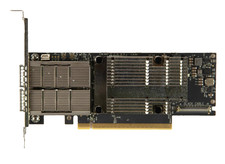
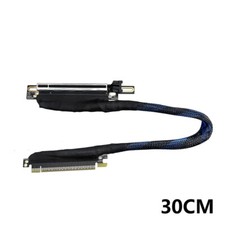
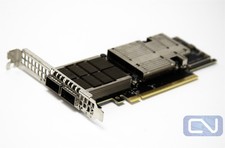
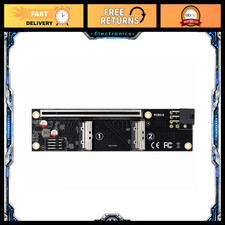
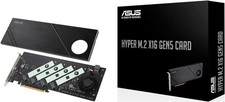
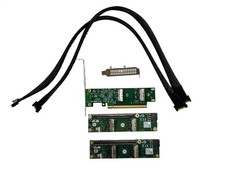
Product name:R37A(PCIe x16 to 4-Port U.2 hard disk split adapter expansion card),
R37D(PCIe x16 to 4-Port E1.S/E3.S (SFF-TA-1002) Hard Disk Split Transfer Expansion Card)
Speed and bandwidth: PCIe 5.0 x16 4x128Gbps
Purchasing Tips: Be sure to buy 1 to 2 samples first, test and verify that they are correct, and then purchase in large quantities.
Product size:The size data is the maximum value.
R37A: Length 307.3mm * Height 151.9mm * Thickness 21.6mm
R37D: Length336.7mm*height167mm*Thickness 21.6mm
Product weight: R37A (159g), R37D (200g)
Appearance color: black
Working temperature: -40 ℃~ 80 ℃
Flame retardant grade: 94V0
Product model description:
Model Model description speed bandwidth R37A PCIe x16 to 4-Port U.2 Hard Disk Split Transfer Expansion Card Gen5 x16 R37D PCIe x16 to 4-Port E1.S/E3.S (SFF-TA-1002) Hard Disk Split Transfer Expansion Card Gen5 x16
1. Support PCIe 5.0 x4 full speed transmission, compatible with Gen3/Gen4/Gen5
2. Support external power supply, external power supply protection, effectively avoid reverse current problems, ensure the main board power supply safety
3. Exclusive baseplate design, perfectly adapted to different structures of E1.S and E3.S hard disks
4. Gold finger gold sinking process, gold thickness to 3U, in line with IPC first-class international standards
5. High-frequency, low-resistance, high-temperature and oxygen-resistant PCB board, no deformation, color, citrine semi-transparent, no white, no black
R37A real picture :
R37D real picture :
What is the size of R37A, R37D?
R37A:
R37D:
Does the model R37D support PCIe5.0?
R37D can be measured up to PCIE5.0x4.
Why can only recognize one disc after the main board is set to split?
Please first check whether the main board split is set to x4x4x4x4. If you set x8x8 or x8x4x4, only one disk can be recognized. Secondly, please confirm whether the slot where the adapter card is located supports PCIe x16 full bandwidth operation. Please refer to the main board manual for details.
How to confirm whether the main board supports Bifurcation PCIE split?
Please consult the main board manual for yourself. The manual or BIOS options will explain the Bandwidth PCIE Channel Split or Bifurcation options. If they are not mentioned, they are not supported.
Options Please select 4x4 or x4x4x4x4
ASUS main board support model and split technical description