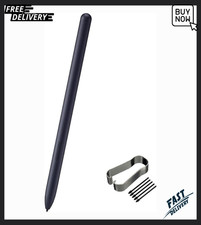
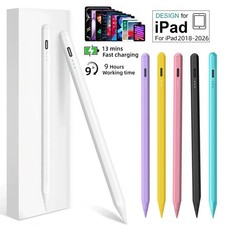
Stylus Pen for iPad — LED Power Indicator & Palm Rejection
Precision Touch Pen | Apple Pencil Alternative | Compatible with Multiple iPad Generations
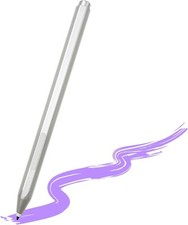
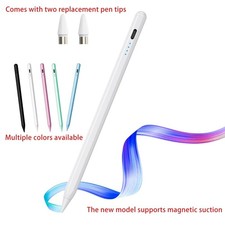
Write, sketch, and take notes with natural precision using this stylus pen with palm rejection technology. Featuring a built-in LED power indicator so you always know your charge status, this touch pen delivers a smooth, responsive writing and drawing experience — a practical, budget-friendly alternative for iPad users who want fine-tipped precision without accidental palm touches interrupting their work.
✔ Key Features
Palm Rejection Technology — Rest your hand naturally on the screen while writing or drawing without stray marks. - LED Power Indicator — Built-in light shows battery status at a glance, so you're never caught off guard.
- Precision Fine Tip — Delivers accurate, pen-like control for note-taking, sketching, and detailed work.
- Smooth Touch Response — Low-latency tracking for a natural, lag-free writing feel.
- Rechargeable Design — Convenient charging for repeated everyday use.
- Ergonomic Grip — Comfortable barrel shape for extended writing and drawing sessions.
- Broad iPad Compatibility — Works across multiple iPad generations — please confirm your exact model before ordering.
- Great Value Alternative — A cost-effective option for students, note-takers, and digital artists.
📋 Specifications TypeCapacitive touch stylus pen Power IndicatorBuilt-in LED battery status light Palm RejectionYes ChargingRechargeable CompatibilityMultiple iPad generations — check your exact model in the listing variations before purchase Package Includes1 x Stylus Pen, USB Charging Cable
🌟 Why Choose Us
Quality Checked — Every stylus is tested for touch response and charging before shipping. - Fast & Safe Shipping — Carefully packaged to arrive in perfect condition.
- Trusted Seller — Honest listings, accurate photos, and clear product details.
- Customer-First Support — Friendly, responsive service before and after your purchase.
- Satisfaction Guaranteed — Your happiness with the product is our top priority.
✍️ Getting Started
Charge the stylus fully before first use. - Power on the pen and check the LED indicator for battery status.
- Pair or connect according to the included instructions, if required by your app.
- Rest your hand naturally on the screen and begin writing or drawing.
🚚 Shipping & Returns
Orders are processed and shipped promptly with tracking provided. If you are not fully satisfied with your purchase, please contact us first — we will do our best to resolve any issue quickly, whether that means a replacement, refund, or exchange, in line with 's return policy.
📩 Contact Us
Questions before or after your purchase? Message us anytime through — we typically respond within 24 hours and are happy to help with compatibility, setup, order status, or anything else you need.
Thank you for shopping with us — we appreciate your trust and support!