Product Description
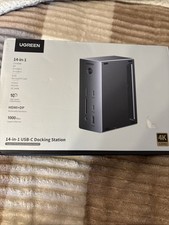
In the modern digital age, your laptop is your command center, butit often lacks the ports you need to be truly productive. TheUGREENRevodok Pro 209is engineered to solve that problem. It transforms asingle USB-C port into a powerful workstation, allowing you to connect multipledisplays, peripherals, and networks simultaneously.
Whether you are a creative professional editing video on a MacBookPro, a data analyst crunching numbers on a Dell XPS, or a hybrid worker settingup a home office, this docking station delivers the performance, speed, andreliability you need.
Key Features & Benefits
1. True Dual 4K Visuals with DisplayLink Technology
Break free from the limitations of standard laptop processors.Utilizing advancedDisplayLink technology, the Revodok Pro 209enables you to extend your desktop acrosstwo external monitorssimultaneously at stunning 4K 60Hz.
- For Mac Users:Overcome macOS limitations by running dual extended displays (M1/M2/M3 chips supported via driver).
- For Windows Users:Enjoy crystal-clear presentations, expansive spreadsheets, or immersive video editing timelines.
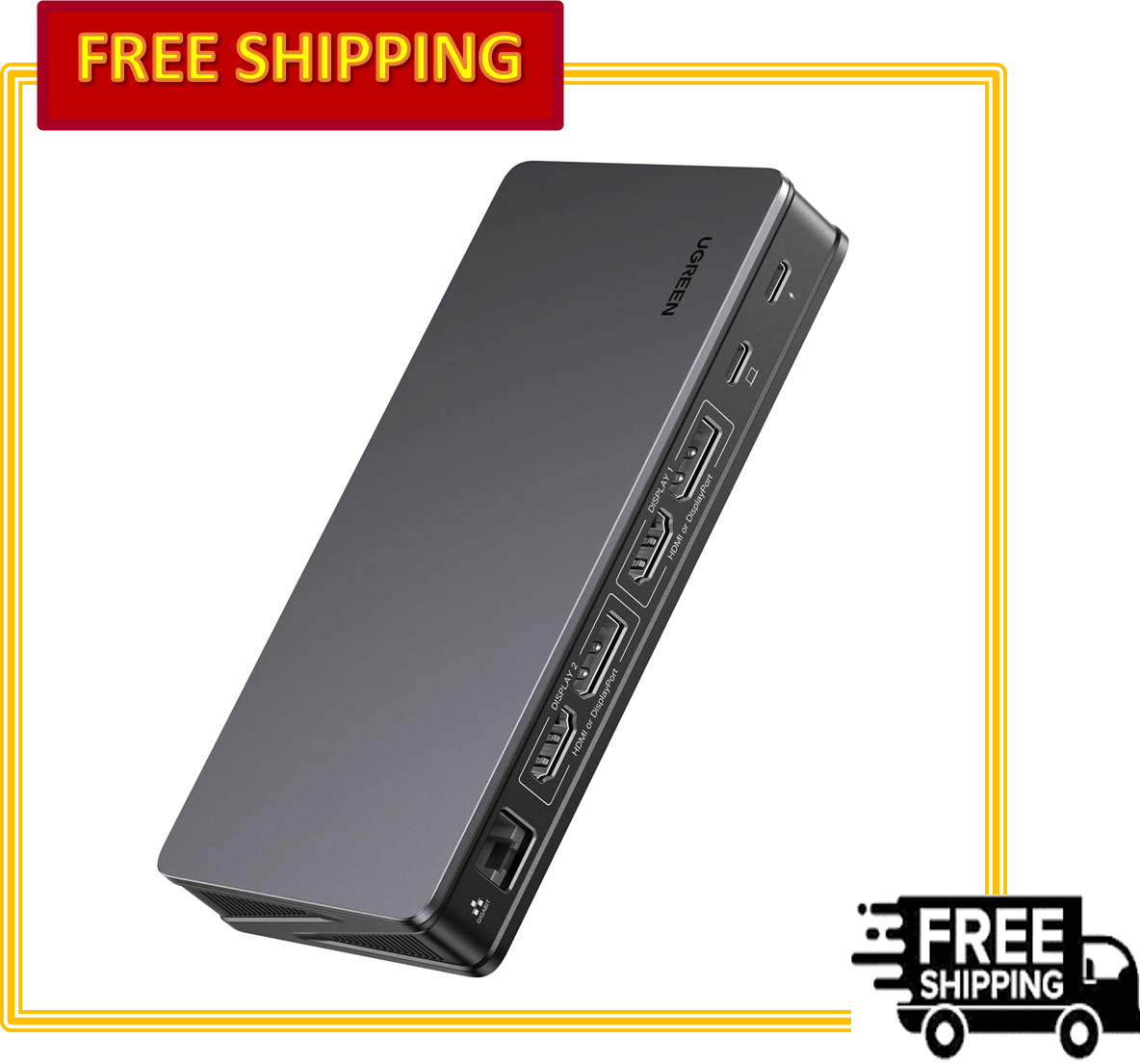
- Versatile Ports:Equipped with2x HDMIand2x DisplayPort, offering flexibility to mix and match your monitor setup.
- High Refresh Rates:For gamers or those who prefer smoother motion, it supports 1080P at 144Hz and 2K at 120Hz.
2. 9-in-1 Expansion: The Complete Port Hub
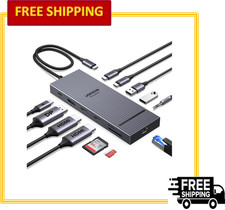
Say goodbye to the "dongle life." This single dockreplaces multiple adapters by integrating nine essential functions into onesleek device:
- Video:2x HDMI, 2x DisplayPort
- Charging:1x USB-C (Power Delivery 3.0, up to 100W)
- Data (High-Speed):1x USB-C 3.2 Gen 2 (10Gbps), 2x USB-A 3.2 Gen 2 (10Gbps)
- Data (Standard):1x USB-A 2.0 (For keyboard/mouse)
- Network:1x Gigabit Ethernet (RJ45)
3. Lightning-Fast 10Gbps Data Transfer
Time is money. Withthree SuperSpeed+ 10Gbps ports(oneUSB-C and two USB-A), you can transfer an entire 4K movie or a massive designfile in seconds. Connect high-speed SSDs, professional cameras, or externalhard drives without bottlenecking your workflow.
4. 100W Power Delivery: Keep Your Laptop Charged
The dedicated PD 3.0 charging port delivers a full100W ofpower pass-throughto your laptop. This means you can run intensiveapplications and charge your MacBook Pro 15" or similar laptopsimultaneously without draining the battery, all while using a single cable.
(Note: Power Adapter not included. Uses your original laptop charger.)
5. Stable & Secure Wired Network
Wi-Fi can be unreliable. The integratedGigabit Ethernetportprovides a stable, high-speed wired internet connection, ensuringsmooth 4K video conferencing, lag-free cloud backups, and faster downloads.
6. Sleek & Robust Design
- Premium Build:Crafted with durable materials and a space-gray finish that matches your professional setup.
- Compact Footprint:Measuring just 6 x 3 x 0.9 inches, it fits neatly on any desk without taking up too much space.
- Plug-and-Play Convenience:Easy setup with a simple power button for power management.
Detailed Technical Specifications
System Compatibility
This docking station is designed to work with a wide range ofUSB-C devices, including:
- Apple:MacBook Pro (2016 and later), MacBook Air, iPad Pro (with iPadOS)
- Dell:XPS Series, Latitude, Inspiron
- Microsoft:Surface Pro, Surface Laptop
- HP:Spectre, EliteBook, Envy
- Lenovo:ThinkPad, Yoga, Legion
- And more:Google Pixelbook, Chromebooks, and standard Windows laptops.
Important Notes for Setup (Please Read)
To ensure optimal performance, please keep the following in mind:
1. Driver Required:For dual-monitor extendeddisplay functionality on macOS (and optimal Windows performance), youmustdownloadand install theDisplayLink driverfrom the officialDisplayLink website. The dock contains a virtual drive with a link to guideyou.
2. Power Required:This is a powered dock. Whilethe data cable connects to your laptop, you must connect apoweradapter (USB-C PD charger)to the dock's PD port for fullfunctionality, especially for high-resolution displays.
3. Power Button:The dock features a physical power button. Please press itto turn the device on after connecting it to your laptop.
Why Choose UGREEN?
UGREEN is a global leader in connectivity solutions, trusted bymillions of users worldwide. With a commitment to quality, safety, andinnovation, the Revodok Pro 209 is built to the highest standards, ensuringyour devices are safe and your connections are fast.
Upgrade your desk. Simplify your life. Get the UGREEN Revodok Pro209 today.