Product Description
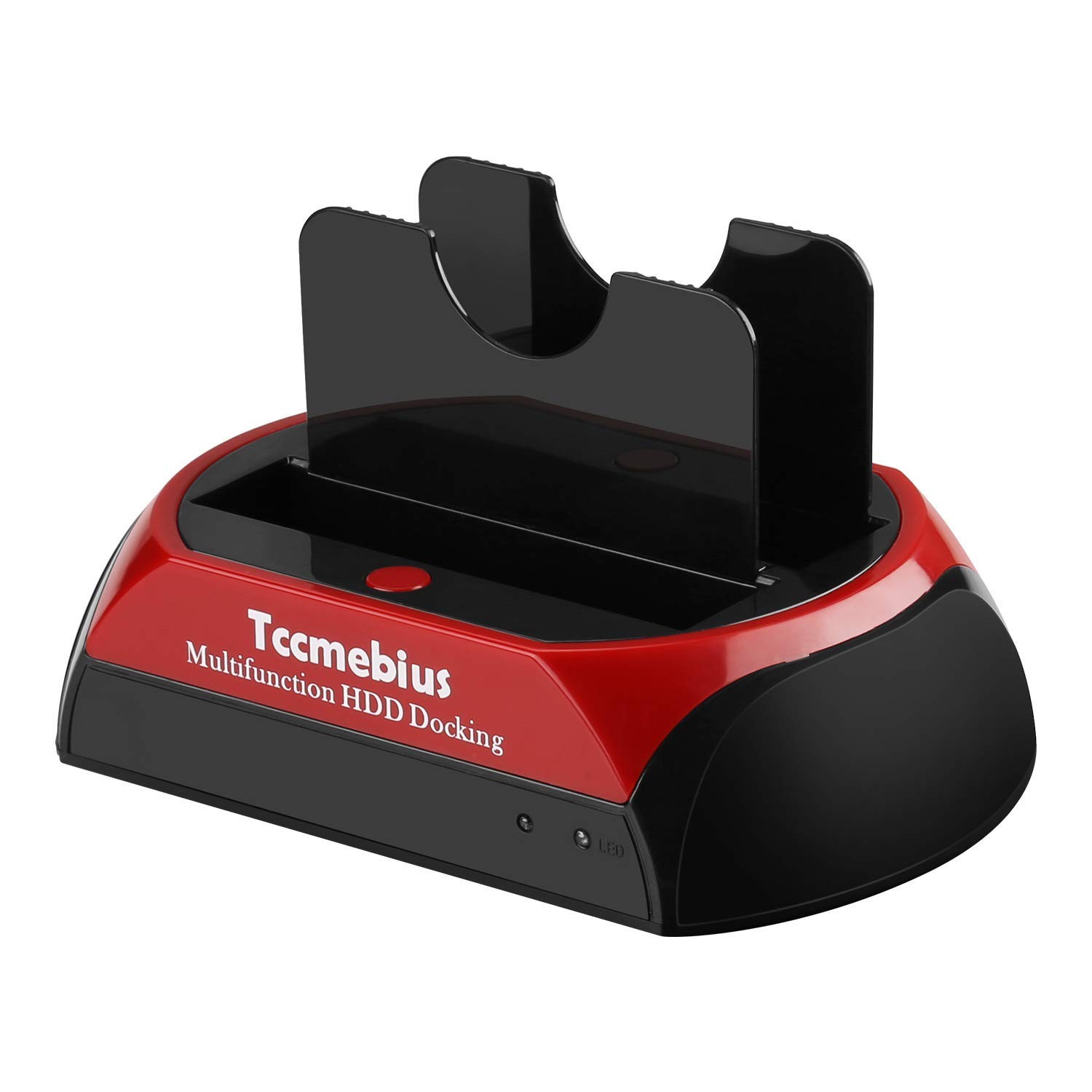
1. Why Need It -Directly exchange data between 2 different HDDs(SATA and IDE), even for different size(3.5" and 2.5") of HDD. You can copy or back up your files conveniently.
2. How Easy -Only need step, you can change HDD(2.5" or 3.5") to HDD(2.5" or 3.5") without screwdriver, and Stand next to you PC or Notebook. No more need open the external case and remove several screws.
3. High Capacity HDD -You can install Maximum 16TB (SATA interface) 1TB (IDE interfaces) hard drive at the same time. Give you much convenience for data exchange and backup.
4. Special design for IDE hard drive. Now your old IDE/PATA hard drive could work for you again. Features:
1. Directly exchange data between 2 different size and different HDDs.
2. Easily transfer data from your 2.5"/3.5" IDE or SATA hard drive to your computer through USB 2.0 port.
3. USB2.0: up to 480Mb/s.
4. No need add enclosure or open case with screwdriver.
5. Adjustable power pin to fit different IDE hard drive. (This adjusts the keys at the bottom of the product) Package:
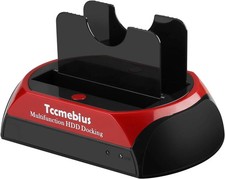
1x USB 2.0 HDD SATA IDE Docking Station
1x Power Adapter
1x USB 2.0 Cable
1x User ManualNote: Do not pull the hard disk or insert the hard disk after powering on the product under normal operating conditions. Turn off the power switch device, then pull out the hard drive or insert the hard drive.
Universal compatibility: 1 IDE port + 1 SATA port, With adjustable IDE connectors, Supports most 2.5 "/ 3.5" IDE / SATA I / II / III hard drive and SSD, Maximum supports 16TB SATA interface hard drive, IDE interfaces maximum 1TB hard drive. Please select the right model to avoid your order error. (Note: Please do not replace the hard drive when the product is working.)
Data transfer: Tool installation, Convenient external hard drive reader. Easy transfer of data from your 2.5 "/ 3.5" IDE or SATA hard drive to your computer via USB 2.0 port, USB 2.0 data transfer rate up to 480MB / s.
-Touch Backup: -Touch functionality makes it easy to copy data and documents from your computer to an external hard drive. For information on the OTB feature and downloading the OTB software, please refer to the product guide. Note: OTB software cannot be installed on macOS and IOS systems.
Operating System: with Windows XP / 7 / 8 / 8.1 / 10 / 11, Vista, Mac OS 10.10 or later. Please format the disk according to your operating system (Linux and Mac OS are with FAT32 and exFAT, Windows is with FAT32, exFAT and NTFS).
: We promise 1-year limited and worry-lifelong technical from . In use of products during any product issues, please to , we will do our best to solve for you, thank you for your understanding and .