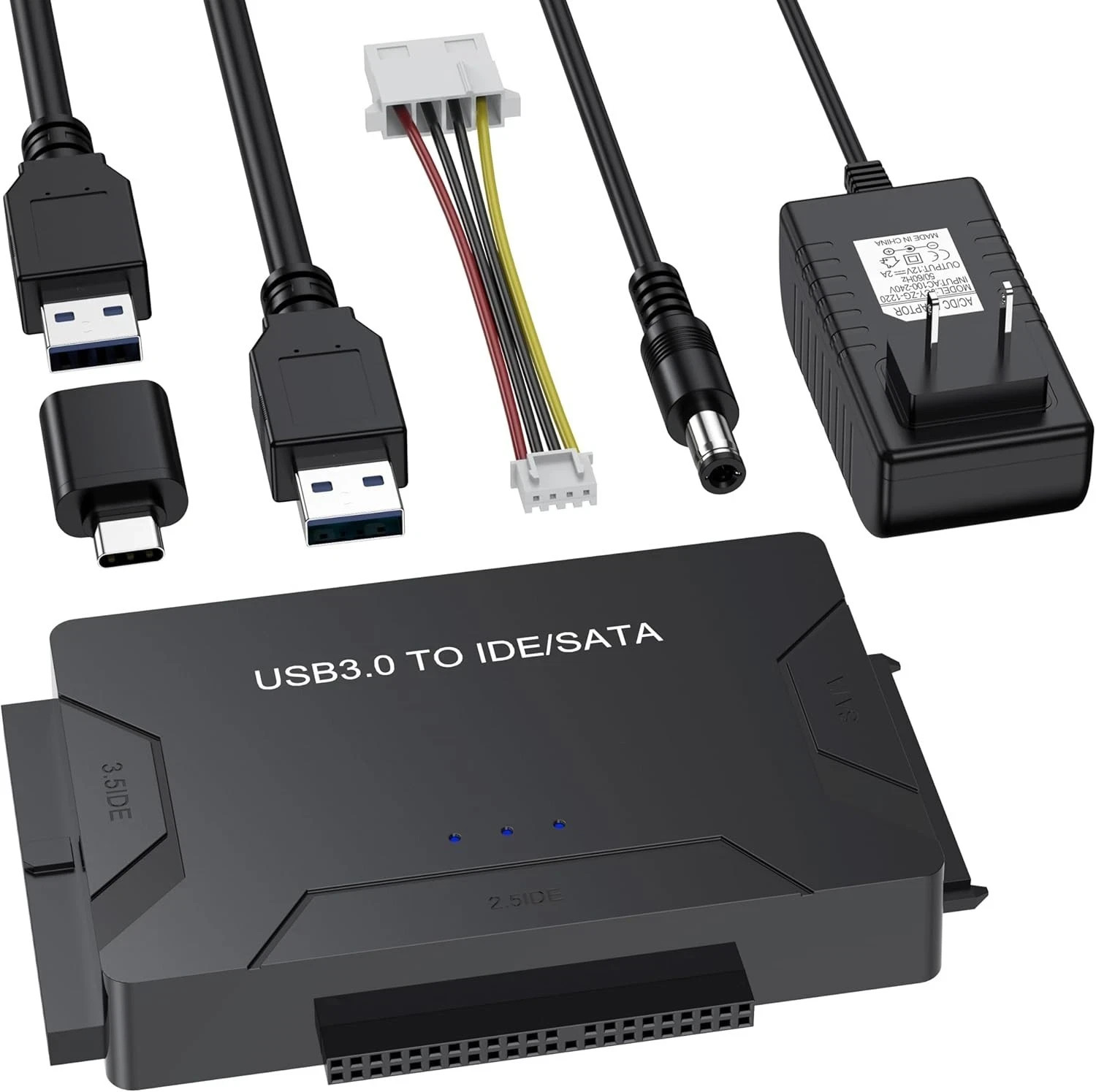
VoroDcip USB Hard Drive Adapter (USB 3.0 / Type-C to SATA IDE HDD SSD Data Recovery Tool)Technical TypeUniversal Hard Drive Adapter / Data Recovery Tool & ConverterBrandVoroDcip (MPN: NA)Compatible Brands & ModelsUniversal Compatibility (Supports 2.5"/3.5" SATA & IDE drives)Connection Split / Duplication1:3Connector A / B
Connector A: USB / USB-C (via included adapter)
Connector B: SATA Female / IDE Interface
Output Voltage12VTransmission Rates
SATA: Up to 5 Gbps
IDE: Up to 133 Mbps (based on actual usage)
Maximum Capacity SupportUp to 20TBItem Dimensions & Weight
Length: 6"
Width: 4.5"
Height: 2"
ColorBlackCountry of OriginUnited StatesKey Features
Universal Drive Compatibility: Supports 2.5"/3.5" SATA HDDs/SSDs, 2.5"/3.5" IDE drives, and internal SATA/IDE Blu-ray/DVD drives for data retrieval, backup, cloning, and recovery.
High-Speed Data Transfer: Equipped with USB 3.0 and USB-C port support, delivering high-speed transmission rates up to 5 Gbps for SATA interfaces.
Plug & Play Operation: Requires no additional drivers for operation; features a convenient On/Off power switch for hard drive protection.
High-Capacity Support: Fully compatible with high-capacity storage drives up to 20TB maximum capacity.
Usage & Connection Guide1.Review Manual & Setup:Preparation.
Check the product manual for detailed operation steps, power guidelines, and troubleshooting instructions before connecting your drive.
2.Connect SATA or IDE Drive:Drive Connection.
Plug your 2.5"/3.5" SATA or IDE hard drive or SSD securely into the corresponding port on the adapter.
3.Power On & Connect to PC:Power & USB Link.
Plug in the 12V power supply, connect the USB-C/USB 3.0 cable to your computer, and switch the adapter's power button to the On position.
4.Access Files:Data Recovery.
The plug-and-play adapter will mount the drive automatically, allowing you to begin data recovery, cloning, or file backup.
Package Includes