Description
16K USB C/Type C to DisplayPort 2.1 Extension Cable 8K@120Hz 4K@240Hz, Thunderbolt 4/3 to DP Adapter for iPhone15 Macbook ProUSD 4.00-7.66/piece8K@60Hz Type-C to HDMI Adapter 4K@120Hz Thunderbolt 3/4 USB-C to HDMI Cable for MacBook Pro M1/M2 iPad Pro Samsung S23 UltraUSD 4.82-17.71/piece16K DisplayPort 2.1 Cable 16K@30Hz 8K@120Hz DSC 4K@240Hz 54Gbps HDR DSC 1.2a HDCP Compatible with RTX 4090 RX 7900 XTXUSD 3.17-5.92/piece16K DP 2.1 Cable 80Gbps 8K@120Hz 4K@240Hz HDR10 DSC 1.2a 2K@360Hz High Refresh DisplayPort Cable for Gaming Monitor/PC/PS5/XboxUSD 3.13-5.23/piece8K@60Hz USB-C To Displayport 1.4 Cable 4K@120Hz Unidirectional Thunderbolt 3 to DisplayPort Cord Type-C to DP for MacBook ProUSD 3.95-7.66/piece16K HDMI 2.2 Cable 96Gbps High-Speed Supports 8K@60Hz 4K@240Hz 2K@360Hz HDR eARC Compatible with HDMI 2.1 for Roku TV HDTV PS5USD 2.53-9.37/piece8K@60Hz USB C to HDMI Cable 4K@144Hz 2K@240 Hz Type C to HDMI 2.1 Cord Support Thunderbolt 3/4 Compatible MacBook Samsung GalaxyUSD 3.70-14.02/piece8K HDMI Cable HDMI 2.1 8K@60Hz 4K@120Hz 48Gbps EARC ARC HDCP Ultra High Speed HDR For PS5 PS4 Laptop HD TV Monitor ProjectorsUSD 2.63-14.97/piece
This link contains a range of USB-C to HDMI 4K/8K cables and USB-C to HDMI 4K/8K
extension cables in various specifications. Please confirm your requirements before placing an order.
⚠️ Important Purchase Reminder (Must Read!)
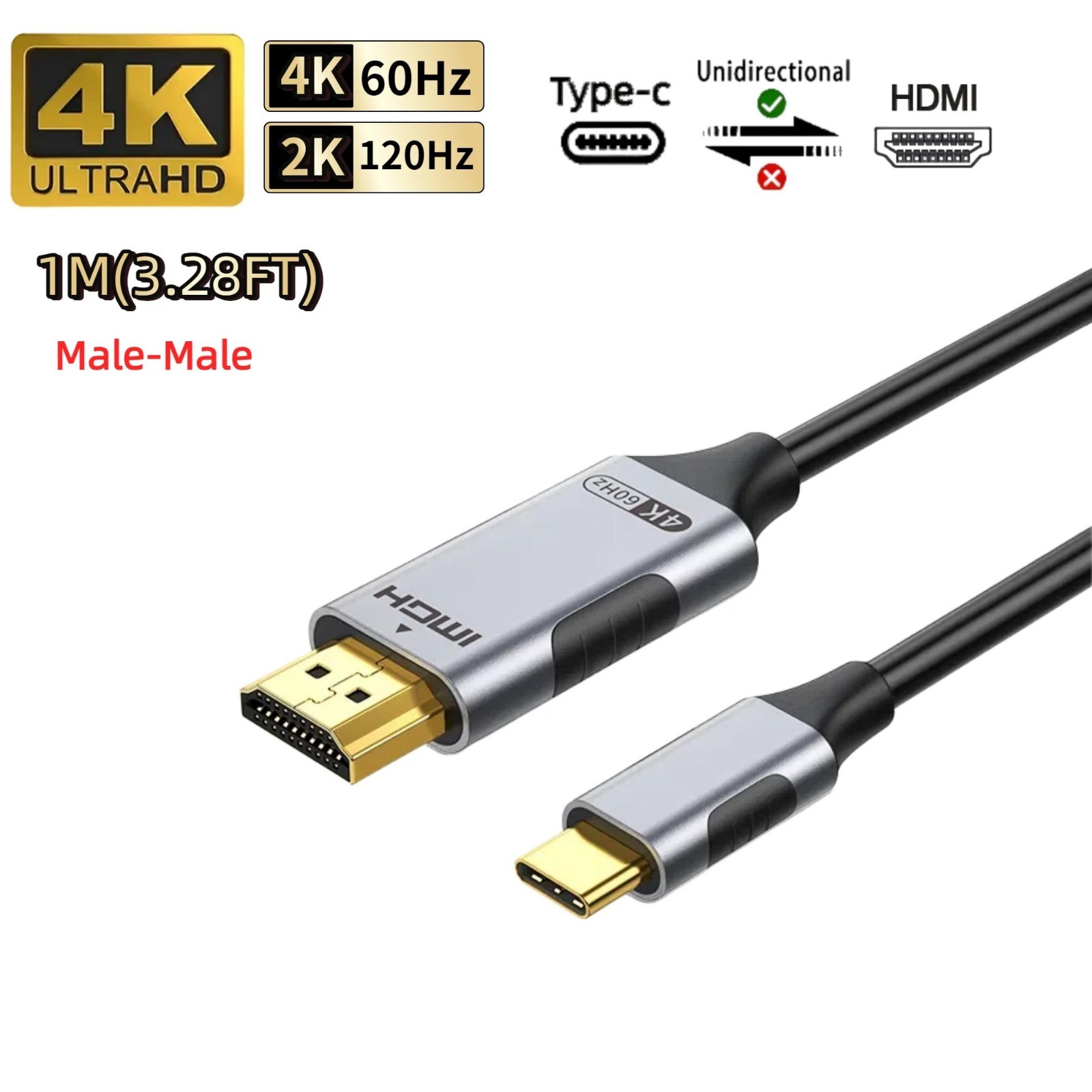
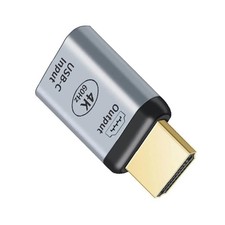
1. One-way conversion—do not reverse the connection: This product can only transmit data from a Type-C device (such as a smartphone or laptop) to an HDMI device (such as a TV or monitor); it cannot transmit data in the opposite direction!
2. Product Type Differences:
- Type-C to HDMI Cable: Directly connects a Type-C device to an HDMI display
- Type-C to HDMI Extension Cable: Connects the Type-C male end to the device and the HDMI female end to an existing HDMI cable
3. Resolution Specifications:
- 4K Version: Supports 4K@60Hz, suitable for daily office work and watching movies/TV
- 8K Version: Supports 8K@60Hz / 4K@144Hz, suitable for professional design and gamers
💡 Tip: Not sure which one to choose? First, check your device’s port type; then confirm your connection needs; finally, select based on resolution!
Buying Guide
Three Steps to Choosing the Right Product for You
1. Check your device’s ports: Determine whether your device has a Type-C output or an HDMI input
- Devices with Type-C output: Laptops, smartphones, tablets, handheld gaming consoles
- Devices with HDMI input: TVs, monitors, projectors
2. Determine the connection method:
- Direct connection → Choose a “Type-C to HDMI cable”
- Need to extend an existing HDMI cable → Choose a “Type-C to HDMI Extension Cable”
3. Select Resolution:
- General Use → 4K@60Hz is sufficient
- Professional Design/Gaming → 8K@60Hz / 4K@120Hz
USB C to HDMI 2.1 Cable(8K@60Hz,4K@144Hz,2K@240Hz)Type C to HDMI 8K Cord Support HDCP2.3/HDR10 [Thunderbolt 3/4 Compatible
【Top Technology - USB C to HDMI 8K】
This USB C to HDMI 2.1 Cable features cutting-edge technology that is compatible with 8K@60Hz/30Hz, 4K@120Hz/60Hz,2K@165Hz/144Hz/120Hz, rendering every particle clearly and processing every source precisely. With 8K HDMI's unique Dynamic HDR and 12 Bit color processing technology, every scene of video is every frame, with more ideal depth, brightness, detail and contrast, and a wider color gamut
【Enhanced Upgrade - Enhanced Experience】
Compared to 4K/1440p USB C to HDMI Cable, 8K USB C to HDMI has a qualitative leap in transmission speed, HBR3 supports 48Gbps bandwidth, Display Stream Compression (DSC), no more lagging and frame dropping when watching video from now on. Support eARC for more advanced audio signal control capability. Backwards compatible with HDMI version 2.0b/2.0a/1.4/1.3/1.2/1.1. This is the only 8K cable you will need for the next 10 years
【Big Screen Viewing - Phone to TV】
The USBC to HDMI Cord makes it easy to connect your Android phone to a TV/projector equipped with an HDMI port. This allows you to enjoy live events or your favorite shows on a larger screen. A direct HDMI cable from your phone to your TV means no more worrying about unstable Wifi. Stable signal transmission ensures even and clear picture quality. *Note: Only Android phones with video output are supported
【Thoughtful Design - Anti-Interference】
This USB Type C to HDMI Cable with a new smart chip makes it reach unprecedented heights. The one-piece aluminum housing is upgraded in strength and dissipates heat even more. 24K gold-plated plug for precise signal transmission and minimizes signal loss. The sturdy nylon braided cable is made of 30AWG tinned copper with multiple shields to ensure stable signal transmission without worrying about ghosting and audio/video synchronization
【Plug and Play - Broad Compatibility】
8K Thunderbolt 4 to HDMI Cable connects directly from USB-C/Type C/Thunderbolt 3 port-equipped laptops to HDMI monitors/TVs/projectors. Compatible with MacBook Pro 2016-2022, MacBook Air 2018-2022, iMac 2017/2020, Mac Mini 2016-2021, iPad Pro 2018-2022, iPad Air 2020-2022, supports Apple M1/M2 devices, Surface Book 3/Pro 7/Laptop 3,Chromebook,Dell XPS 13/15/17,Galaxy S9-S22,iPhone 15/Pro/Plus/Max and more
Frequently Asked Questions
1. Q: My device has an HDMI output and a Type-C input. Can I use this product?
A: No! This product only supports one-way conversion: Type-C to HDMI. It does not support reverse transmission.
2. Q: Will the extension cable affect image quality?
A: We use high-quality silver-plated copper wires and shielding, so there is virtually no loss in image quality. It supports 4K/8K resolution transmission.
3. Q: What equipment is required for the 8K version?
A: Your Type-C device must support video output, and your HDMI display must support 8K resolution (HDMI 2.1 port). You must also use the 8K version cable.
4. Q: Can I use this with an iPhone?
A: iPhone 15 and later models support the Type-C port and are compatible; older iPhone models require a Lightning-to-Type-C adapter.
class="extend--iframe--to7hHIV" style="box-sizing: border-box; -webkit-tap-highlight-color: transparent; outline: 0px; margin: 0px; padding: 0px; height: 11476.9px; position: absolute; top: 0px; visibility: hidden; width: 1212.01px; z-index: -1;">