When you click on links to various merchants on this site and make a purchase, this can result in this site earning a commission. Affiliate programs and affiliations include, but are not limited to, the eBay Partner Network. When you click on links to various merchants on this site and make a purchase, this can result in this site earning a commission. Affiliate programs and affiliations include, but are not limited to, the eBay Partner Network.
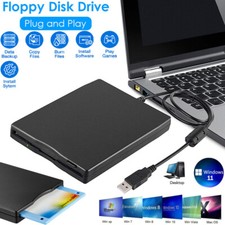
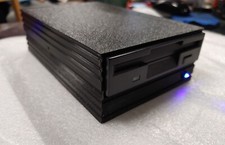
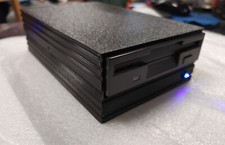
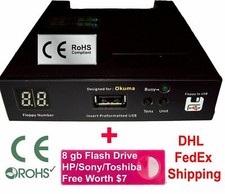
USB Floppy Disk Reader, inch External Portable MB FDD Floppy Disk Drive for Windows 11/10/8/7/2000/XP PC Laptop Desktop Notebook Computer Floppy Disk Reader for PC: As most modern laptops and desktop computers no longer come equipped with internal floppy disk drives for reading diskettes, this inch external USB floppy disk drive is an excellent solution to reading and writing your old floppy disks as easy as a built-in floppy disc reader. Retrieve Your Memories, for all the people that grew up with floppy disks, this is a return to the past. Portable Ultra thin USB Floppy Drive: With ultra-slim (Only thick) design and lightweight(Only , you can easily carry and use this compact USB floppy disk reader to retrieve your wonderful memeories, for example, wedding photos, childhood photos, favorite poetry you collected, university graduation thesis, novel manuscript, favorite songs you often listen to before, your cookbook collection, etc. at anywhere, no matter in the office, at school, at home, or during travel. It's also a great gift idea for your Plug and Play Floppy Disc Reader: No extra driver required, just insert your floppy diskette into floppy disk drive, then plug the USB connector to your computer and it will be automatically detected by your computer and install drive right now. Bring up "Windows File Explorer", you will see drive A icon under "Devices and Drives", right click it and select open option, you could cut, paste, copy the files in your floppy disks as you would other files in the system. Easy to USE! Broad Compatibility: This floppy disk reader is compatible with most PCs, laptops, and desktop computers with Windows 11/10/ OS, but not compatible with Mac operating system. In Windows 11/10 systems, there has many show/hide options in File Explorer, so after opening "Windows File Explorer," you may not see the drive icon named "Floppy Disk Drive (A:)". Please open "Devices and Printers," right-click on the drive icon named "" under "Devices," hover the cursor over "Browse Files," and then click on "Floppy Disk Drive (A:)," then you will see the contents of your disks. Reminder: Not all of your disks can be read, which is due to their age, not the drive. Floppy disks were produced in the 1980s and 1990s and have a history of 30 to 40 s. Due to long storage times, some floppy disks may be corrupted, mouldy or dusty, so some of your floppy disks may not be successfully opened by our floppy disk drive, or the drive may initially be able to open some floppy disks but stop working due to dust on the disks. Therefore, please carefully check the status of the floppy disk before reading to avoid the drive stopping working due to floppy disk issues. Inch External USB Floppy Disk Drive - Relive Your Beautiful Memories inch External USB Floppy Disk Reader Floppy disks may be a complete stranger to today's youth, but for those who grew up with them, they also carry some precious memories of themselves. There are some of us out here that have been working with computers since the late 80's,diskettes were the usual storage devices, so we have a ton of old archived floppies that storage important files, for example, Wedding photos, kids' photos, papers, research data, previously collected poems and recipes, etc. However, Currect computers no longer come with inch floppy disk drives, This unit is a perfect solution to help you quickly and easily see and copy the files in your floppy disks. Feature: 1.Perfect companion for our laptops or desktops without internal floppy disk drive. 2.External USB Type-A floppy disk reader, suitable for most of new and older computers; and play, no need any additional software and extra power supply. Speed USB floppy disc reader. button design makes it convenient to read or write discs. Compatibility: Compatible with Windows 11/ 10/ 7/ Vista/ XP/ 2000 OS, not compatible with MAC operating system. TIPS: ✔Not all of your disks can be read, which is due to their age, not the drive. Floppy disks were produced in the 1980s and 1990s and have a history of 30 to 40 s. Due to long storage times, some floppy disks may be corrupted, mouldy or dusty, so some of your floppy disks may not be successfully opened by our floppy disk drive, or the drive may initially be able to open some floppy disks but stop working due to dust on the disks. Therefore, please carefully check the status of the floppy disk before reading to avoid the drive stopping working due to floppy disk issues. ✔Floppy disk is characterized by small capacity and slow reading speed, please give it some time to load the data. It's normal that you hear the nostalgic soft little whirring sound as it loaded your old files. Please always wait for the disks to stop whirring before trying to do anything else. ✔Windows 11/10 system has a lot of show/hide options for File Explore,so you maybe cannot see the drive icon named "Floppy disk drive (A:)" after bring up "Windows File Explorer", please bring up “Devices and Printers” and right-Click on the drive icon named “” under the “Devices”, Hover cursor over “Browse files” and then click on “Floppy disk drive(A:)”, then you will see the content of your disks. ✔When you insert second diskette, it still shows the files from the 1st disksettefor, for this issue, please make sure you use the refresh button. After insert second floppy disk inside the drive, please right click the Windows Explorer and click "refresh" in order to update the contents of the device and read the data off the newly inserted floppy disk. See More  |
|