|
USB to USB Cable 6FT,USB 3.0 Cable Type a Male to Type a Male Cable High Speed D For Sale
|
 When you click on links to various merchants on this site and make a purchase, this can result in this site earning a commission. Affiliate programs and affiliations include, but are not limited to, the eBay Partner Network. When you click on links to various merchants on this site and make a purchase, this can result in this site earning a commission. Affiliate programs and affiliations include, but are not limited to, the eBay Partner Network.
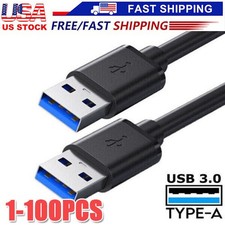
Description Connect compatible USB devices with this 6-foot USB 3.0 Type A male-to-male cable. Designed for high-speed data transfer between compatible USB Type-A ports, it is suitable for various computer peripherals, external drive enclosures, hubs, printers, scanners, cooling pads, and other compatible equipment. Key Features - USB 3.0 High-Speed Data: Supports data transfer speeds of up to 5 Gbps when used with compatible USB 3.0 devices and ports.
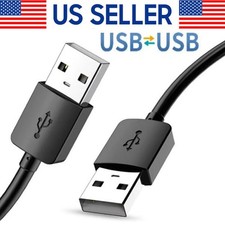
- Type-A Male to Male: Features a USB Type-A male connector on both ends.
- 6-Foot Length: Provides convenient reach between connected devices without excessive cable length.
- Durable Construction: Features copper conductors with foil and braided shielding for reliable signal transmission.
- Gold-Plated Connectors: Designed for consistent connections and everyday durability.
- Plug and Play: No additional drivers are required for compatible USB peripherals.
- Broad Compatibility: Suitable for compatible printers, scanners, external hard drive enclosures, USB hubs, cooling pads, cameras, monitors, DVD players, projectors, and other USB Type-A equipment.
Specifications - Cable Type: USB 3.0 Type-A Male to Male
- Length: 6 ft
- Color: Black
- Data Transfer: Up to 5 Gbps with compatible USB 3.0 equipment
- Connector Type: USB Type-A Male × 2
- Application: Data transfer and compatible peripheral connection
Package Includes - 1 × USB 3.0 Type-A Male-to-Male Cable, 6 ft
Important Compatibility Notes - This cable is not designed to connect two computers directly for data transfer.
- It is not intended as a charging cable.
- It does not support video transmission.
- Both connected devices must have compatible USB Type-A ports.
- Actual transfer speed depends on the USB ports, devices, and other connected hardware.
 |
|
|
|