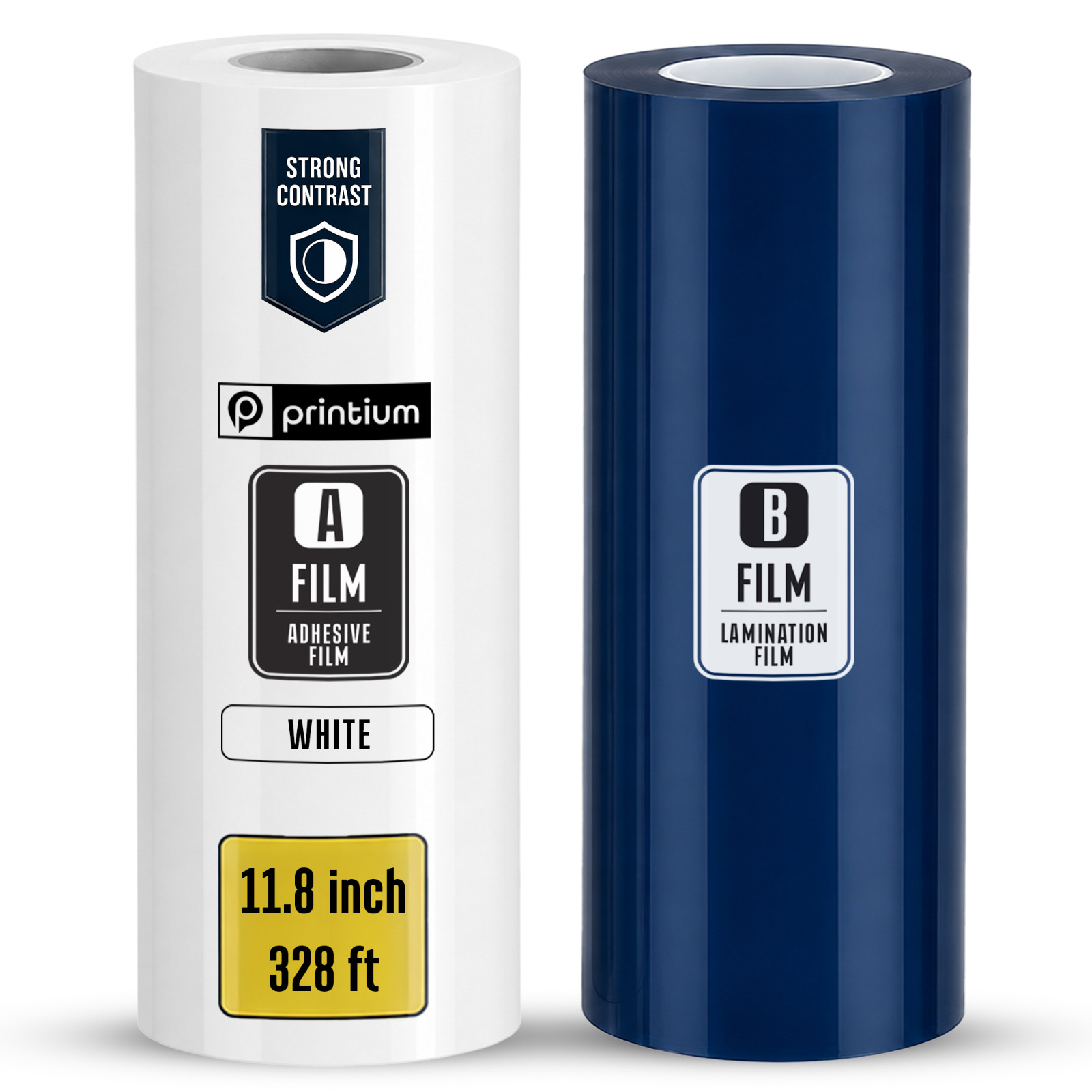
Printium UV DTF A&B Film Roll – Clear or White | 11.8" / 15.7" / 23.6" x 328 ft | Cold Peel | L805 1390 XP600 i3200 PRINTIUM ✦ UV DTF A&B Film Roll · 3 Widths · Clear or White UV DTF A&B Film Roll
Select Width & Color 11.8" · 15.7" · 23.6" × 328 ft (100 m)
Professional two-part film system for peel-and-stick UV DTF transfers on any hard surface. Choose your printer width and background color — Clear for a see-through finish, White for full opacity on dark substrates. No heat press. No weeding. Cold peel.
3 Widths Available 328ft (100 m) · Roll Length Cold Peel Transfer 100% 5-Star Reviews A&B Film Set Complete System Cold Peel No Heat Press Waterproof Scratch-Resistant UV Cured Ink High Resolution Any Hard Surface Glass · Metal · Wood Choose Your Variant 3 Widths × 2 Colors = 6 Configurations
11.8" (30 cm) Narrow Width — Small Items
Perfect for phone cases, keychains, labels, small cup wraps, and compact projects. Minimizes material waste on smaller printers. Ideal for detail-intensive work and single-item personalization.
🔍 Clear ⬜ White 15.7" (40 cm) Mid Width — Versatile Production
The industry sweet spot for mid-format UV DTF printers. Handles tumblers, medium decals, packaging labels, and mixed-format gang sheets. Maximizes sheet utilization for diverse job types.
🔍 Clear ⬜ White 23.6" (60 cm) Wide Format — High Volume
Full 23.6" (60 cm) width for large-format UV DTF printers. Fits dozens of logos per pass on gang sheets. Built for bulk orders, corporate gifts, signage, and high-throughput production environments.
🔍 Clear ⬜ White A Film Color Clear or White — Which Do You Need? 🔍 Clear A Film
Transparent background that disappears on application — only your artwork shows. Ideal for light, colored, transparent, or metallic substrates where you want the surface to show through. Creates a "printed directly on" look on glass, acrylic, and metal.
⬜ White A Film
Solid white backing that provides full opacity under CMYK colors. Essential for dark or black substrates where a clear film would let the background show through. Colors stay vivid and accurate against the white base — same result every time regardless of substrate color.
Why Choose Printium UV DTF Film Professional A&B Film System
01 Complete A&B Film System
Includes both the A printing film and B laminating film in one roll set. The A Film holds UV ink with extreme precision; the B Film carries the cured adhesive transfer to the final substrate — bubble-free, every time.
02 Cold Peel — No Heat Press
Peel and stick directly onto the substrate after lamination — no heat press, no powder, no weeding, no cutting. Transfers bond instantly and permanently to glass, metal, wood, acrylic, ceramic, plastic, and more.
03 Crystal-Clear High Resolution
Microporous A Film surface prevents ink bleeding and keeps fine details razor-sharp. Photographic-quality results with vibrant CMYK colors. The varnish layer creates a subtle 3D embossed effect for a premium tactile finish.
04 Permanent Bond — Waterproof
High-tack adhesive on the B Film creates a permanent bond to the substrate. Finished transfers are waterproof, scratch-resistant, UV-resistant, and cleanable with mild detergents — edges stay down under heavy daily use.
05 Anti-Static, Dust-Free
Anti-static structure on the A Film prevents dust and dirt from settling during production. The back surface of the A Film prevents slipping during paper feeding, reducing alignment errors on long runs.
06 100 m Roll — Minimal Downtime
328 ft (100 m) per roll dramatically reduces media change frequency. Every roll change wastes a small amount of film during alignment — longer rolls mean fewer changes, less waste, and lower cost per transfer.
Technical Details Full Specifications SpecificationDetail BrandPRINTIUM SystemUV DTF A&B Film Roll — Two-Part Transfer System Type A FilmClear or White — high-viscosity adhesive, designed for UV DTF printing Type B FilmLaminating film for protecting and transferring prints to substrate Roll Length328 ft (100 m) — all widths MaterialHigh-quality polymer PET film designed for UV printing AdhesiveStrong high-tack adhesive for maximum ink adhesion and smooth transfer Ink CompatibilityUV-cured inks (CMYK + White + Varnish) Application MethodCold peel — no heat press required Surface CompatibilityAcrylic · Glass · Leather · Metal · PVC · Plastic · Wood · Ceramic · Tumblers · Phone Cases · Signage Output PropertiesWaterproof · Scratch-Resistant · UV-Resistant · Cleanable Anti-StaticYes — A Film surface treated to prevent dust adhesion StorageCool, dry place away from direct sunlight and heat. Store upright, sealed in original packaging. ConditionNew WidthMetricLengthClear SKUWhite SKUBest For 11.8"30 cm328 ft / 100 mPR-UFIL-003CPR-UFIL-003WPhone cases, keychains, small labels, narrow cup wraps 15.7"40 cm328 ft / 100 mPR-UFIL-002CPR-UFIL-002WTumblers, medium decals, labels, mixed-format gang sheets 23.6"60 cm328 ft / 100 mPR-UFIL-001CPR-UFIL-001WLarge format, bulk orders, signage, corporate gifts Compatibility Compatible Printer Systems
Epson L805 Converted Epson 1390 Converted XP600 Printhead i3200 Printhead TX800 Printhead i1600 Printhead DX4 Printhead DX5 Printhead DX6 Printhead DX7 Printhead DX10 Printhead UV DTF Flatbed Systems UV DTF Roll-to-Roll Systems UV DTF Sticker Printers
Instructions How to Use
- 1 Load the Films
Load the A Film (adhesive side facing up) at the back of your UV DTF printer. Load the B Film at the front. Refer to your printer's user manual for the exact loading position — it may vary by model.
- 2 Align and Connect
Ensure both films are properly aligned and connected. The A Film feeds from the back; the B Film is positioned at the front. Secure both films before starting the print job.
- 3 Print Your Design
Print your CMYK+W+V design onto the A Film using your UV DTF RIP software. The printer automatically applies the B laminating film over the printed design during the process.
- 4 Peel the A Film
Once the design has been transferred, carefully peel off the A Film. The printed design remains securely attached to the B Film adhesive layer.
- 5 Apply to Substrate
Position the transfer on your substrate — glass, metal, tumbler, wood, acrylic, ceramic, or plastic. Apply firm, even pressure to ensure full contact and adhesion across the entire design area.
- 6 Peel the B Film & Store
Peel off the B Film to reveal your completed transfer. Store unused rolls sealed in their original packaging, upright or flat in a cool, dry place away from direct sunlight and heat sources.
Questions & Answers Frequently Asked Questions What is the difference between the Clear and White A Film? The Clear A Film has a transparent background — once applied, only your artwork is visible and the substrate surface shows through, creating a "printed directly on" effect. It is ideal for light-colored, transparent, or metallic substrates. The White A Film has a solid white backing that provides full opacity under CMYK colors — essential for dark or black substrates where the background color would otherwise show through and distort your design. Which width should I choose for my printer? Choose the width that matches your UV DTF printer's media width. 11.8" (30 cm) is ideal for compact desktop printers and small items like phone cases and keychains. 15.7" (40 cm) suits mid-format printers and is the most versatile for tumblers and mixed jobs. 23.6" (60 cm) is for full-format UV DTF printers running high-volume gang sheet production. All three widths come in the same 328 ft (100 m) roll length. Do I need a heat press to apply UV DTF transfers? No. UV DTF is a cold peel, pressure-sensitive transfer system — no heat press is needed. After printing and lamination, peel the A Film, apply the B Film transfer to your substrate with firm pressure, then peel the B Film to reveal the finished design. No heat, no powder, no weeding, and no cutting required. What surfaces can UV DTF transfers be applied to? UV DTF transfers bond to virtually any smooth hard surface — glass, metal, wood, acrylic, ceramic, plastic, PVC, leather, tumblers, mugs, phone cases, laptops, bottles, and signage. The high-tack adhesive creates a permanent bond that is waterproof, scratch-resistant, UV-resistant, and cleanable with mild detergents. Which printers are compatible with these film rolls? Compatible with all UV DTF roll-to-roll and flatbed printing systems using XP600, i3200, TX800, i1600, DX4, DX5, DX6, DX7, DX10, or similar Epson-based UV DTF printheads, including L805/1390 converted systems. Always match the film width to your printer's media width for optimal tracking and alignment. How should I store the film rolls? Store rolls sealed in their original packaging in a cool, dry place away from direct sunlight and heat sources. Keep rolls upright or flat to avoid pressure or deformation that could affect print quality. Do not expose to high humidity or extreme temperatures, and protect the film surface from dust and contaminants. Order with Confidence
Professional UV DTF film — same day shipping available on qualifying orders.
3 Widths 328 ft Per Roll Cold Peel 100% 5-Star Reviews DTFBANK × PRINTIUM