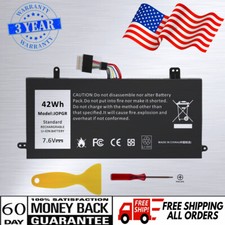
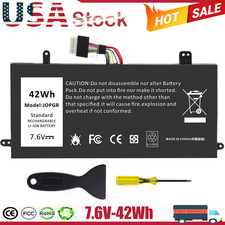
✅42Wh JOPGR Battery For Dell Latitude 5285 5290 2-in-1 J0PGR FTH6F RDYCT T17G
About us:
➡️We are a laptop battery manufacturer with more than many years, we are positioned for high quality, simplicity and durability. Our products are stable, safe and reliable in performance,and all batteries are made of Grade ''A'' cells.
➡️ If you have any question,pls feel free to contact us first instead of opening any form of case. Contacting our customer service is the best way to better cooperate with each other,thanks a lot.
➡️ Before purchasing, pls confirm that your model/capacity/size is compatible with your laptop. If you don’t know your model, you can provide us a picture of the appearance of the old battery for us to confirm.
➡️ Your positive response are the driving force for us to move forward.
Specification:
Battery type: Li-ion
Voltage: 7.6V
Capacity:42Wh
Cell:2 Cells
recharge cycles: 500
Operation time: Around 1-2.5hours
Compatible Part Number:
J0PGR 0J0PGR JOPGR 0RDYCT RDYCT 1WND8 X16TW 0X16TW
0FTH6F FTH6F 0R9XM9 R9XM9 FTG78 0FTG78 JT90P 5JT8G 05JT8G
Compatible Model (use "Ctrl+F" to find your model quickly)
Dell Latitude 5285 Series.
Dell Latitude 5285 2-in-1 series.
Dell Latitude 5290 2-in-1 series (NOT fit for Dell Latitude 5290 Series)
Dell Latitude 12 5285 2-in-1 Series Tablet.
Dell Latitude 12 5290 2-in-1 Series Tablet .
Dell Latitude T17G Series.
Dell Latitude T17G001 Series.
Dell Latitude T17G002 Series.
How to install a new battery?
1. You need to turn off the laptop and disconnect the power at the same time.
2. Disconnect the old battery from the motherboard to avoid unnecessary damage caused by disassembling the battery. Then unscrew the old battery and save it.
3. Take out the old battery, install the new battery on the battery box, tighten the screws, and connect the wires of the new battery.
How to maintain a laptop?
1. New battery: When using a new battery, it is best to discharge to 5% for several cycles. Then charge to 95%. So that it can be fully activated.
2. Excessive use: Do not deplete the battery to 0% often, which will cause damage to the battery or shorten the service life.
3. Charging sequence: when charging, first install the battery, then turn on the power, after fully charged, first cut off the power, and then unplug the power plug.
4. Long-term storage: Please fully charge and store unused batteries. (Charge once a month) Do not store in low battery to avoid reducing.
What should be noted when using the battery?
1.If your computer will not be used for a long time, it is recommended that you remove the battery and store the battery separately.
2.It is recommended that you store the battery in a dry environment with a temperature range of -10--35 degrees Celsius, and avoid sunlight.
3.As the damaged lithium-ion battery will pollute the environment, it also has a certain degree of danger. Please do not disassemble or discard at will.
PaymentDelivery detailsWarranty & ReturnAbout usContact usPayment1. We accept payment via Paypay only.
2. All payments must be prepaid.Delivery details1. Items are generally shipped out within 24-48 hours after your payment has been cleared (Sat. & Sun. excluded.)
2. Orders from the United States will all be shipped out via USPS and FedEx. The shipment usually takes 3-7 business days( Exclude public holiday), if you need the item urgently, please contact us for detail before purchase.
3. We ship to US ONLY and do not support Collection.
4. All items will be shipped to buyer's paypal address. Please check your paypal address before place the order.
5. We are not responsible for wrong or undeliverable address. We reserve the right to charge the shipping fee again for returned items due to wrong address.Warranty & Return1. We provide 30 days money back on non-defective, undamaged, unused and resalable products. Product is not eligible for refund after the 30-day refund period has expired.
2. Our warranty does not extended to any products that are physically damaged or that are not under normal operating conditions as a result of misuse or improper installation on the buyer/user's part.
3. For all returned products, Please contact us for the returning address and Pls no return case.
4. In all cases, buyers pay shipping fees at their own cost to return products for exchange or refund. We will be responsible for the postage of replacements. Refund will be made upon receipt of the returned item.About usWe are a store, mainly run laptop accessory. Such as battery , ac adapter etc.All item passed FCC / CE / ROHS certificates. Help buyer reduce the risk of damage, fire, dangerours mostly.We work with a good quality OEM supplier and factory. Help you and us save money greatly.Contact usCurrently, our after-sale workmate good at English. it is better send message in English. You will get our most effetive response in time.If you have any question, just send a message is a best solve way between us.If you satifaction our service, leave 5 stars and postifive response at our store. It will help our small store development greatly. We will very appreciated for your doing.