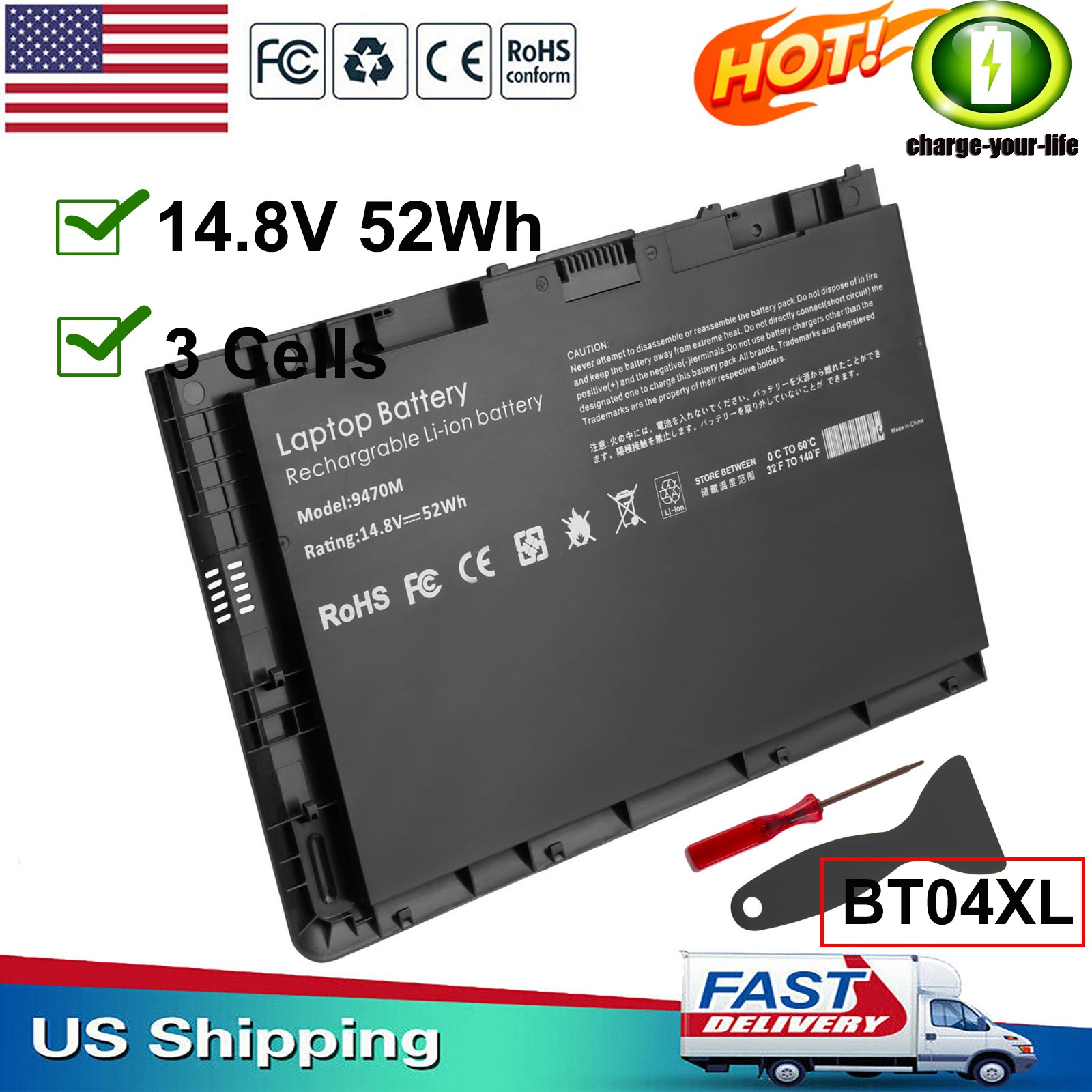
✅BT04XL Laptop Battery For HP EliteBook Folio 9470M 9480M HSTNN-DB3Z HSTNN-110C
Specification:
Battery type: 52Wh
Cell: 3 Cells
recharge cycles: 500
Operation time: Around 1.5-2.5hours
Replace Part Number:
BT04, BT04XL, BA06, BA06XL, 687517-171, 687517-241, 687945-001, 696621-001, HSTNN-DB3Z, HSTNN-IB3Z, HSTNN-I10C, H4Q47AA, H4Q48AA
Compatible Model:
HP EliteBook Folio 9470 Ultrabook Series
HP EliteBook Folio 9470m 9480m Ultrabook Series
HP EliteBook Folio 1040 G1 Series
How to confirm that the battery is suitable for your laptop?
Method 1: Use System Information to find your laptop model
Step 1: Press Windows + R to open Run window.
Step 2: Input "msinfo32" in the empty box and click OK to open System Information.
Step 3: Keep in the System Summary section, and you will find the System Model item in the right pane.
Method 2: Remove Battery from Laptop to find your laptop battery part number
Step 1: Switch off the laptop and unplug the power cable in case of electric shock
Step 2: Remove the back panel with the screwdriver. You should to this with care avoiding any harm to the laptop components.
Step 3: Disconnect the cable connected to the battery and then take out the battery. After that, you can check the specifications of your battery.
Install A New Battery:
- You need to turn off your laptop and disconnect the power.
- Disconnect the connection between the old battery and the motherboard to avoid unnecessary damage caused by disassembling the battery. Then unscrew the old battery screws one by one and carefully save each screw.
- Remove the old battery, carefully install the new battery on the battery case, screw in the screw, and connect the wiring of the new battery.
- If you don't understand the above steps, you can search for the video about laptop battery installation on YouTube. Maybe it will help you
Laptop Battery Instructions:
- Discharge the new battery to 10% (not 0%), then charge(100%) and cycle 3-5 times to wake up the new battery.
- It can calibrate the state of the battery by performing a complete and effective charging and discharging of the battery once a month.
- Charge it to around 50% when you store it long term.
- Do not keep your battery below 5% or deep discharge state (long time 0%), may turn on battery protection and cause the battery to fail to charge.
- Please feel welcomed to notify us of any inconvenience or fault in our battery.
The following are troubleshooting methods:
- Turn off the laptop.
- Unplug AC power.
- Remove the battery.
- Replace AC power.
- Turn on laptop,allow OS to boot.
- Once logged into the machine, perform a normal shut down.
- Unplug AC power.
- Replace battery.
PaymentDelivery detailsWarranty & ReturnAbout usContact usPayment1. We accept payment via Paypay only.
2. All payments must be prepaid.Delivery details1. Items are generally shipped out within 24-48 hours after your payment has been cleared (Sat. & Sun. excluded.)
2. Orders from the United States will all be shipped out via USPS and FedEx. The shipment usually takes 3-7 business days( Exclude public holiday), if you need the item urgently, please contact us for detail before purchase.
3. We ship to US ONLY and do not support Collection.
4. All items will be shipped to buyer's paypal address. Please check your paypal address before place the order.
5. We are not responsible for wrong or undeliverable address. We reserve the right to charge the shipping fee again for returned items due to wrong address.Warranty & Return1. We provide 30 days money back on non-defective, undamaged, unused and resalable products. Product is not eligible for refund after the 30-day refund period has expired.
2. Our warranty does not extended to any products that are physically damaged or that are not under normal operating conditions as a result of misuse or improper installation on the buyer/user's part.
3. For all returned products, Please contact us for the returning address and Pls no return case.
4. In all cases, buyers pay shipping fees at their own cost to return products for exchange or refund. We will be responsible for the postage of replacements. Refund will be made upon receipt of the returned item.About usWe are a store, mainly run laptop accessory. Such as battery , ac adapter etc.All item passed FCC / CE / ROHS certificates. Help buyer reduce the risk of damage, fire, dangerours mostly.We work with a good quality OEM supplier and factory. Help you and us save money greatly.Contact usCurrently, our after-sale workmate good at English. it is better send message in English. You will get our most effetive response in time.If you have any question, just send a message is a best solve way between us.If you satifaction our service, leave 5 stars and postifive response at our store. It will help our small store development greatly. We will very appreciated for your doing.