Phronis Tech Mac Revival USB – Bootable Recovery & Repair Toolkit for Intel Macs (2012–2019)
Bring Your Intel Mac Back to Life
Is your Intel Mac running an outdated operating system? Won’t boot? Running slowly? Having hard drive or startup issues?
Apple no longer provides the latest macOS updates for many Intel Macs, but these computers can still be useful for years to come.
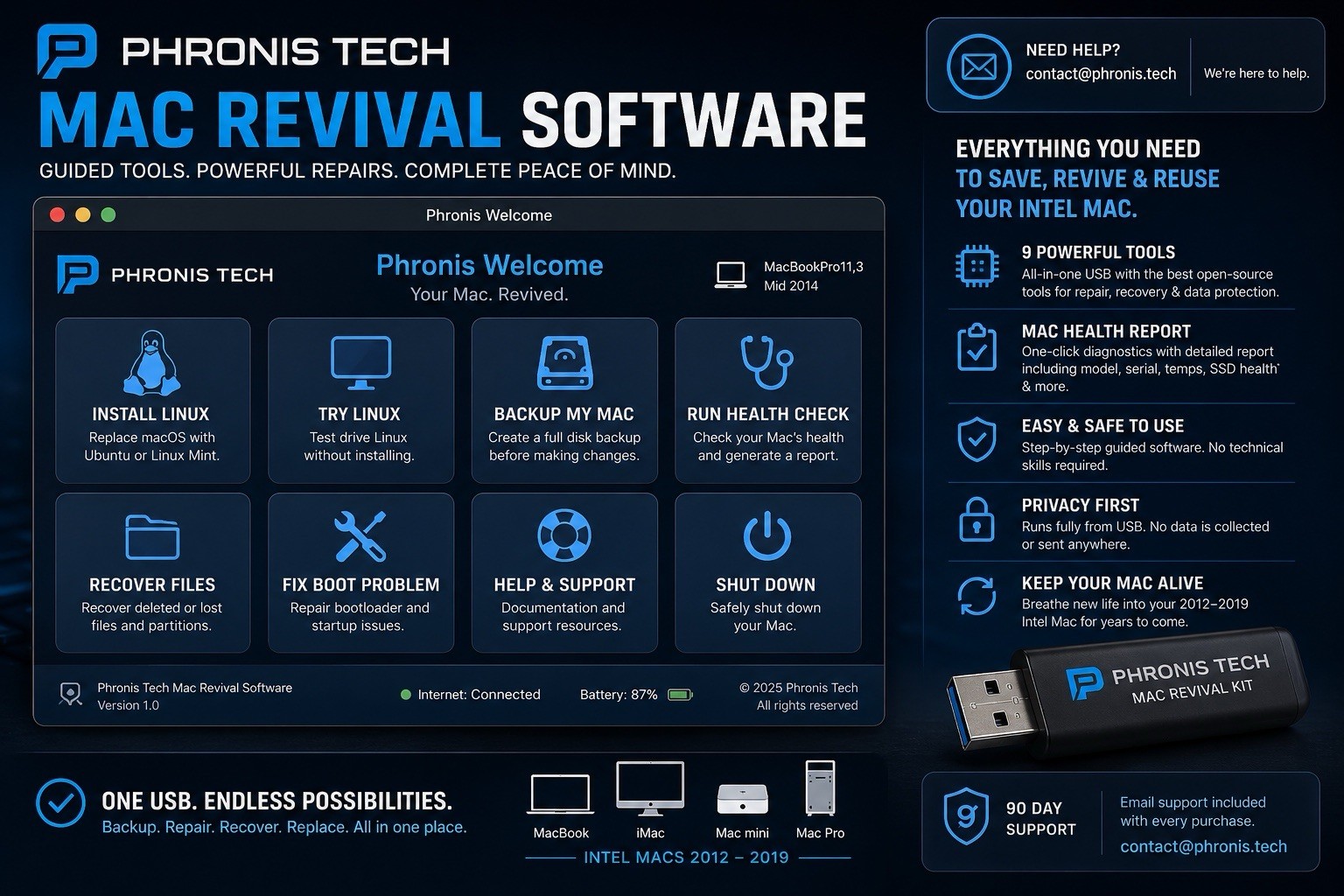
The Phronis Tech Mac Revival USB is a professionally prepared bootable USB loaded with trusted recovery, diagnostic, backup, and repair tools to help you troubleshoot, recover data, repair drives, or install an alternative operating system.
⸻
What’s Included
* 1 × 32GB USB 3.0 Flash Drive (professionally prepared and tested)
* Printed Quick Start Guide with step-by-step boot instructions
* 30 Days of Email Support from Phronis Tech
⸻
Included Boot Tools
Ubuntu 26.04 LTS
A modern Linux operating system that can breathe new life into compatible Intel Macs. Great for web browsing, email, video streaming, office work, and everyday computing.
Linux Mint Cinnamon
A user-friendly Linux distribution with a familiar desktop layout that’s easy to learn.
GParted Live
Create, resize, repair, and manage disk partitions.
Clonezilla
Create complete backups or clone entire hard drives before repairs or upgrades.
Memtest86
Diagnose faulty RAM that may cause crashes, freezes, or random restarts.
SystemRescue (PhotoRec & TestDisk)
Recover deleted files and rescue data from damaged or failing drives.
Boot-Repair Disk
Repair common EFI boot problems and bootloader issues.
Hiren’s BootCD PE
A Windows-based recovery toolkit for Boot Camp systems and compatible repair tasks.
Ventoy Multi-Boot Menu
Simple graphical menu for selecting the tool you need.
⸻
Compatible Intel Macs
Compatible with most Intel-based Macs from 2012–2019, including:
* MacBook Pro
* MacBook Air
* MacBook
* iMac
* iMac Pro
* Mac mini
* Mac Pro
Not Compatible
* Apple Silicon Macs (M1, M2, M3, or M4)
⸻
How to Boot
1. Insert the USB drive.
2. Restart your Mac.
3. Hold the Option (⌥) key while powering on.
4. Select EFI Boot.
5. Choose the recovery tool you want to use.
A printed Quick Start Guide is included.
⸻
Frequently Asked Questions
Will this erase my Mac?
No. The tools boot directly from the USB. Nothing is modified unless you choose to perform an installation, repair, formatting operation, or other write action.
Does this include macOS?
No. Apple does not permit redistribution of macOS installers. Instructions are included explaining how to download macOS directly from Apple if needed.
Will it work with T2 Security Chip Macs?
Yes. Some T2-equipped Macs require external boot to be enabled in Startup Security Utility. Instructions are included.
What if I need help?
We provide 30 days of email support. If you encounter an issue, simply contact us through .
Why am I paying if the software is free?
The included utilities are open-source software. Your purchase covers the professionally prepared USB, multi-boot configuration, testing, printed guide, packaging, and customer support.
⸻
Why Choose Phronis Tech?
* Professionally prepared and tested
* Multiple recovery tools on one USB
* Easy multi-boot menu
* Fast USA shipping with tracking
* Responsive customer support
Whether you’re repairing your own Mac or maintaining multiple Intel Macs, this toolkit puts the most commonly used recovery utilities together on one convenient USB drive.
Ships from the USA.
Same or next business day with tracking.