Product Features
Color Black
HardwareInterface USB 3.0
About this Item
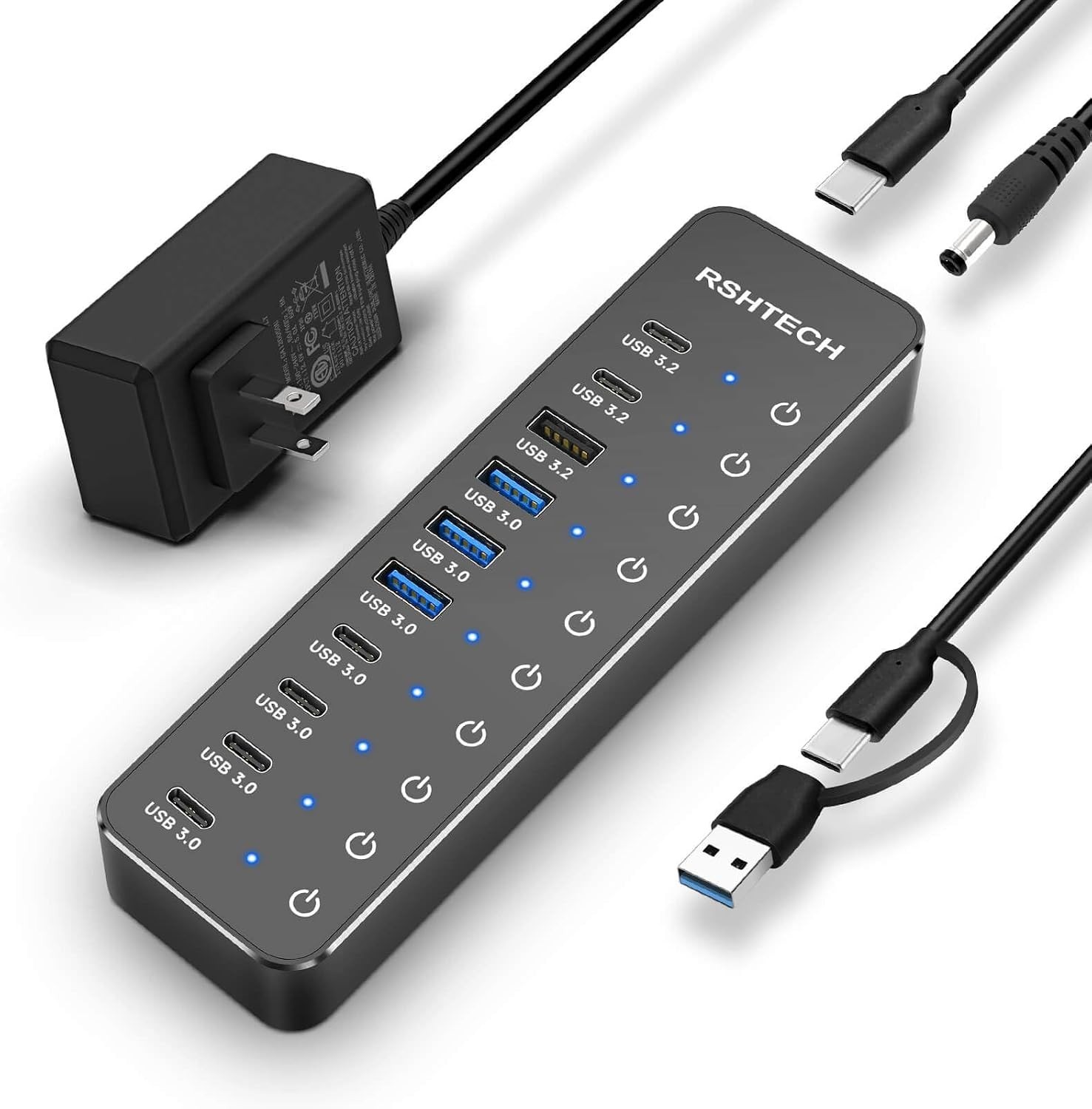
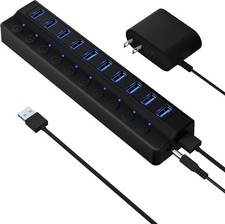
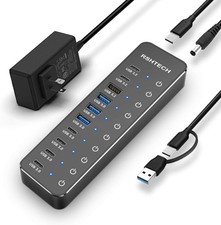
·Upgraded with More USB-C Ports: The Hybrid 10-Port USB Hub with 6 xUSB-C ports (2 USB 3.2 + 4 USB 3.0) and 4 USB A ports (1 USB 3.2 + 3 USB 3.0),enabling seamless connectivity for diverse peripherals. Plug-and-play setuprequires no drivers
·Ultra-Fast Data Transfer: Powered USB data hub with 3 x USB 3.2ports (up to 10Gbps) and 7 x USB 3.0 ports (up to 5Gbps), transferring HDphotos, videos and any files can be done in seconds. Ideal for multi-deviceworkflows demanding high-speed performance (Note: USB-C port does NOT supportvideo output)
·2-in-1 USB Cable: The USB port hub comes with a detachable 3.3ftUSB-A/USB-C dual connector cable, offering versatile compatibility withdesktops, laptops, and other host devices
·Universal 60W Power Supply: The Powered USB C Hub is equipped witha 12V/5A DC power supply, ensures stable power distribution for multipledevices while maintaining secure, uninterrupted data transfers
·Individual Touch Button: The USB C Splitter has individual touchswitches, touch to activate, long press for two seconds to deactivate, blue LEDlight to easily show power status. Each USB port is independently controlledwithout interfering with each other, making it easy to manage multiple USB devices
Hybrid USB3.2 & USB 3.0 Hub
More USB-C,More Possibility
Color Black
Material Aluminium+ ABS
Number ofUSB-C Ports 6 (2x USB 3.2 + 4 USB3.0)
Number ofUSB-A Ports 4 (1x USB 3.2 + 3 USB3.0)
USB Cable VersatileUSB-A&USB-C connector 3.3ft/1m
PowerAdapter Input AC 100-240V 50/60Hz
PowerAdapter Output DC 12V/5A (60W)
IndividualTouch Buttons Turn on: touch toactivate; Turn off: press and hold for 2s
LEDindicator Soft blue LED during operation
USB HubQuick Troubleshooting Guide
Use IncludedPower Adapter: To ensure optimal performance and stable operation of allconnected devices, the USB hub must be used with the included power adapterconnected.
Check TouchSwitch:
Turn On:Lightly tap the button (Blue LED lights indicate it's on). Turn Off: Press andhold for 2 seconds.
Tip: In dryclimates, static electricity may affect touch sensitivity. For bestresponsiveness, it is recommended to moisturize your hands with water or lotionbefore operating the touch button.
Connect
Directly toComputer: Plug the hub directly into your computer's port. It is notrecommended to connect multiple hubs in a daisy-chain, it may havecompatibility issues.
Note onCharging & Video
Charging:This hub is primarily designed for data transfer. While it supports the BC 1.2charging protocol for basic charging, it is Not a dedicated charger.
Video: TheUSB-C port does Not support video output.
If theproblem still cannot be identified, we will provide technical support andservices.
Product Details
Number ofItems 1
Unit Count 1 Count
Item Dimensions L x W x H 6.73"L x 1.85"W x0.68"H
Item Weight 0.46kg
Hardware Interface USB 3.0
Total Usb Ports 10
Data Transfer Rate 10 gigabits_per_second
Number of Ports 10
Operating System Chrome OS, Linux, MacOS, Windows
Color Black
Enclosure Material Acrylonitrile ButadieneStyrene (ABS), Aluminum