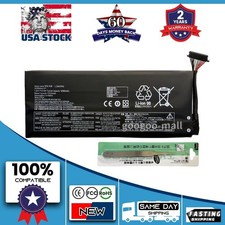
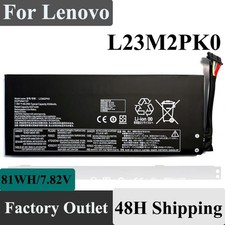
10360mAh 7.82V Battery for Lenovo Legion Go Gaming Handheld - 81Wh Capacity For Sale
When you click on links to various merchants on this site and make a purchase, this can result in this site earning a commission. Affiliate programs and affiliations include, but are not limited to, the eBay Partner Network.
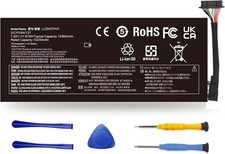
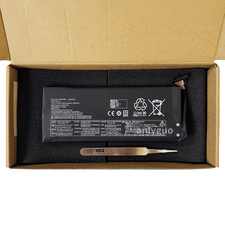
10360mAh 7.82V Battery for Lenovo Legion Go Gaming Handheld - 81Wh Capacity
Price: US $47.99
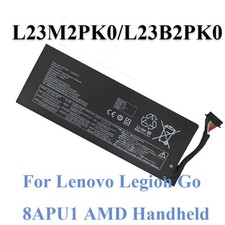
L23B2PK0 L23M2PK0 battery For Lenovo Legion Go Handheld Gaming PC Series
Specifications
Battery Model:L23M2PK0
Battery Voltage:7.82V
Battery Capacity:81Wh 10360mAh
Battery Type:Rechargeable Lithium-ion Battery
Battery life:With a cycle at least 1000+ cycles
Condition:Grade "A" cells,100% brand New from Manufacturer
Replacement Part Number:L23B2PK0 L23M2PK0 5B11M36298L23L2PK0 L23D2PK0 SB11M36297L23C2PK0 5B11M36299 5B11M36296 Compatible with models:Press [Ctrl + F] to search for your type
For Lenovo Legion Go 8APU1 8.8" AMD Ryzen Z1 Extreme Handheld Gaming PC Series
For Lenovo Legion Go 8APU1 Handheld Mini PC Z1 Extreme Series
LEGION GO 8APU1-83E10002PG; LEGION GO 8APU1-83E1000BBR
LEGION GO 8APU1-83E1000JAX; LEGION GO 8APU1-83E1000UJP
LEGION GO 8APU1-83E1000XMB; LEGION GO 8APU1-83E10010MZ
LEGION GO 8APU1-83E10013AR; LEGION GO 8APU1-83E10014CL
LEGION GO 8APU1-83E1001YUS; LEGION GO 8APU1-83E1002ASB
LEGION GO 8APU1-83E1002PHH;
LEGION GO 8APU1-83E1002VTA
LEGION GO 8APU1-83E1003YIV;
LEGION GO 8APU1-83E10048RK
LEGION GO 8APU1-83E1004DRM;
LEGION GO 8APU1-83E1004FED
LEGION GO 8APU1-83E10000US
Tips for installing a new battery:
1.A free removal kit is included in the package, you need to turn off your laptop and disconnect the power.
2. Remove the old battery, carefully install the new battery on the battery compartment and connect the wires of the new battery.
3. If you still don't understand the above steps, you can go to YouTube/official website to search for videos about laptop battery installation, which may help you.
Why does my laptop not recognize this battery?
It may be caused by a missing battery. Please reinstall the battery and make sure the battery connection cable is plugged tightly with the motherboard connector.
It may be due to damage to the conductive material at the positive and negative contacts between the laptop motherboard and the battery, you can try to confirm with the original battery.
Check whether the battery driver is normal, if not, please download the appropriate driver software to update.
Laptop Battery Instructions:
Upon receipt of the battery, first check if the battery size is the same as the original battery. When installing the battery, please pay attention to whether the battery connecting cable is fixed firmly. If the battery connecting cable is not installed correctly, the battery may not be charged.I
If you use the battery for the first time after installing the battery, please do not charge the battery immediately, first use the battery to 10-20%, then charge the battery and cycle charging 5-6 times to activate the battery's maximum usage space.I
It is recommended that you search for battery disassembly tutorials on the Internet or seek the help of professional technicians in advance. We are not responsible for any damage caused by improper operation.