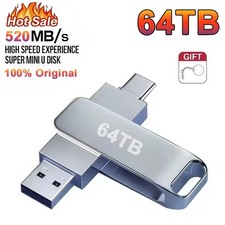
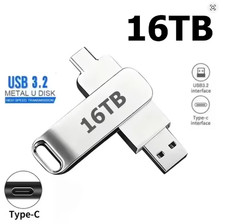
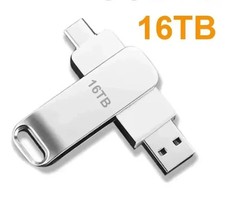
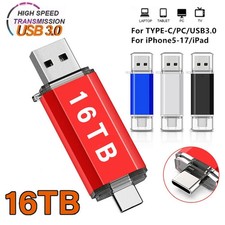
New 16TB 2 IN 1 OTG USB Flash Drive 3.0 Type C For iPhone 8TB 4TB 2TB Pendrive Samsung Huawei Xiaomi Android Laptop Memory Stick,16TB 2-in-1 OTG USB Flash Drive - Type-C Memory Stick for Android Phone PC & Mac🌟 Product Description
Expand your portable storage options with this compact 2-in-1 OTG USB flash drive, designed for convenient file transfer between compatible smartphones, tablets, laptops, desktop computers, and other USB-enabled devices. 📱💻🖥️
Featuring both a USB Type-C connector and a standard USB connector, this portable memory stick can help simplify the process of moving photographs, videos, music, documents, presentations, and other digital files between compatible devices. 🔄📂🎵🎬
The product is advertised in multiple capacity and color options, allowing customers to select the version that best matches their storage requirements and personal style. Available advertised capacities may include 2TB, 4TB, 8TB, and 16TB, while available colors may include Black, Red, and White. ⚫🔴⚪
⚠️ Important: Storage capacity, connector configuration, transfer speed, and device compatibility must be confirmed using the variation selected at checkout. Please read the compatibility and capacity notices below before purchasing.
✨ Key Features🔌 Convenient 2-in-1 Connector Design
The dual-interface design is intended to provide convenient access across compatible devices without requiring customers to carry multiple separate flash drives.
USB Type-C connector for compatible smartphones, tablets, laptops, and computers
Standard USB connector for compatible laptops, desktop computers, and other USB-equipped devices
Suitable for transferring files between mobile devices and computers
Compact all-in-one construction
Convenient for travel, school, office, and everyday storage needs
📱 OTG File Transfer Support
When connected to an OTG-compatible device, the flash drive can be used to access, copy, move, and organize supported files.
Possible uses include:
Transferring photographs from a compatible phone to a computer 📸
Moving documents between school, home, and office devices 📄
Carrying presentations, spreadsheets, and project files 📊
Backing up selected mobile photographs and videos 🎥
Storing compatible music and media files 🎵
Sharing files without relying entirely on cloud storage ☁️
Freeing available space on compatible mobile devices 🗂️
⚠️ The smartphone or tablet must support USB OTG/external storage functionality. Compatibility is determined by the device, operating system, connector, file system, and available software.
🚀 Convenient Plug-and-Play Operation
For most compatible computers and mobile devices, no external power supply is required. Simply connect the drive to a supported port and wait for the device to recognize it.
Depending on the device and operating system, customers may need to:
Unlock the phone, tablet, or computer.
Connect the correct end of the flash drive.
Open the device’s Files, File Manager, Finder, or File Explorer application.
Locate the external storage device.
Copy, move, open, or delete supported files.
Safely eject the drive before disconnecting it.
🛡️ Solid-State Portable Storage
Because flash storage has no traditional moving mechanical components, it is generally convenient for portable everyday use. The drive is designed to be compact, lightweight, and easy to store inside a bag, backpack, desk drawer, organizer, or accessory pouch. 🎒👜
🌈 Multiple Options
Depending on inventory and the selected listing variation, the product may be offered in:
Advertised capacity choices may include:
⚠️ Please select the required color and advertised capacity carefully before completing your order. The package contains only the variation selected during checkout.
📋 SpecificationsSpecificationProduct InformationProduct Type2-in-1 OTG USB flash drive / portable memory stickConnector DesignUSB Type-C and standard USB interfaceAdvertised InterfaceSupplier information references USB 2.0 and USB 3.0; confirm the selected variationAdvertised Capacities2TB, 4TB, 8TB, or 16TB, depending on selectionAvailable ColorsBlack, Red, or White, depending on availabilityMaterialPlastic exteriorOTG SupportIntended for compatible OTG-enabled devicesExternal PowerNot normally requiredInstallationPlug-and-play on most compatible systemsApproximate Package Dimensions15 × 10 × 8 cm / 5.91 × 3.94 × 3.15 inApproximate Package Weight0.050 kg / 50 g / 0.11 lb / 1.76 ozQuantity1 pieceOriginMainland ChinaHigh-Concerned ChemicalsNone declared by the supplierPCB InformationSupplier specification states “No”; see important noticeConditionNew
📏 Measurement Notice: The listed dimensions appear to represent the approximate package size rather than the flash drive itself. Minor differences may occur because of manual measurement, packaging updates, or manufacturing variations.
📦 Package Includes
📌 A smartphone, tablet, laptop, computer, adapter, charging cable, software license, and decorative accessories are not included unless specifically shown and identified as included.
📱 Device Compatibility✅ Potentially Compatible Devices
The flash drive is intended for use with appropriately equipped devices, including:
Android smartphones with a compatible USB Type-C port
Samsung Type-C smartphones and tablets
Huawei Type-C smartphones and tablets
Xiaomi Type-C smartphones and tablets
USB Type-C laptops
Compatible Mac computers
Windows laptops and desktop computers
Compatible notebooks and tablets
Other devices supporting USB external storage or OTG functionality
🍎 Important iPhone Compatibility Notice
The phrase “for iPhone” does not guarantee universal compatibility with every iPhone model.
iPhone models using a USB-C port may support external storage through the Files application, depending on the device, format, and iOS version.
Older iPhone models using a Lightning port cannot connect directly to a USB-C plug.
A compatible Lightning adapter may be required for Lightning-equipped models.
Some adapters may require external power.
Compatibility with every iPhone model, application, file format, or iOS version is not guaranteed.
🔎 Please inspect your phone’s charging/data port before ordering.
🎮 Gaming Console Notice
Compatibility with Nintendo Switch, Nintendo Switch OLED, Nintendo Switch 2, PlayStation, Xbox, smart televisions, car audio systems, cameras, and other specialized equipment is not guaranteed. Many devices restrict which external USB storage products, capacities, formats, or functions they support.
🖥️ Operating-System Information
The flash drive may be recognized by compatible versions of:
⚠️ Compatibility depends on the operating-system version, device hardware, supported file system, connector type, security settings, and OTG functionality.
🛠️ How to Use📱 With a Compatible Android Device
Confirm that the phone or tablet supports USB OTG.
Connect the USB Type-C end to the device.
Wait for an external-storage notification.
Open the Files or File Manager application.
Select the files you want to copy or move.
Choose the external USB storage destination.
Wait until the transfer is fully complete.
Use the system’s eject or unmount function before removal.
💻 With a Windows Computer
Insert the standard USB connector into a compatible USB port.
Wait for Windows to recognize the drive.
Open File Explorer.
Select This PC and locate the removable drive.
Copy or move the required files.
Use Safely Remove Hardware before disconnecting the drive.
🍎 With a Compatible Mac
Connect the drive directly or through a compatible adapter.
Open Finder.
Locate the drive under Locations.
Transfer the required files.
Click the eject symbol before removing the drive.
🎯 Recommended Uses
This portable flash drive may be useful for:
🏫 School assignments and study materials
🏢 Office files and business presentations
✈️ Travel photographs and compatible offline media
📸 Photograph and video transfers
📑 PDF files, spreadsheets, and documents
🎵 Compatible music collections
💻 Moving files between computers
📱 Transferring supported files from mobile devices
🎁 A practical technology accessory
🗄️ Temporary or secondary file storage
💎 Benefits and Everyday Convenience🌍 Cross-Device Flexibility
The dual-connector configuration can reduce the need to use a separate flash drive for every compatible device.
👜 Portable Construction
Its lightweight design makes the drive easy to carry in a pocket, handbag, backpack, laptop case, or electronics organizer.
⚡ Direct File Access
External storage may allow compatible files to be accessed without downloading them from a cloud service every time.
🔋 No Separate Power Adapter
Under normal compatible operation, the flash drive receives power from the connected device.
🧩 Simple Setup
Most compatible devices can recognize external USB storage without complicated installation procedures.
🔄 Convenient File Sharing
Transfer supported files between compatible mobile devices and computers using one portable accessory.
⚠️ Important Capacity Disclosure
The capacities shown in this listing—particularly 2TB, 4TB, 8TB, and 16TB—are advertised supplier capacities and should be independently verified after delivery.
Extremely high-capacity USB flash drives offered at unusually low prices may sometimes report an incorrect capacity to the operating system. A drive can appear to contain several terabytes while its actual usable physical capacity is substantially lower. This may cause overwritten, corrupted, missing, or unreadable files.
For this reason:
Test the complete capacity before storing important information.
Use a reputable full-capacity verification program.
Windows users may use tools such as H2testw.
macOS and Linux users may use tools such as F3.
Do not rely on the capacity displayed in File Explorer or Finder alone.
Do not delete original files immediately after copying them to the drive.
Maintain another backup of valuable information.
💡 Displayed usable capacity can normally be slightly lower than the marketed capacity because manufacturers and operating systems may calculate storage units differently. However, a very large discrepancy is not normal and should be reported promptly.
🚨 Interface and Speed Notice
The supplier information contains conflicting interface claims:
Therefore, USB 3.0 performance should not be assumed unless the exact variation or physical product is confirmed as USB 3.0.
Actual transfer speed varies based on:
USB interface version
Connected device
Computer hardware
File size and number of files
Storage format
Available system resources
Read speed versus write speed
Adapter or hub performance
🚫 No exact transfer-speed figure is guaranteed by the supplied specifications.
🔐 File Safety Recommendations
To protect your information:
Keep at least one additional backup of important files.
Do not use the drive as the only storage location.
Allow every file transfer to finish before disconnecting.
Always eject or unmount the drive properly.
Avoid removing the drive while files are open.
Do not expose it to water, fire, excessive heat, or strong impact.
Keep the connectors clean and dry.
Scan files using appropriate security software.
Test copied files before deleting the originals.
Consider encrypting sensitive information before portable storage.
📌 No storage device should be considered a permanent substitute for a properly managed backup system.
🧼 Care and Storage Instructions
Store the drive in a cool, dry location.
Keep it away from moisture and direct sunlight.
Do not bend, crush, puncture, or disassemble it.
Avoid touching the connector contacts unnecessarily.
Do not force the connector into an incompatible port.
Keep away from small children and pets.
Disconnect it before transporting the connected device.
Use a protective case or pouch when traveling.
Do not use the drive if the casing or connector becomes damaged.
❗ Important PCB and Product-Type Notice
The supplied specification describes the item as:
These details conflict with the description of the item as a functional high-capacity flash drive. A genuine USB storage device ordinarily requires electronic memory and controller components.
🔎 Customers should confirm that the selected item is a complete, functional storage device rather than an enclosure, adapter, decorative shell, or accessory before purchasing.
🧰 TroubleshootingThe Drive Does Not Appear
Remove and reconnect the drive.
Try another compatible USB port.
Restart the device.
Confirm OTG support on the smartphone or tablet.
Check the Files, Finder, File Explorer, Disk Management, or Disk Utility application.
Avoid unpowered USB hubs.
Test the drive using another compatible computer.
Confirm that an adapter supports data transfer, not charging only.
Files Cannot Be Copied
Check available usable space.
Confirm that the drive is not write-protected.
Check whether the file system supports the file size.
Confirm that the device has permission to access external storage.
Try copying a smaller test file.
Back up accessible data before reformatting.
The Drive Appears on Windows but Not on Mac
The drive may use an unsupported, damaged, or incorrectly configured file system. Check it using Disk Utility. Reformatting may resolve some compatibility problems, but it will erase existing content.
The Drive Becomes Warm
A small amount of warmth can occur during file transfers. Disconnect the product immediately if it becomes unusually hot, produces an odor, changes shape, or behaves abnormally.
🌟 Why Buy This Product?
🔌 Dual-interface 2-in-1 connector design
📱 Intended for compatible USB Type-C and OTG devices
💻 Suitable for compatible computers and laptops
👜 Compact, lightweight, and travel-friendly
📂 Useful for documents, photographs, videos, and music
⚡ Plug-and-play operation on many supported devices
🔋 No separate power supply normally required
🎨 Multiple color options
💾 Multiple advertised capacity options
🔄 Convenient device-to-device file transfers
🏫 Useful for school, home, travel, and office environments
📌 Key Bullet Points
🌈 Choose from Black, Red, or White, subject to availability.
💾 Select the required advertised capacity before checkout.
🔌 Includes USB Type-C and standard USB connection options.
📱 The mobile device must support OTG/external USB storage.
🍎 Lightning-equipped iPhones require an appropriate adapter.
🚀 USB 3.0 speed is not guaranteed because the supplied specifications conflict.
🔍 Verify the full usable capacity immediately after delivery.
🗂️ Keep original copies of important files until testing is complete.
🔐 Never use portable flash storage as the only backup.
📦 The package includes one selected flash drive only.
📏 Measurements and weight are approximate.
🎮 Compatibility with gaming consoles and specialized equipment is not guaranteed.
🛍️ Before Placing Your Order
Please confirm all of the following:
Your device has a compatible USB or USB Type-C port.
Your smartphone or tablet supports OTG/external storage.
You selected the correct advertised capacity.
You selected the correct color.
You understand that older Lightning iPhones require a compatible adapter.
You understand that transfer speeds are not specified or guaranteed.
You will verify the full usable capacity before storing important files.
You will maintain separate backups of valuable information.
✨ Choose the appropriate variation and enjoy a compact, convenient way to carry and transfer supported digital files across compatible devices.