PLEASE READ CAREFULLY BEFORE PURCHASING
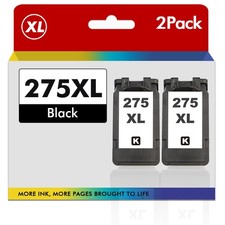
HOTCOLOR PG-275XL High Yield Black Ink Cartridges Replacement for Canon PG-275 – 2 Black
Keep your compatible Canon PIXMA printer ready for everyday documents, reports, invoices, forms, and schoolwork with this HOTCOLOR 275XL high-yield black ink cartridge 2-pack. These NON-OEM compatible cartridges replace Canon PG-275 / PG-275XL black ink cartridges, providing a cost-effective option for home, school, and office printing.
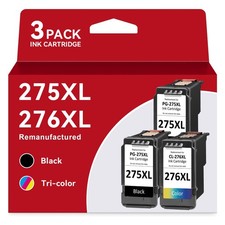
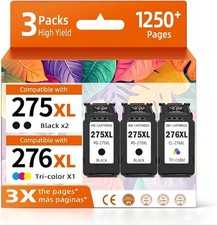
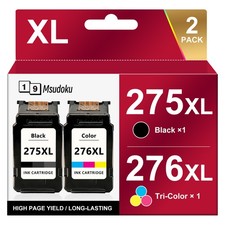
THIS LISTING INCLUDES TWO BLACK INK CARTRIDGES ONLY. NO COLOR CARTRIDGE IS INCLUDED.
PACKAGE INCLUDES
• (2) HOTCOLOR PG-275XL High Yield Black Ink Cartridges
• Black ink only
• Total: 2 cartridges
APPROX. PAGE YIELD
• Black: Up to approximately 400 pages per cartridge
• Combined total: Up to approximately 800 pages
Manufacturer-stated page yield is based on approximately 5% coverage on letter/A4 paper. Actual yield varies depending on page coverage, printer settings, cleaning cycles, and printing habits.
COMPATIBLE PRINTERS
Compatible with the following Canon PIXMA models, according to the supplier:
• TS3500 Series: TS3520, TS3522
• TS3700 Series: TS3720, TS3722
• TR4700 Series: TR4720, TR4722, TR4723
Please verify your exact printer model and required cartridge number before purchasing. These cartridges replace Canon PG-275 / PG-275XL BLACK ink only. They do not replace CL-276 / CL-276XL color cartridges.
PRODUCT FEATURES
• High-yield black ink for everyday document printing
• Replacement for Canon PG-275 / PG-275XL
• Upgraded chips designed for compatible printer recognition
• Designed for clear black text and everyday printing
• Convenient 2-pack provides a spare black cartridge
• NON-OEM aftermarket product — not manufactured or endorsed by Canon
SHIPPING
• FREE shipping
• Each item is inspected before shipment
• Ships within 2 business days
• Shipped via USPS with tracking
RETURNS
• 14-day money-back guarantee if the item is defective or not as described
• Item must be returned to receive a refund
• Buyer is responsible for return shipping, subject to applicable policies
• If your printer displays an error, please contact us and provide a clear photo of the error message or code, along with your printer model
IMPORTANT
• These are NON-OEM aftermarket cartridges. Some printers may not recognize aftermarket cartridges initially.
• Your printer’s automatic update function may need to be disabled, if available. Firmware updates may affect recognition of aftermarket cartridges.
• Recommended for advanced printer users who are comfortable troubleshooting aftermarket cartridge recognition issues.
• Before installation, remove all protective shipping materials according to the product instructions. Avoid touching the electrical contacts or printhead nozzles.
• If a cartridge is not recognized, power the printer off and back on, then remove and rese