 When you click on links to various merchants on this site and make a purchase, this can result in this site earning a commission. Affiliate programs and affiliations include, but are not limited to, the eBay Partner Network. When you click on links to various merchants on this site and make a purchase, this can result in this site earning a commission. Affiliate programs and affiliations include, but are not limited to, the eBay Partner Network.
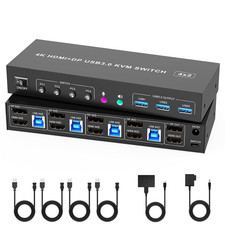
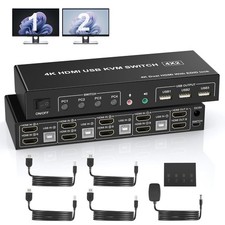
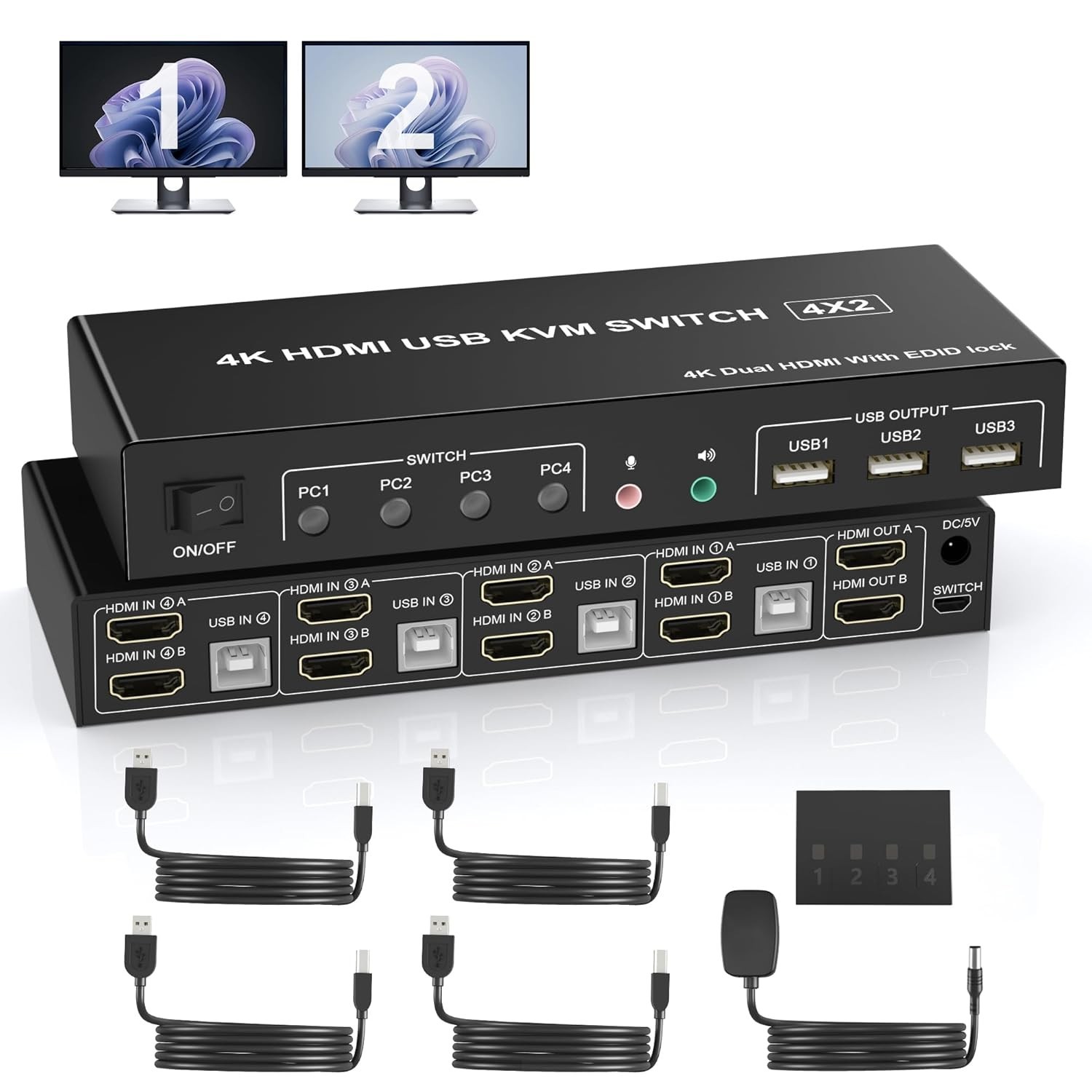
4 Port HDMI Dual Monitor KVM Switch, Supports EDID, 4K 60Hz KVM Switch 2 Monitors 4 Computers, with Audio Microphone Output and 3 USB 2.0 Ports, PC Monitor Keyboard Mouse Switcher for 4 PCs.About this item - 4 Port HDMI Dual Monitor KVM Switch: This 4 IN 2 OUT HDMI dual monitor KVM Switch allows you to control 4 computers or laptops with one set of keyboard, mouse, and single or dual monitors to make your workspace tidy and efficient, also a premium choice for working from home. Note: This dual monitor KVM supports HDMI dual-screen display (This function requires your PC to support dual display or multi-display, then you can use this KVM to achieve 4 PCs to share 2 monitors.
- With Simulation EDID: This KVM dual monitor switch can simulate the EDID of the display, and store the resolution and refresh rate of the display, it comes with EDID emulators in each input port, keeping PCs always having correct display information. Without EDID, your windows may move around when switching. No longer have to sit and wait for the windows to adjust. Another feature of EDID is the ability to automatically identify the best resolution.
- USB 2.0 HDMI KVM Switch Dual Monitor 4K 60Hz: Our dual monitor HDMI KVM switch Confirms to HDMI 2.0 protocol, supports a maximum resolution of 4K@60Hz, and is compatible downwards. Also supports separate audio and microphone output. Note: Only when both your computer Graphics card and monitor support 4K@60Hz you can get the 4K@60Hz effect, so if you want the maximum resolution you have to check your devices first.
- KVM HDMI Switch with USB 2.0:Plug and play with no driver needed, with extra 3 USB 2.0 port for sharing USB printers, scanners and jump drives, wireless and gaming keyboard mouse. Meet more demands at work, no need to worry about connecting office equipment.
- Support 2 Switching Modes: 1. Buttons switching, just need one click switch to the designated computer;2.Wired remote switch (included in the package). LED indicates the active computer. The package comes with an external power adapter, don't need to worry about the low power.
- Important: After connecting the computers and the monitors through KVM, you need to set the screen output mode on the computer (press Windows+P) and select the output mode in the pop-up window on the screen. Package includes 1 x USB 2.0 HDMI dual monitor KVM switch, 1 x Power adapter, 1 x Wired Remote Switch, 4 x USB 2.0 Type-A to B cable, and 1 x User Manual.
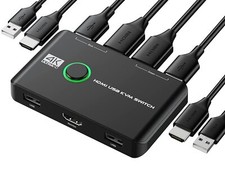
Product description4 Port USB 2.0 Dual Monitor (HDMI+HDMI ) KVM Switch 4K@60Hz - With this 4 port USB 2.0 dual-monitor HDMI KVM Switch (HDMI+HDMI), you can easily control 4 signal sources at the same time, share the same keyboard and mouse, and share 2 monitors.
- Note: Each input source device must be connected to two dual monitors.
Product Features - 4 computers share one set of keyboard, mouse, 2 monitors, and more USB peripherals.
- This dual monitor HDMI KVM switch Supports maximum resolution up to 4K 60Hz YUV 4:4:4, HDCP 1.4, HDR 2.2, with EDID Emulator; Dual monitors output support up to 4K@60Hz for extended, mirrored or spliced display(Depends on your computer's graphics card.);
- Compatible with Windows 11/10/7/2000/XP/Vista, Linux, UNIX, Ubuntu, Fedora, and other systems;
- 2 Switching modes: Button switch and wired remote.
- The ports that need to plug in HDMI/USB cables are all hidden behind the KVM, so the desktop doesn't get cluttered;
- No complicated installation is required, and non-professionals can easily operate it.
- Independent Audio Microphone output.
Support EDID Lock Screen - Dual monitor KVM switch can simulate the EDID of the display, when the monitor is switched between 4 computers, the original window order will not change.
Installation steps: 1. Insert the DC/5V adapter into the KVM ; 2. Plug the HDMI cable into the KVM and monitor;(Output) 3. Plug the HDMI cable and USB cable into the KVM and your computer/laptop (HDMI cables are not included)(Input) HDM1 IN1 A + HDM1IN1 B + USB IN1=PC1 HDM1 IN2 A + HDM1IN2 B + USB IN2=PC2 HDM1 IN3 A + HDM1IN3 B + USB IN2=PC3 HDM1 IN4 A + HDM1IN4 B + USB IN2=PC4 4. Insert the mouse and keyboard into the KVM switch 5. If needed, you can connect a microphone and audio port Note: 1. Most of the reasons why only one video output works is because of an incorrect connection. Please make sure each computer has 2 HDMI cables connected to the KVM. 2. If the KVM switch does not work, you can turn off the switch on the panel and turn it on again after 2-3 seconds, and it will return to normal. 3. Please check the HDMI IN A1 & A2 & A3 & A4, HDMI IN B1 & B2 & B3 & B4 and USB IN1 & IN2 & IN3 & IN4 is corresponding, HDMI OUT A, HDMI OUT B is corresponding, NOT support mixed insertion. 4. Note: HDMI cables are not included Dual Monitor KVM Support 4K@60HZ - Supports high resolution up to 3840*2160@60Hz and downwards.
- Note: Only when both your computer Graphics card and monitor support 4K@60Hz you can get the 4K@60Hz effect, so if you want the maximum resolution you have to check your devices first.
4 PCS Share 3 USB 2.0 Devices - The kvm switch dual monitor 4 port plug and play with no driver needed, with extra 3x USB 2.0 ports for sharing USB printers, scanners and jump drives, wireless and gaming keyboard mouse.
Supports Separate Audio and Microphone Output - This HDMI dual monitor KVM switch comes with a 3.5mm Audio Jack port with a DAC chip inside, which can be inserted into a 3-segment 3.5mm earpiece device, and a 3.5mm microphone interface, which can be inserted into a 3-segment microphone.
Dual Monitor KVM Support 2 Switching Modes - Quickly switch between the 2 computers with just one click of the switch button on the panel or use the wired remote controller (included in the package).
Please note: This dual monitor KVM switch HDMI does not support hotkey switching.  |
|