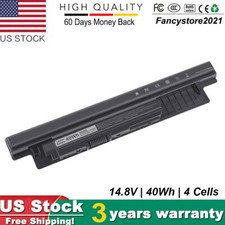
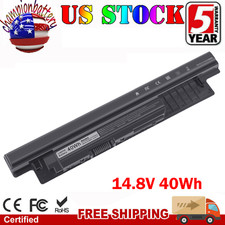
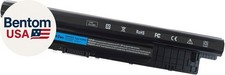
- FIT LAPTOP MODELS : For Dell Inspiron 14 3421 3437 14R 5421 5437 N5421 N3421, Inspiron 15 3542 3543 3541 3521 3537 3531 15R 5521 5537, Inspiron 17 3721 3737 5749 17R 5737 5721, N3721 N3737 N5721 N5737, Latitude 3440 3540 E3440 E3540 series, Vostro 2421 2521 series P37G P28F P17E P40F laptop model.
- REPLACE BATTERY PART: 40Wh XCMRD 4WY7C FW1MN 0MF69 24DRM 49VTP 4DMNG 6HY59 68DTP 6KP1N 6XH00 6K73M 8RT13 8TT5W 9K1VP DJ9W6 G35K4 G019Y N121Y MR90Y MK1R0 T1G4M VR7HM PVJ7J V1YJ7 V8VNT YGMTN X29KD XRDW2 W6XNM 312-1390 312-1387 312-1433 312-1392 451-12107 451-12108 battery. (Please check your original battery’s part/shape to get a correct replacement!)
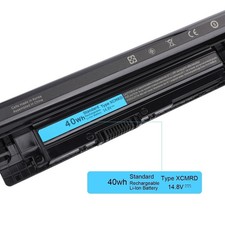
- SPECIFICATION : Model Name: 40Wh Standard Rechargeable Li-ion Battery Type XCMRD 14.8V; Battery Type: Li-ion; Voltage : 14.8V; Capacity : 40Wh; Cells: 4-cell; Size(L*W*H): About 10.72x1.82x0.79inch. Weight: About 9oz / 0.56 lb; Condition: Brand New;
- SECURITY : ECHEER XCMRD 40Wh 14.8v laptop batteries have passed strict intelligent detection, such as short circuit protection, over voltage protection, discharge protection, over current protection, which is very important for battery’s use cycle and safety. All batteries are equipped with high quality material to ensure good performance. CE, FCC, RoHS certificated.
- WHAT CAN YOU GET: Package includes 1PC 40W XCMRD laptop battery with manual. 24x7 Email Support. 60 days money refund / 12 months replacement supported if any issues. We always stand behind our customers to offer you a solution if you need help.
Product description Welcome to ECHEER store!
ECHEER is a electronic technology company with over 20 years of experience specializing in the manufacture and sale of replacement laptop batteries and adapters. Emanjor is the only brand belong to our store.Retail and bulk orders supported. Wish you a happy shopping!
Specification:
- Brand: Emanjor
- Model Number: 40Wh Standard Rechargeable Li-ion Battery Type XCMRD
- Capacity: 40Wh
- Voltage : 14.8V
- Cell: 4-cell
- Battery Type: Li-ion
- Condition: Brand New
- Package included: 1PC xcmrd battery, manual
High Performance 40Wh XCMRD Laptop Battery
- True capacity
- Grade A Cells
- Perfect Fit
- Easy to install
- Built in multi-protection
- Up to 500 recharge cycles
Broad Compatibility
This 40Wh XCMRD battery is a universal replacement battery for Dell Inspiron 15 3000 series 3531 3541 3542 3543 3521 3537 3531 15R 5521 5537, Inspiron 17 3721 3737 5749 17R 5737 5721, N3721 N3737 N5721 N5737, Latitude 3440 3540 E3440 E3540 series, Vostro 2421 2521 series P37G P28F P17E P40F laptop models and more.
About compatibility
1.This 40Wh XCMRD battery is only compatible with some of the Dell Inspiron 15 3000 series / Inspiron 14 3000 series models but not all. Please find out your specific model name! (E.g.Inspiron 15 3000 series 3542). You may purchase the wrong battery if you only base on the laptop series!
2.Noted that this is NOT a 40Wh M5Y1K battery for the above series! If you need a M5Y1K model, please search product asin B07T59QNWL.
3. Please check the following list of compatible models. Maybe not complete models listed. You can post your question on Q&As if you are not sure about the compatibility.
Compatible with Dell Laptop Models:
For Dell Inspiron 14 14R Series 14-3421 14-3437 14-3443 14R-5421 14R-5437 14-N5421 14-N3421
For Dell Inspiron 14 3000 Series 3421 3437 3443
For Dell Inspiron 15 15R Series 15-3521 15-3537 15-3531 15-3542 15-3543 15-3541 15R-5521 15R-5537 15R-N3521 15R-N5521 15R-N5537
For Dell Inspiron 15 3000 series 3531 3541 3542 3543
For Dell Inspiron 17 17R Series 17-3721 17-3737 17R-5737 17R-5721 17R-N3721 17R-N3737 17R-N5721 17R-N5737
For Dell Latitude 3540 series
For Dell Latitude 3540 series
For Dell Vostro 2421 series
For Dell Vostro 2521 series
Compatible with Part Numbers:
40Wh XCMRD 4WY7C FW1MN 0MF69 24DRM 49VTP 4DMNG 6HY59 68DTP 6KP1N 6XH00 6K73M 8RT13 8TT5W 9K1VP DJ9W6 G35K4 G019Y N121Y MR90Y MK1R0 T1G4M VR7HM PVJ7J V1YJ7 V8VNT YGMTN X29KD XRDW2 W6XNM 312-1390 312-1387 312-1433 312-1392 451-12107 451-12108
How to purchase the correct replacement battery?
Method 1. Remove your laptop back cover to check your original battery’s part number, shape. Then search the part number.
Method 2. Check your specific laptop model name. (method: Press [Win] + [R] key , enter [msinfo32] or [dxdiag] , then click OK to find your system model. Search your laptop model name to find the replacement battery.
Tips for battery troubleshooting:
You can try the following method if the battery fail to work:
1. Inspect Physical Connections
2. Calibrate the Battery
3.Update or Reinstall Battery Drivers
4. Check Power Settings
5.Test with Another Charger
6.Check for Software Issues
7.Run Hardware Diagnostics
8.Replace the Battery
__EASY TO DEAL WITH VARIOUS USE ENVIRONMENT___Use anytime, anywhere. Bring your laptop back to life! Work Study Travel